What to check before buying
Choose the connection for your main gaming device, then assess fit and isolation for the length of time you actually play. The concerns below distinguish consumers by the need they would put first; several may still matter to the same person.
| Concern | What to check | Who this matters to |
|---|
| Isolation at a comfortable volume |
Look for closed-back over-ear earcups and assess whether the cushions make a comfortable seal. |
In a shared room, quiet game cues are harder to follow when other sounds intrude; around 31% of consumers put isolation for moderate-volume play first. |
| Comfort and voice chat |
Compare listed weight and cushion materials, and check how the microphone mutes. |
If I play for a long stretch and also use voice chat, pressure and awkward mute controls could interrupt both; around 31% of consumers prioritise long-session comfort and chat. |
| Device compatibility |
Check your main device's port or receiver support and any operating-system conditions for audio features. |
A headset needs to work with the device I actually play on, not merely offer the right-looking plug; roughly 23% of consumers put connection and feature compatibility first. |
| Cable-free switching |
Confirm whether the exact model uses 2.4GHz, Bluetooth or both, and check its charging requirements. |
Moving between a game and phone audio without rearranging cables makes wireless appealing; around 15% of consumers prioritise that flexibility. |
Brands to consider
These brand references concern the named headset lines, not every model each brand makes. Check the exact variant and your devices before relying on a listed feature.
Razer
The wired BlackShark V2 X is a reference point for a closed-back, 3.5mm student-room setup.
- Razer lists passive isolation, a cardioid microphone and a 240g weight for this model.
- Its stated 7.1 surround feature is Windows 11-only; check your device if that feature matters.
HyperX
The wired Cloud III offers several supplied connection types for buyers who use more than one device.
- HyperX lists memory-foam cushioning and 3.5mm, USB-A and USB-C connections for the wired model.
- It remains a cabled headset, and its cushions do not guarantee a comfortable fit for everyone.
SteelSeries
The Arctis Nova 5 Wireless is relevant when moving between gaming audio and a phone or tablet matters.
- SteelSeries lists switching between 2.4GHz and Bluetooth 5.3 and a stated 60-hour battery life.
- Check USB-C dongle support on your gaming device and allow for charging.
Logitech G
The G435 is a wireless option to assess if listed headset weight is a priority.
- Logitech G lists a 165g weight, LIGHTSPEED and Bluetooth connections.
- Its stated battery life is 18 hours; check which connection works with each of your devices.
PlayStation
PULSE Elite is a PlayStation-led option for someone whose main gaming device is a PS5.
- Sony lists PlayStation Link connectivity, a retractable microphone and a supplied charging hanger.
- Check how it connects to each non-PlayStation device you plan to use and whether its listed approximate 0.4kg weight suits you.
Gaming headsets on Joybuy
These models give you wired choices for a gaming desk and wireless choices if changing devices or avoiding a cable matters more. Check the connection and fit of the exact variant against your student-room setup.
 No image available
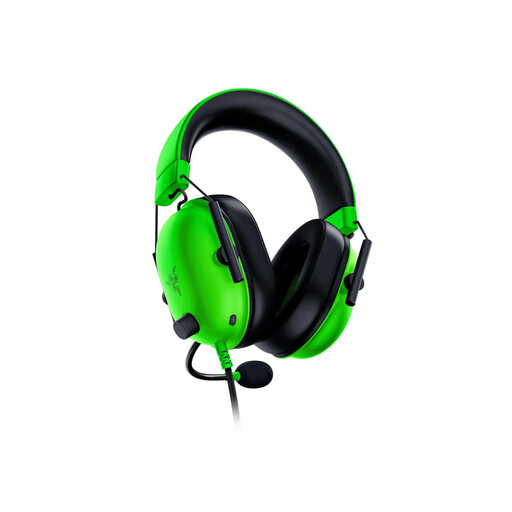
Razer BlackShark V2 X – Green
Consider this wired model for gaming at one desk without a charging routine. The green BlackShark V2 X has a 3.5mm connection; Razer lists closed-back earcups, passive isolation and an approximate 240g weight for the model. Check your device's audio port, and verify the operating-system requirement if you want its 7.1 surround feature.
View on Joybuy
 No image available
Logitech ASTRO A10 Gen 2 Wired – White
A wired choice if you mainly play at a desk and prefer not to charge your headset. Check the audio connection your gaming device requires and whether the earcups feel comfortable over a long session.
View on Joybuy
 No image available
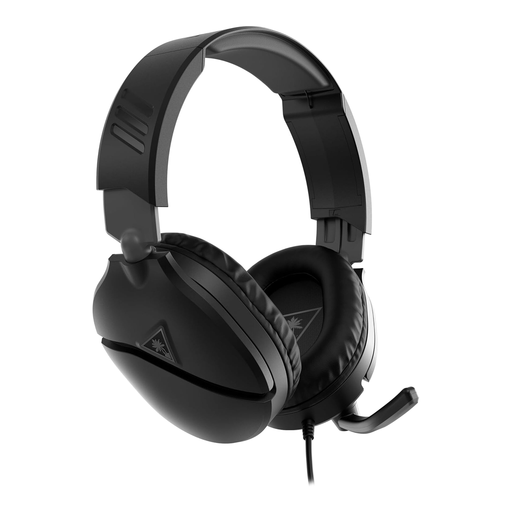
Turtle Beach Recon 70 Wired – Black
This wired variant is listed for PS5, PS4, Xbox Series X or S, and Xbox One. Check the connection on the device you will use, and confirm the headset's weight and fit if longer sessions are a priority.
View on Joybuy
 No image available
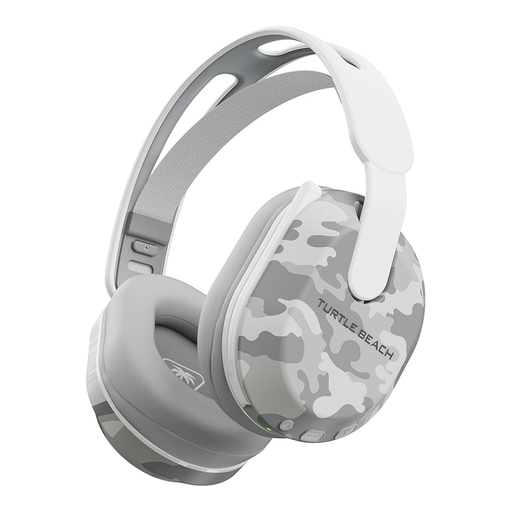
Turtle Beach Stealth 500 Wireless – Arctic Camo
Consider this variant if a cable-free gaming setup and Bluetooth for another device appeal to you. Its title lists PS5, PS4 and PC use and up to 40 hours of battery life. Check the connection needed by each device and plan to recharge it.
View on Joybuy
 No image available
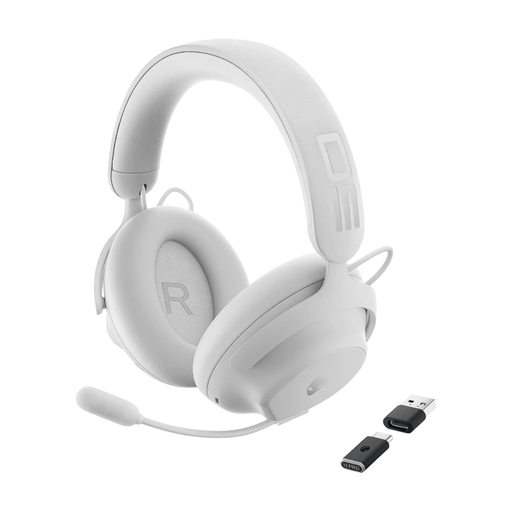
Dell Alienware Pro Wireless – White
A wireless option to assess if you use your headset with more than one device. Confirm the connection required for each device and whether the earcups give you the fit and coverage you want; wireless use also means making time to charge it.
View on Joybuy
Common questions
Should I choose a wired or wireless headset for a student room?
Choose wired if you mainly play at one desk, have the right connection and want to avoid charging. Choose wireless if a cable-free setup or moving between gaming and another device matters more; check whether the exact model uses a receiver, Bluetooth or both.
Will every audio feature work if my headset has a 3.5mm plug?
No. A working physical connection does not establish that software features are available on your platform. Razer, for example, states that 7.1 surround on the BlackShark V2 X is available only on Windows 11.
How should I manage volume during a long horror-game session?
Keep it at the lowest comfortable level and take regular breaks rather than raising it to overpower room noise. Royal Free London NHS Foundation Trust advises keeping headphone volume below 60% of maximum, limiting listening to an hour at a time and taking at least a five-minute break each hour.
What should I do if an online-purchased headset is faulty?
Contact the seller and explain the fault, keeping your order record and product details. GOV.UK's consumer-rights guidance covers goods bought remotely as well as in person; a retailer's change-of-mind policy is separate from remedies for faulty goods.


