Choose a headset for the PC, console or controller running your game and voice chat, not for the size of the screen. Confirm the exact connection and chat compatibility first, then look for a microphone you can mute easily and a fit that works for your practice sessions. A wired headset avoids charging if you have a compatible port; wireless gives you freedom from the cable but needs model-specific platform checks, and Bluetooth alone does not establish console-chat support.
Who is this for?
Players focused on team callouts
If teammates need to understand you during practice, start with microphone placement, mute access and chat compatibility. Sound effects matter less to this decision if the headset cannot handle the conversation on your chosen device.
Players using a TV or large monitor
Your display does not usually decide headset compatibility. Check the PC, console or controller carrying game audio and voice chat, particularly if you switch between platforms.
Groups practising for longer sessions
Consider how the headset feels over time and whether charging or a cable will interrupt play. A stated battery duration cannot tell you how a headset will fit or how long it will run under every setting.
What matters when choosing?
Settle the connection to your gaming device before comparing microphone features or battery claims. These three routes offer different ways to handle the cable and platform compatibility.
Wired headset
Choose it when: Your controller or gaming device has a compatible headset port and you would rather avoid charging.
Bear in mind: The cable limits movement, and you still need to check microphone and chat support for the exact connection.
2.4 GHz USB wireless
Choose it when: You want to move without a headset cable and the maker explicitly lists your PC or console for that model and receiver.
Bear in mind: The receiver needs a suitable connection and the headset needs charging; PC support does not establish console support.
Console-specific wireless
Choose it when: You mainly practise on one console and want a headset explicitly made for its connection system.
Bear in mind: Support for another console must be checked separately. Xbox Support states that Xbox One does not connect headsets through ordinary Bluetooth pairing.
| Concern |
What to check |
Who this matters to |
| Clear callouts and mute access |
Check microphone placement, the mute control and whether voice chat works on your gaming device. |
I need teammates to understand short callouts and want to mute without searching through menus; around 36% of consumers put voice capture and quick muting first. |
| Device and chat compatibility |
Match the exact headset variant and its wired port, USB receiver or console-specific connection to the device running the game. |
If I change between a PC and console, I cannot assume that game audio and chat will both work on each one; roughly 29% of consumers make connection compatibility their primary concern. |
| Comfort and session continuity |
Consider fit and cushions; for wireless models, compare stated battery life under the relevant connection mode and plan when to charge. |
During longer practice, I do not want fit, charging or cable placement to break my concentration. About 21% of consumers place uninterrupted use first. |
| Audio from another device |
Check whether the exact model can switch or mix sources while retaining game chat on your main device. |
I may need game audio alongside a phone connection, but that second connection is useful only if my team chat still works; around 14% of consumers prioritise that flexibility. |
Mistakes to avoid
-
Assuming every wireless headset works with every console
Wireless connections differ, and support for game audio does not automatically establish support for team chat. Xbox Support specifically states that Xbox One does not have Bluetooth functionality.
Check the exact headset variant, connection method and console generation before ordering. If you use Xbox, look for explicit Xbox support rather than relying on a Bluetooth label.
-
Choosing sound features before checking the microphone
For team practice, microphone position, mute access and a working chat connection directly affect whether you can take part in callouts. A maker’s noise-reduction claim is specific to its model and does not promise silence around you.
Check the microphone design and controls for the model you intend to buy, then weigh its other audio features against those communication needs.
-
Reading a battery claim as a guaranteed session length
Manufacturer battery figures can depend on connection mode and use. They do not remove the need to charge a wireless headset before practice.
Compare figures on the same stated basis where possible, and decide whether your routine suits charging or a compatible wired setup.
Brands to consider for these headset needs
Logitech G
The PRO X 2 LIGHTSPEED is worth examining if you want a PC-centred wireless headset with a boom microphone and several connection routes.
- Logitech G describes this model as offering LIGHTSPEED, Bluetooth and 3.5 mm connections, alongside a cardioid microphone and Blue VO!CE processing.
- Check which voice-processing features work on your gaming platform and which accessories come with the exact variant; multiple connections do not make every chat function universal.
SteelSeries
The Arctis Nova range offers models to compare if you are deciding between a straightforward connection and audio from more than one device.
- SteelSeries describes the Arctis Nova 7 Wireless as able to mix game audio with Bluetooth audio.
- Platform support differs by variant; check the specific compatibility list, especially for Xbox, rather than applying a range-wide description to one headset.
HyperX
Compare the named Cloud III wireless variants if microphone access and charging between longer sessions are important to you.
- HyperX lists a 10 mm microphone and 2.4 GHz connection for the Cloud III Wireless. For the distinct Cloud III S Wireless, it claims up to 120 hours in 2.4 GHz mode.
- Keep the two variants separate when comparing specifications or platform support. HyperX lists the older Cloud III Wireless as discontinued on its US site; check the exact model offered to you.
Razer
Razer’s BlackShark V2 Pro console versions are relevant if your practice setup is centred on a particular PlayStation or Xbox console.
- Razer describes a detachable microphone and passive noise isolation for these console-focused versions.
- Select the version intended for your console; the PlayStation and Xbox variants should not be treated as interchangeable. The Joybuy BlackShark V3 Pro listed below is a different model.
Headsets for team practice on Joybuy
These choices cover wired headsets and wireless models for the gaming devices named in their listings. Match the exact model, connection and microphone-chat behaviour to your own PC or console before choosing.
 No image available
Logitech ASTRO A10 Gen 2 Wired Headset — White
Consider this wired model if you want to practise without charging a headset. Check that the connection works with your controller or PC and that the exact variant includes the cable accessories your setup needs.
View on Joybuy
 No image available
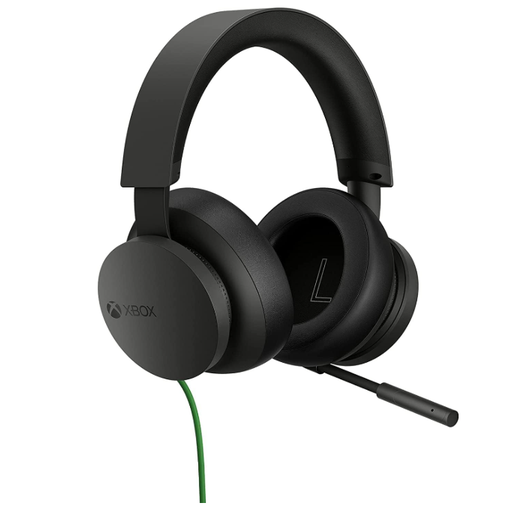
Official Xbox Stereo Wired Headset — Black
This is a wired choice to consider for Xbox or Windows team practice. Confirm the port on your controller or PC and check support separately if you intend to use another platform.
View on Joybuy
 No image available
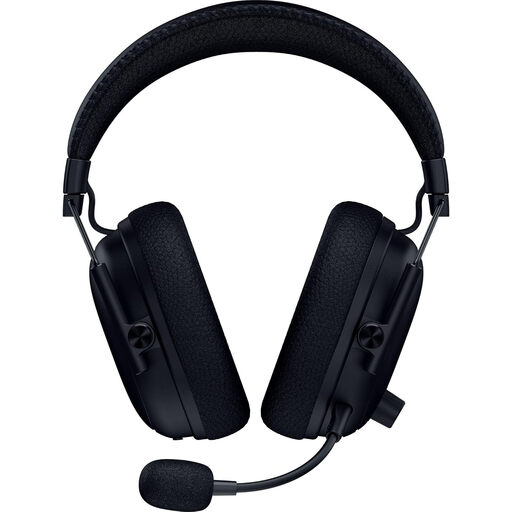
Razer BlackShark V3 Pro Wireless ANC — Black
Consider this wireless model for team practice only after confirming that the exact variant supports both audio and microphone chat on your PC or console. In particular, check Xbox compatibility rather than assuming that wireless connectivity establishes it.
View on Joybuy
 No image available
ASUS ROG Pelta Wireless Headset — Black
This model is worth considering for wireless practice on a compatible PC, PlayStation or Switch setup. Check which connection carries team chat on your device; do not assume that a Bluetooth option establishes Xbox support.
View on Joybuy
 No image available
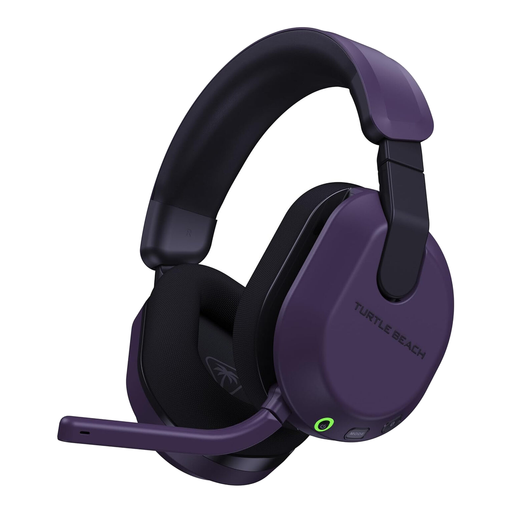
Turtle Beach Stealth 600 Gen3 Wireless for Xbox and PC — Purple
Consider this Xbox-and-PC variant for wireless team practice, while checking the connection and chat features for your exact device. If you also use PlayStation, confirm game-audio and microphone-chat support before treating it as a headset for both consoles.
View on Joybuy
Common questions
Does the size of my TV or monitor affect headset compatibility?
Usually not: choose for the PC, console or controller handling game audio and team chat. Check the headset’s stated connection and compatibility with that device rather than choosing by the display.
Will any Bluetooth headset work for Xbox team chat?
No—Bluetooth on a headset is not enough to establish Xbox chat support. Xbox Support states that Xbox One does not have Bluetooth functionality; check the selected headset’s support for your Xbox generation and its intended wireless or compatible controller connection.
Is wired or 2.4 GHz wireless more suitable for team practice?
Choose wired if you have a compatible port and want to avoid charging; choose 2.4 GHz wireless if cable-free movement matters more and the exact headset and receiver support your gaming device. Check microphone-chat support either way, because a connection for audio alone may not meet your team’s needs.
What should I check before buying a wireless headset for use in Great Britain?
Identify the exact model, supplier and included receiver or adapter, and check that the listing provides appropriate instructions and conformity information. Great Britain’s Radio Equipment Regulations 2017 concern the safety, electromagnetic compatibility and spectrum use of radio equipment; those purchasing checks do not establish that a particular headset complies.


