Choose the connection for your actual console or computer before comparing sound features. A wired headset is a practical route where the controller or device has a compatible headset socket; for wireless play, check that both game audio and microphone chat work through the stated connection, not just that the headset has Bluetooth. In a shared room, compare sound leakage and fit as well as microphone use.
Who needs which checks?
Players sharing a bedroom or living room
If someone sits nearby, pay attention to sound leaking out of the earcups, not only to how well the headset blocks household noise. RTINGS distinguishes these two parts of isolation; fit can matter when assessing a headset for your room.
Console players using voice chat
Check game audio and microphone support separately for your console, controller and chat method. Nintendo UK Support says the original Switch’s Bluetooth-audio feature cannot use Bluetooth microphones, while Xbox Support says Xbox One cannot connect a headset through Bluetooth.
PC and multi-platform players
If you move between systems, check the exact headset variant and what its connection requires on each device. PlayStation UK Support, for example, specifies a PlayStation Link USB adapter and USB audio output for PULSE Elite use on a compatible PC or Mac.
What matters when choosing?
Start with the connection you can use for both sound and chat, then assess how the headset will work around other people during a normal session.
Wired headset
Choose it when: You have a compatible headset socket and would rather play without charging the headset; Xbox Support documents a controller-connected 3.5 mm route for its Stereo Headset.
Trade-off: The cable limits movement, and a computer with separate audio and microphone sockets may need a suitable connection arrangement.
Wireless headset
Choose it when: You want to move without a controller cable and the exact headset and connection mode support your platform’s game audio and chat.
Trade-off: You need to plan for pairing and charging; Bluetooth support on another device does not establish console microphone support.
| Priority | What to check | Your needs |
|---|
| Sound containment |
Compare sound-leakage results using the same test method. Check how the earcups fit; blocking outside noise and keeping game sound in are related but distinct measures, as RTINGS explains. |
People are nearby while I play, so I want game sound to stay reasonably contained at my usual listening volume. |
| Voice chat |
Check the microphone type, its controls and whether input works on your intended connection. If room noise is a concern, assess microphone clarity under comparable conditions. |
My teammates need to understand me even when someone else is talking in the room. |
| Platform connection |
Match the exact model and variant to the console, controller or computer. Verify sound and microphone support separately for 3.5 mm, USB, console-specific wireless or Bluetooth use. |
I switch devices, or use console chat, and need more than an audio-only connection. |
| Long-session use |
Consider headband pressure, earcup fit and how long you intend to wear the headset. For wireless models, check the stated battery conditions against your charging routine. |
A short try-on will not tell me everything about wearing a headset through a longer game session. |
What can go wrong?
-
Assuming Bluetooth means console voice chat
Xbox Support says Xbox One does not connect headsets through Bluetooth. Nintendo UK Support says Bluetooth microphones cannot be used with the original Switch’s Bluetooth-audio feature.
Check the headset’s stated audio and microphone connection for your exact console and chat method before buying.
-
Relying on a product-family name for compatibility
Variants can differ: SteelSeries Support identifies Xbox support for the Nova 5X variant, so a general Nova 5 label is not enough to establish the same connection for every model.
Check the full model suffix, supplied connection accessories and manufacturer’s compatibility information.
-
Choosing by sound-feature labels alone
A headset can sound satisfactory to the wearer while leaking game audio towards someone nearby. Fit and microphone clarity also affect how it works in a shared room.
Compare leakage evidence, fit and microphone performance for the way you actually play, rather than relying on driver or virtual-surround descriptions.
-
Overlooking the wireless setup
A wireless connection may require an available port and a charging routine. PlayStation UK Support specifies the supplied PlayStation Link USB adapter and USB audio output for PULSE Elite use on a compatible PC or Mac.
Confirm where any receiver will connect and how you will charge the headset between sessions.
Relevant brand references
These examples illustrate connection choices; a brand name alone does not establish compatibility for every model.
PlayStation
PULSE Elite is a PlayStation Link option for a PS5-centred setup, with PC, Mac and PlayStation Portal connections described by PlayStation UK.
- PlayStation UK lists PS5, PC, Mac and PlayStation Portal among PlayStation Link-compatible devices for this headset.
- PlayStation UK Support specifies the supplied USB adapter and USB audio output for compatible PC or Mac use, and warns that not all devices work with the headset.
Xbox
Xbox documents both controller-connected wired headsets and its own Xbox Wireless Headset; the connection choice depends on the model.
- Xbox Support describes a 3.5 mm controller connection for the Xbox Stereo Headset and wireless pairing without a dongle for the Xbox Wireless Headset.
- Xbox Support says Xbox One does not connect headsets through Bluetooth, and the Xbox Wireless Headset has no 3.5 mm connection.
SteelSeries
SteelSeries offers wired and wireless Arctis headsets, making the exact model and console variant important to the choice.
- SteelSeries describes switching between 2.4 GHz wireless and Bluetooth on the Arctis Nova 5.
- SteelSeries Support specifies the Nova 5X variant for Xbox support; do not assume another Nova 5 variant has the same compatibility.
Logitech G
The ASTRO A50 Gen 5 is a multi-system example for players willing to use a base station.
- Logitech G UK describes switching among three connected gaming systems through PLAYSYNC Audio on this model.
- That switching arrangement is specific to the documented A50 setup; check connections separately for other Logitech G headsets.
Joybuy headset options
These wired and wireless headset options offer different starting points for shared-home gaming. Check each model’s connection and microphone use on your device, then compare fit and sound leakage for the room where you play.
 No image available
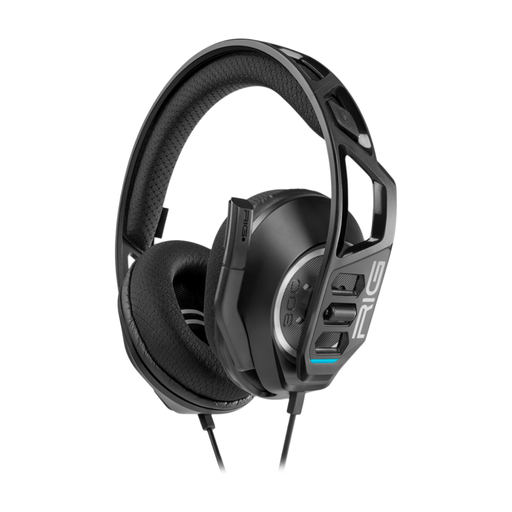
Nacon RIG 300 PRO HN wired headset — Black
Consider this wired option if you prefer not to charge a headset. Check its audio and microphone connection against your controller or computer, and assess leakage and fit if others share the room.
View on Joybuy
 No image available
Logitech ASTRO A10 Gen 2 wired headset — White
This is another wired route for game audio and chat. Check whether your device’s headset socket carries microphone input; for a PC with separate audio and microphone sockets, confirm the connection you will use. Compare fit and leakage for shared-room play.
View on Joybuy
 No image available
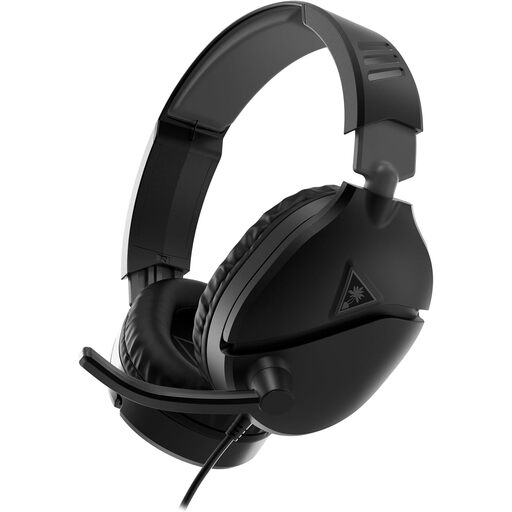
Turtle Beach Recon 70 for PC/PS5 — Black
If you play on PC or PS5, check the connection needed for microphone chat on your particular setup. Cable reach, earcup fit and sound leakage also matter when you play near someone else.
View on Joybuy
 No image available
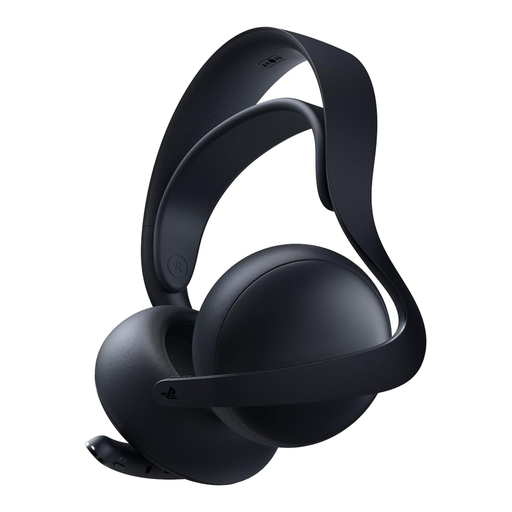
Sony PULSE Elite wireless headset — Midnight Black
For PS5-centred play, PlayStation UK documents PlayStation Link connectivity. On a compatible PC or Mac, PlayStation UK Support specifies USB audio output and the supplied PlayStation Link USB adapter; not all devices work with the headset. Check leakage and fit for your shared room.
View on Joybuy
 No image available
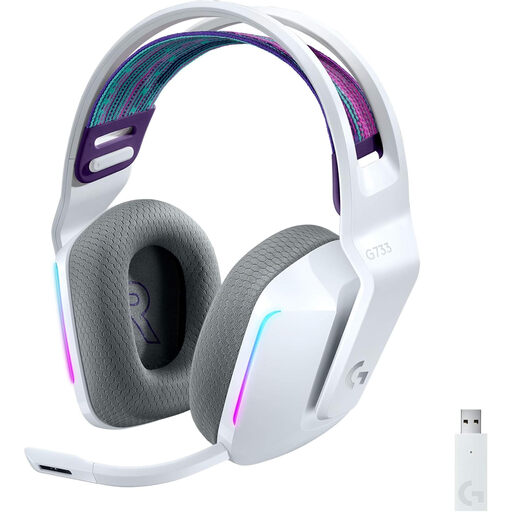
Logitech G G733 Lightspeed wireless headset — White
For a cable-free setup, confirm that its wireless connection supports both sound and microphone chat on your intended device. Check charging needs, fit and sound leakage before choosing it for a shared room.
View on Joybuy
Common questions
Will Bluetooth handle both game audio and voice chat on Nintendo Switch?
Not through the original Nintendo Switch’s Bluetooth-audio feature: Nintendo UK Support says Bluetooth microphones cannot be used with it. If you need voice chat, check a different supported microphone and chat route for your game and device.
Can a Bluetooth headset connect directly to Xbox One?
No. Xbox Support says Xbox One does not support Bluetooth headset connections. Check a compatible Xbox wireless model or a wired headset connected through a controller with a suitable 3.5 mm jack.
Can I use PULSE Elite on a PC as well as PS5?
Yes, on a compatible PC with USB audio output using the supplied PlayStation Link USB adapter, according to PlayStation UK Support. Check the computer’s audio-device settings and compatibility; PlayStation warns that not all devices work with the headset.
What if someone nearby can still hear my game?
Look for comparable sound-leakage information and check the headset’s fit at your normal listening volume. RTINGS explains that isolation covers both outside noise entering headphones and audio leaking into the surrounding room; one result does not automatically tell you the other.


