Players sharing a home
A headset lets you listen without using room speakers while keeping a microphone available for teammates. Check how quickly you can mute it when someone nearby needs your attention.


Choose a headset by the gaming platform and voice-chat connection you actually use, then decide whether a cable is worth avoiding. A wired model can suit several devices when its connector and chat functions match each one; wireless play calls for checking the exact headset variant and its gaming connection. Bluetooth audio alone does not establish microphone support: Nintendo UK says Switch 2 cannot use Bluetooth microphones, while Xbox Support says Xbox One cannot pair a headset by Bluetooth.
A headset lets you listen without using room speakers while keeping a microphone available for teammates. Check how quickly you can mute it when someone nearby needs your attention.
Check the full model name against each device you use. A connector that carries game audio on one platform does not, by itself, confirm that every chat feature works on another.
Check audio and microphone support separately. Nintendo UK says Switch 2 cannot use Bluetooth microphones, and Xbox Support says Xbox One cannot pair a headset by Bluetooth.
Start with the device and chat method, then weigh cable freedom against charging, fit and access to mute controls.
| Priority | What to check | Your needs |
|---|---|---|
| Platform connection | Match the exact model and variant to each console or PC. Check whether its 3.5 mm, USB or dedicated wireless connection works with the device and carries the chat functions you need. | I play on more than one device and want both game audio and team chat to work on each, not just a general multi-platform label. |
| Microphone setup | Check the microphone connection and mute control. On PC, Discord Support advises selecting the intended input and output devices in its Voice & Video settings. | Teammates need to hear me through the headset mic, and I want a straightforward way to mute during play at home. |
| Wireless mode | Check the listed platform for the headset’s gaming wireless mode separately from Bluetooth. Nintendo UK says Switch 2 cannot use Bluetooth microphones and notes that Bluetooth audio latency can vary by device. | I would like to play without a cable, but not if the connection leaves me listening without a working chat microphone. |
| Wired use | Check the connector against your controller, console or PC and consider where the cable will run. Confirm microphone support for that particular connection. | Skipping charging matters more to me than moving freely away from my gaming setup. |
| Fit and controls | Consider headband adjustment, ear-cushion fit and whether volume and mute controls are easy to reach. For wireless models, compare the stated battery-life conditions with your charging routine. | I expect to wear the headset through longer sessions and need to make quick adjustments without opening a menu. |
Wireless headsets can use different gaming connections, and a Bluetooth feature does not establish direct console pairing. Xbox Support says Xbox One cannot connect a headset by Bluetooth.
Match the exact model and connection mode to every console you plan to use. For Xbox One, check for an explicitly compatible wireless option or a headset that connects through a suitable controller.
Nintendo UK says Switch 2 cannot use Bluetooth microphones. Hearing the game through a paired headset therefore does not mean its microphone will work for voice chat.
If you need the headset microphone, check chat support for the specific wired or USB connection you intend to use.
A PC chat app may be using a different input device, even when game audio reaches the headset.
Check the headset’s mute control, then select the intended microphone and output device in the operating system and chat app. Discord Support provides these selections in Voice & Video settings.
These examples illustrate connection choices; check the particular model and variant rather than applying one model’s compatibility to a whole brand.
PCMag UK named the SteelSeries Arctis Nova Pro Wireless its top overall pick in its March 2026 wireless-headset roundup. That is the publication’s judgement about that model, not a compatibility finding for every SteelSeries headset.
PlayStation lists PULSE Elite for PlayStation Link connections with PS5, PC, Mac and PlayStation Portal, alongside Bluetooth connection to a phone or tablet.
HyperX lists different platform coverage for Cloud III Wired and Cloud III Wireless, making the connection version important when choosing between them.
Xbox Support describes connecting a compatible wired headset through the 3.5 mm port on a suitable Xbox Wireless Controller.
These options include wired headsets and wireless models named for particular gaming platforms. Choose by the devices and chat connections you use, not by the presence of a microphone or a wireless label alone.
 No image available
A wired option if you would rather avoid charging during multiplayer sessions. Check that its connection and microphone work with each controller or device in your setup; fit and microphone clarity are personal checks, not guarantees from the model name.
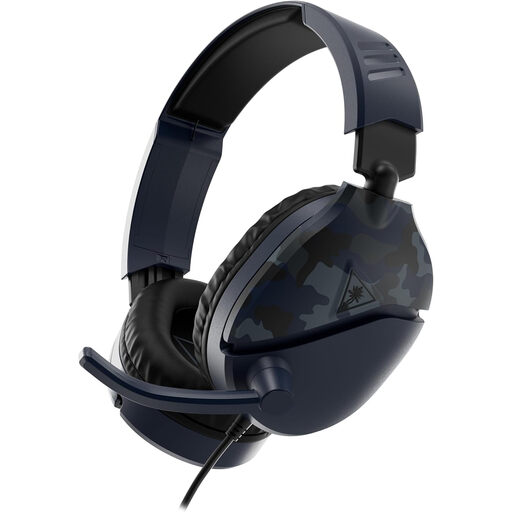 No image available
The product name lists Xbox Series X|S, Xbox One, PS5, PS4, Nintendo Switch and PC. If Switch chat is part of your plans, confirm microphone operation for your exact Switch model and chat setup rather than relying on the platform name alone.
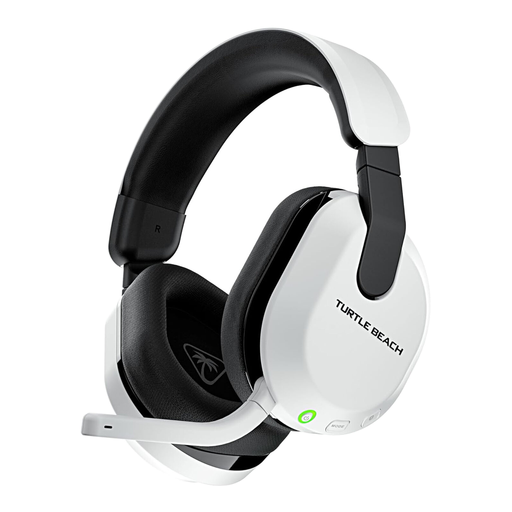 No image available
An Xbox-labelled wireless variant for players who want to avoid a cable. Confirm its gaming connection and chat support for your Xbox model; Bluetooth features alone do not establish Xbox One headset pairing. Wireless use also means keeping the headset charged.
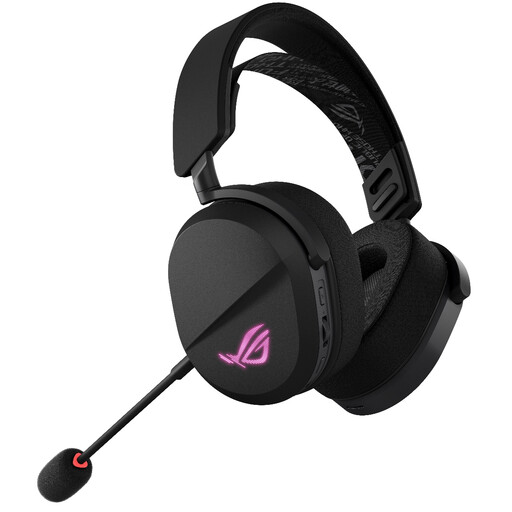 No image available
Consider this wireless model for a setup where its exact gaming connection supports your PC or console. If Switch 2 voice chat matters, confirm microphone operation through the intended wired or USB connection: Nintendo UK says Switch 2 cannot use Bluetooth microphones. Check Xbox compatibility separately if you also play there.
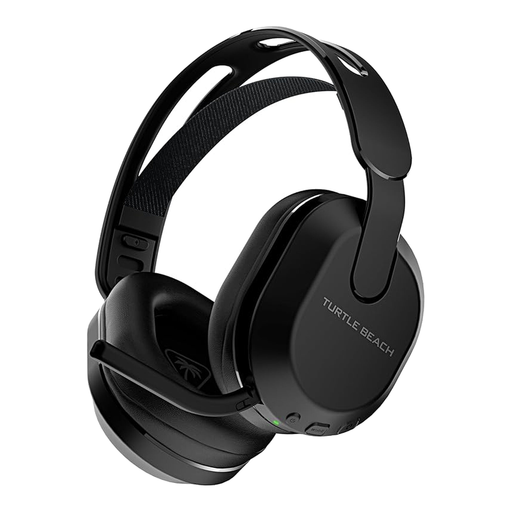 No image available
The product name specifies PC, PS5 and PS4, making those the platforms to check for your intended wireless and chat connection. Confirm the setup you will use for voice chat and plan to charge the headset; check Xbox support separately if needed.
Not through Bluetooth: Nintendo UK says Switch 2 cannot use Bluetooth microphones, although Bluetooth audio can be paired for listening. If you need the headset mic, confirm microphone support for a compatible wired or USB connection and the chat setup you intend to use.
No. Xbox Support says Xbox One does not support Bluetooth headset pairing. Check an explicitly Xbox-compatible wireless connection, or use a compatible headset through the 3.5 mm port on a suitable Xbox Wireless Controller.
Discord may be using a different microphone from the one on your headset. Check the headset’s mute control, select the intended input in Discord’s Voice & Video settings, and check the computer’s microphone permission and physical connection.
Nintendo UK says GameChat requires a persistent internet connection and a phone number registered to the Nintendo Account. Switch 2 also has a built-in microphone; if you want to use a headset microphone instead, check that your chosen connection supports microphone input for your chat setup.