Wired headsets on Joybuy
These wired headsets are options to consider for commentary from a fixed desk. Compare the connector and mute arrangement with your setup, then test a recording in the room where you will stream.
 No image available
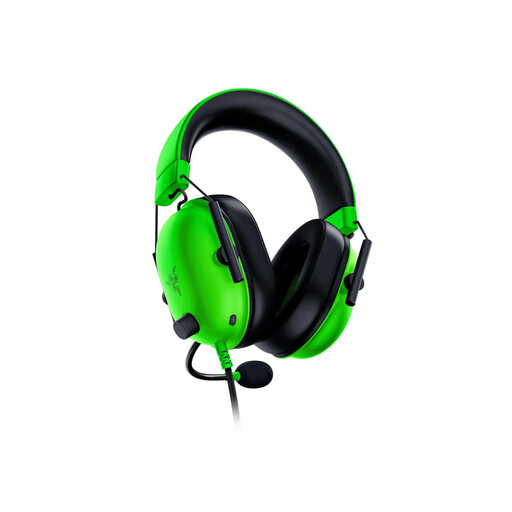
Razer BlackShark V2 X – Green
Consider this wired model if a focused boom microphone matters for desk-based commentary. Razer describes the BlackShark V2 X microphone as cardioid; the Joybuy listing identifies this variant as a 3.5 mm headset without wireless connectivity. Check its mute control and make a room-noise test recording.
View on Joybuy
 No image available
Logitech ASTRO A10 Gen 2 Wired Headset – White
This wired headset is worth considering if you want a boom microphone at a fixed streaming desk. Check how its mute action fits your commentary routine, whether its connection suits your device and whether you need a splitter.
View on Joybuy
 No image available
ONIKUMA K8 Wired Headset with Flexible Mic and RGB Lighting
A flexible microphone may help you find a useful position for commentary at your desk. Check the audio and microphone connections against your device and whether any adapter is needed; do not assume the lighting connection carries audio.
View on Joybuy
 No image available
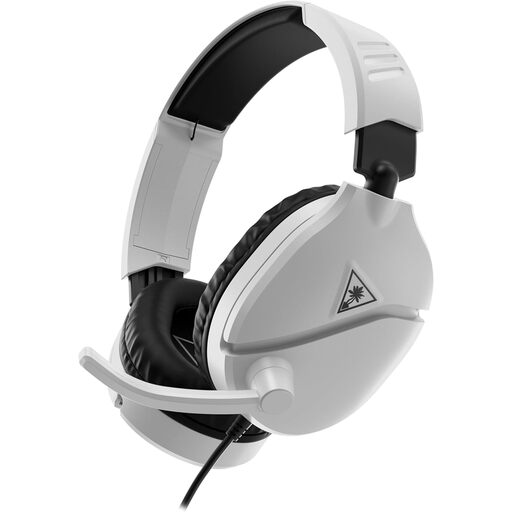
Turtle Beach Recon 70 MP Gaming Headset – White
If you need to mute commentary during interruptions, check whether this headset’s microphone action suits you. Confirm the connection with your streaming device and record a local sample rather than assuming a particular level of room-noise control.
View on Joybuy
 No image available
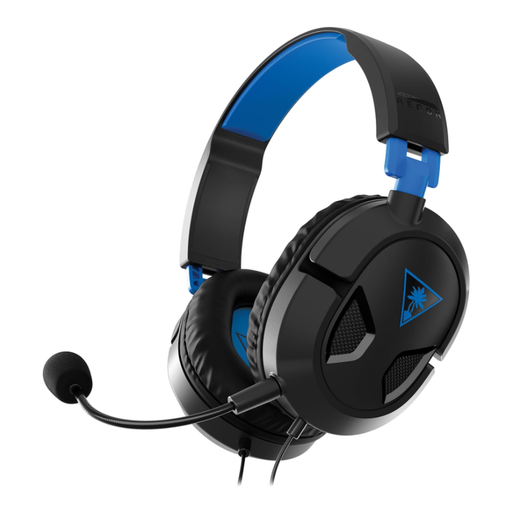
Turtle Beach Recon 50P Wired Headset for PS5 and PS4
Consider this model if a removable microphone would suit your gaming and commentary routine. Check the connection and mute arrangement for the device you stream from, and test how much nearby room sound reaches a recording.
View on Joybuy
Common questions
Will a cardioid or noise-cancelling headset mic remove all room noise?
No: those descriptions do not promise a silent recording in a student room. Razer describes its BlackShark V2 X cardioid microphone as favouring voice over sound from the rear and sides, while HyperX calls the Cloud III microphone noise-cancelling. Record a clip with your usual keyboard, fan and room sounds before streaming.
Should I use USB or 3.5 mm for commentary streaming?
Choose the connection your actual streaming device supports. HyperX lists 3.5 mm, USB-C and USB-A for Cloud III; Razer’s standard BlackShark V2 X is a 3.5 mm analogue headset, while BlackShark V2 X USB is a separate USB Type-A model. Check the complete variant name before relying on USB-specific features.
Will virtual surround work on every device?
No; availability can depend on the exact headset variant, operating system and activation terms. Razer’s BlackShark V2 X page specifies Windows 11 for its 7.1 surround feature, while a Joybuy listing for one variant states Windows 10 64-bit and an activation requirement. Check the terms for the particular item you plan to use.
What should I check before testing a headset’s fit at home?
Read the return terms for the exact listing before ordering, then check fit, connector compatibility, mute operation and a local microphone recording promptly. A voluntary change-of-mind policy on one listing should not be assumed to apply to every item; it is also distinct from remedies for goods that are faulty, damaged or misdescribed.


