What matters when choosing
Start with the devices and connection you will use. Once those match, weigh long-session comfort, sound and charging against the importance of party chat.
| Concern | What to check | Who this matters to |
|---|
| Long-session comfort |
Assess earcup and headband fit; for wireless models, check charging arrangements in the mode you will use. |
I want to follow long stretches of exploration without ear pressure or a charging pause breaking my concentration. Around 31% of consumers put comfort and session continuity first. |
| Game audio and distractions |
Check the gaming connection, available sound adjustment and whether the model offers isolation or ANC. |
Dialogue and environmental sounds matter to me, but I may still need to hear what is happening at home. Around 31% of consumers make immersive audio and manageable distraction their primary concern. |
| Platform compatibility |
Match the exact model variant and its wired, transmitter-based or direct-pairing connection to each device. |
I switch between systems and do not want a headset that connects to one but misses a feature I need on another. For around 23% of consumers, connection certainty comes first. |
| Chat and controls |
Check microphone and mute controls, plus game/chat balance if you use party chat. |
During co-op quests, I need to speak and mute without interrupting play. Quick chat controls are the main concern for around 15% of consumers. |
Gaming headsets to consider on Joybuy
These models cover wireless choices for the listed PlayStation and PC setups, plus wired options for players who would rather avoid charging. Check the precise device connection and variant before choosing, particularly if Xbox is part of your setup.
 No image available
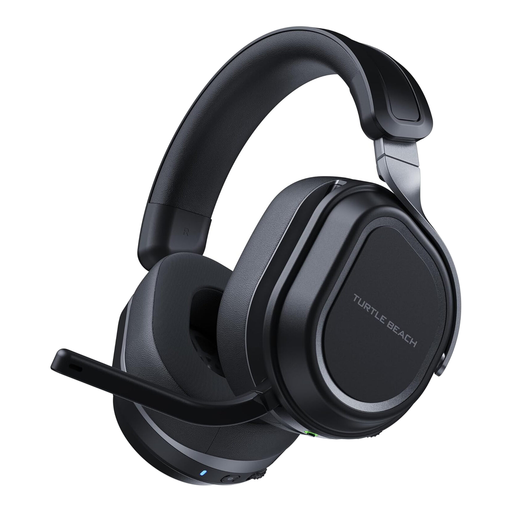
Turtle Beach Stealth 700 Gen 3 Multi-Format Wireless – Black
Consider this model if you want wireless play across the devices listed for its exact variant. The product title names PS5, PS4, Xbox and PC, but check the supported connection for your particular Xbox setup before ordering.
If uninterrupted play matters most, compare its stated battery life in the connection mode you expect to use rather than treating a maximum figure as guaranteed runtime.
View on Joybuy
 No image available
Turtle Beach Stealth 600 Gen3 Wireless for PS5, PS4 and PC – Black
This wireless model is worth considering for long quests on the PS5, PS4 or PC devices named in its title. Check the connection you intend to use and how charging fits around your sessions.
If Xbox is your intended platform, confirm the exact variant and supported wireless connection before buying.
View on Joybuy
 No image available
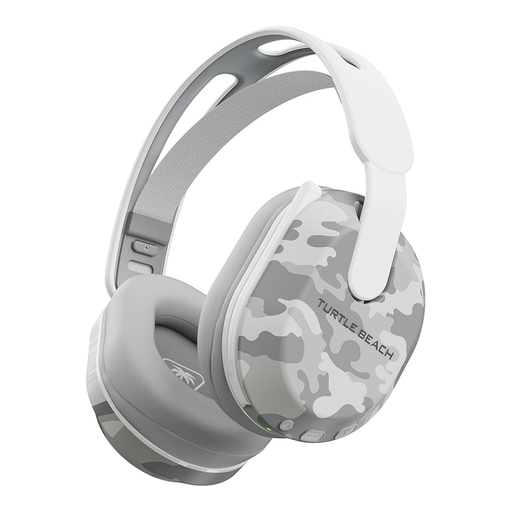
Turtle Beach Stealth 500 Wireless for PS5, PS4 and PC – Arctic Camo
For wireless quests on one of the listed PlayStation or PC devices, this variant offers a stated battery life of up to 40 hours. Actual time between charges can vary with use.
Check the connection available on your intended device; do not assume the listed PlayStation variant will connect wirelessly to Xbox.
View on Joybuy
 No image available
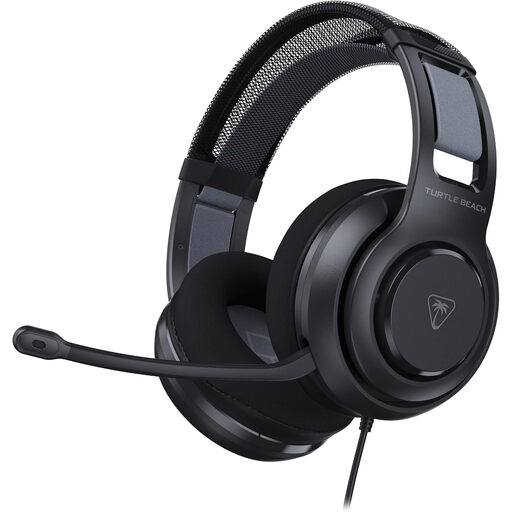
Turtle Beach Atlas 200 Gaming Headset – Black
Consider this wired option if you want to play without managing a headset battery. Check that your device has a suitable 3.5mm connection and supports the chat features you need.
If you wear glasses during long sessions, assess the earcup fit for yourself rather than relying on a cushion description alone.
View on Joybuy
 No image available
LOGITECH ASTRO A10 Gen 2 Wired Gaming Headset – White
This wired option suits players who would rather avoid charging. Confirm that its 3.5mm connection works with your intended device and any party-chat functions you use.
For extended quests, check the fit around your ears and head before relying on it for long sessions.
View on Joybuy
Questions about gaming headsets
Should I check sound features or compatibility first?
Check compatibility first: even useful sound features cannot help if the headset’s intended connection does not work with your device. HyperX lists different supported platforms for its wired Cloud III and Cloud III S Wireless, so match the exact model and connection before comparing audio options.
How do I connect a wireless headset for gaming?
Use the gaming connection specified for your headset and platform, whether that requires a USB transmitter or supports direct console pairing. If you change systems, confirm which transmitter and headset variant work with each one rather than assuming Bluetooth provides the same game-audio connection.
What helps during long headset sessions?
Adjust the headband and earcups to avoid painful pressure, and take breaks during long sessions. Memory foam or glasses-friendly cushions may be worth considering, but individual fit matters; the Royal Free London NHS Foundation Trust advises keeping listening volume only as high as needed for comfortable listening.
What should I check about returns and accessories?
Check the terms for the particular product and seller, along with what cables, transmitters or charging accessories are included. Read any voluntary return policy separately from information about remedies for a faulty, damaged or misdescribed item.
How should I dispose of an old headset?
Use an appropriate electrical-waste route rather than putting a headset with electronic parts or a battery in general household waste. Check your local authority’s collection instructions and follow its directions for any removable battery.


