Multi-device game-night hosts
If guests bring different PCs, consoles, handhelds or phones, check each station's headset connection and chat support before choosing one model for the group.


Choose a wired, 3.5 mm-capable headset if guests will use different devices and you want to avoid charging, but check the audio and microphone connection at every play station. Choose 2.4 GHz wireless if moving around the studio matters more, provided the transmitter works with your devices and you can manage charging. For either route, consider how guests will mute their microphones and hear one another in a shared room.
If guests bring different PCs, consoles, handhelds or phones, check each station's headset connection and chat support before choosing one model for the group.
When several people are talking nearby, microphone placement, accessible mute controls and the ability to hear other guests can matter as much as the headset connection.
Wireless play can make it easier to move between seats, cameras and a desk, or switch to phone audio. It also means planning for charging and a compatible connection at each station.
For a home-studio game night, decide how each station will connect before weighing movement, voice chat and comfort during a longer session.
Choose it when: Guests may move between different devices and avoiding a charging routine matters.
Trade-off: Cables must reach each seat, and a PC with separate headphone and microphone sockets may need a splitter.
Choose it when: Players need to move around the room without a cable and the intended platforms support the required wireless connection.
Trade-off: Charge headsets before the event and test their transmitters when several wireless devices will be used together.
| Concern | What to check | Who this matters to |
|---|---|---|
| Device connections | Check the exact variant, supplied connectors and whether each device supports headset audio and microphone input through its available port. | If guests rotate between consoles, PCs and handhelds, I need each station ready for voice chat without changing the whole setup. Around 31% of consumers put straightforward device connections first. |
| Chat and room noise | Check microphone placement, mute access and chat support on the host device; passive earcup isolation does not quieten the room. | When several guests speak at once, I want to mute quickly and keep my voice intelligible without losing track of the group. Roughly 31% of consumers prioritise chat and noise management. |
| Fit during long sessions | Consider adjustment, cushion material and cleaning between users; check whether replacement cushions are available for the exact model. | If guests share a headset through a long evening, I care about individual fit and whether the cushions can be kept comfortable between turns. Around 23% of consumers make extended-wear fit their main concern. |
| Cable-free movement | Check the supported wireless connection, transmitter compatibility, charging arrangement and whether switching sources meets your needs. | If I move between the play area and a studio desk, I would rather manage charging than stay attached to one seat. About 15% of consumers put cable-free flexibility first. |
A connector that fits does not, by itself, establish that microphone and game-chat functions will work on every controller, PC or audio interface.
List the devices guests will use, then check their ports, chat support and the exact headset variant's supplied cables.
Depending on the station, a separate splitter, adapter or longer cable may be needed.
A manufacturer's battery rating is not a promise of runtime at every setting, and the headset still needs a compatible route to the host device.
Charge headsets before guests arrive, allow for the required USB transmitters and test voice chat on the devices you intend to use.
Closed-back earcups affect what the wearer hears; a directional or noise-reducing boom microphone does not prevent other people or speakers from making noise in the room.
Keep speaker levels down, position microphones near each speaker and try a group chat test in the actual room.
GOV.UK advises checking appropriate product marking and the manufacturer's name and address when buying electrical goods.
Check the seller's identity, instructions, warnings and marking information applicable to your delivery location before ordering.
The wired Cloud III is relevant when one hosting setup involves several device types.
PRO X 2 LIGHTSPEED is relevant to hosts considering wireless movement alongside a wired connection option.
Arctis Nova 5 is relevant when a player wants to switch between game audio and a Bluetooth-connected device.
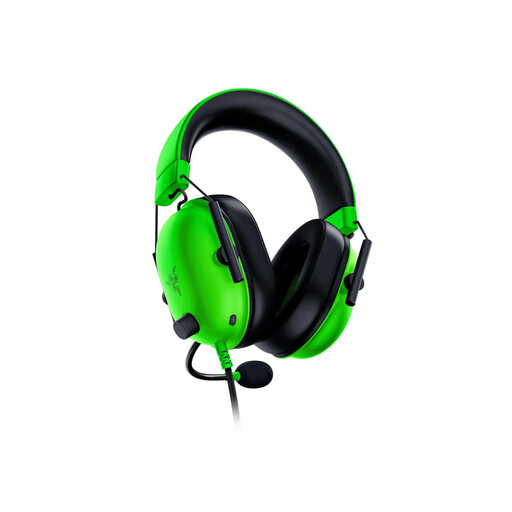
BlackShark V2 X is a wired option to consider when guest chat and a shared room are the main concerns.
These choices include wired headsets for stations where a 3.5 mm connection suits the setup, plus a wireless model for players who value movement and switching to mobile audio. Check each intended device and its voice-chat requirements before choosing.
 No image available
Consider this for a shared-room station where wired chat and nearby activity both matter. Check that the 1.3 m cable reaches the seat and that the device accepts a 3.5 mm headset connection.
If surround sound is important, check its Windows 10 64-bit activation requirement; do not assume that feature works on other platforms. Check product marking and seller information for your delivery location.
 No image available
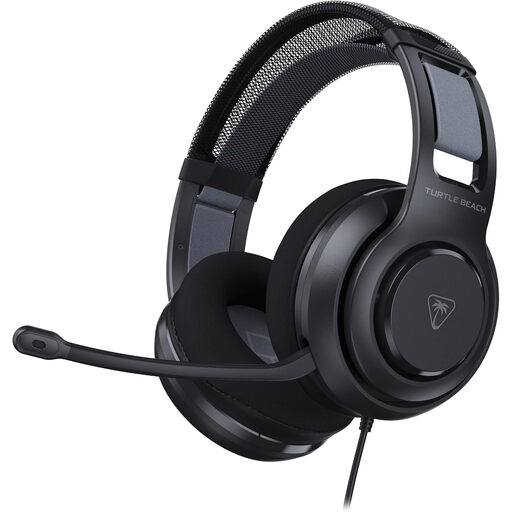
This wired choice suits a host planning headset stations across different consoles and a PC, provided each station has the right connection and supports microphone input.
Guests who wear glasses should still assess fit individually; check the product marking and seller information before ordering.
 No image available
Consider this when guests will rotate between console and PC stations and quick muting matters. Check each device's 3.5 mm audio and microphone support; the PC splitter is relevant where headphone and microphone sockets are separate.
Assess fit for the people sharing it, and check product marking and seller information for the delivery location.
 No image available
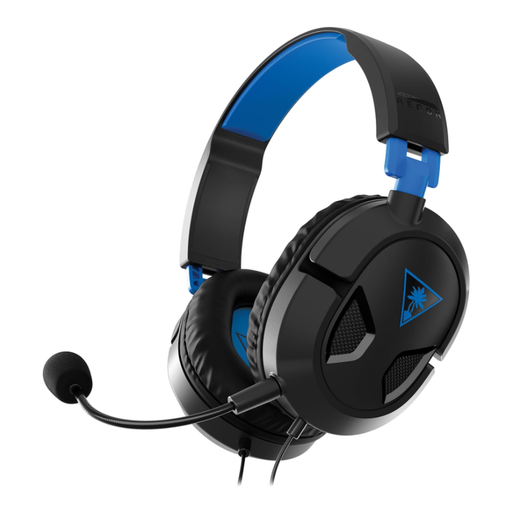
This is a wired option for hosts using the consoles named in its title. If guests will also use other devices, confirm their 3.5 mm ports and microphone support rather than relying on connector fit alone.
Check fit for longer turns and review the product marking and seller information before buying.
 No image available
Consider this if players want to move without a cable and switch between gaming and mobile audio. Check that its USB transmitter suits the intended PS5, PS4 or PC station and that Bluetooth use meets your phone-audio needs.
Charge it before the event; the stated battery life is up to 80 hours, not a guaranteed session length. If guest voice chat is essential, confirm the microphone and mute controls, along with product marking and seller information.
Not necessarily: broad compatibility does not establish voice-chat support on every device. HyperX lists several connection types for Cloud III, but you should still check the exact headset variant, supplied connectors and each console, controller, PC or audio interface.
Wireless is useful when movement or switching to phone audio matters more than avoiding charging and transmitter setup. SteelSeries describes 2.4 GHz-to-Bluetooth switching on Nova 5; check the intended platform and whether switching meets your needs before choosing that route.
No. Passive earcup isolation concerns what the wearer hears, while a boom microphone does not eliminate room sound from everyone's conversations or recordings. Keep speakers at a lower level and test microphone placement with several people present.
Check the seller, manufacturer details, instructions and product marking applicable to the delivery location. GOV.UK advises buyers of electrical goods to look for appropriate marking and the manufacturer's name and address; marking requirements can differ between Great Britain and Northern Ireland.