For management games, choose a full-size keyboard if you regularly use a number pad or want dedicated keys close to hand; choose a tenkeyless (TKL) layout if desk space matters more than number-pad access. Once the layout works for your games, consider programmable controls for recurring commands and a switch feel you can live with through longer planning and typing sessions.
Who needs which keys?
Shortcut-heavy strategy players
If you use number inputs, navigation keys and many shortcuts, check that the layout keeps your most-used controls directly accessible. SCAN UK’s keyboard guidance distinguishes the dedicated keys retained or removed by different layouts.
Long-session planners and typists
Planning, naming and chatting can make switch feel, keyboard height, sound and hand support relevant alongside game controls. Compare the exact switch option and any palm support rather than assuming one mechanical keyboard will feel like another.
Desk-space or multi-device players
A smaller layout may free desk space if you can give up the number pad. If you move between devices, check the keyboard’s stated connection modes as well as its key layout.
What should you check before buying?
Start with the keys your games require, then decide whether custom controls and the physical setup would make a difference to your sessions.
| Concern |
What to check |
Who this matters to |
| Dedicated-key access |
Check your use of the number pad, function keys, arrows and navigation keys. TKL removes the number pad; compact 60% layouts remove further dedicated clusters, as SCAN UK explains. |
When menus and number entry are frequent, I want those keys within reach rather than behind a layer. Around 42% of consumers put dedicated-key access first. |
| Programmable controls |
Check whether the exact keyboard offers dedicated macro keys or remapping, and whether your game permits the commands you intend to assign. |
If I regularly repeat commands, I want shortcuts I can configure without awkward key combinations. Roughly 33% of consumers prioritise programmable controls. |
| Comfort and desk setup |
Compare the fitted switch type and keyboard height; check palm support and connection modes if those matter to your setup. |
During long planning and typing sessions, I want a keyboard that suits my desk and the people sharing my room. About 25% of consumers put comfort and setup flexibility first. |
Common buying mistakes
-
Choosing a compact layout before checking your shortcuts
A TKL keyboard loses the number pad, while a 60% layout also removes dedicated function and navigation keys. That can make menu-heavy play less convenient if you rely on those controls.
List the keys you use in your main games and other PC tasks before deciding how small to go.
-
Expecting macros to replace missing keys
Programmable commands take configuration and do not necessarily replace direct access to numbers or navigation keys.
Choose a workable layout first, then check whether you have repeat actions worth binding and whether the game allows them.
-
Assuming mechanical switches feel alike
Tactile, clicky and linear options offer different feedback; a clicky switch may also be distracting in a shared room.
Check the switch fitted to the exact variant and try its sound and feel where possible.
-
Forgetting that wireless use involves charging
A wireless connection can reduce cable clutter, but it does not remove the need to manage battery charging.
Choose it when device switching or fewer cables matter to your setup; otherwise, consider whether a wired connection meets your needs.
Allow for charging time when planning uninterrupted sessions.
Brands to consider
Razer
The BlackWidow V4 range is worth examining if dedicated programmable controls are a priority.
- Razer lists six dedicated macro keys for the BlackWidow V4 X and the UK BlackWidow V4.
- Check the exact model’s switch option, desk footprint and software workflow; macro keys alone do not establish a benefit for every game.
CORSAIR
The UK K70 CORE models offer a choice between a full layout and a smaller TKL layout.
- CORSAIR lists key remapping and macro programming through iCUE for the full-layout K70 CORE.
- The K70 CORE TKL removes the number pad, so check whether your games or other tasks need it.
Logitech G
The G515 LIGHTSPEED TKL and G815 offer different low-profile options to examine.
- Logitech G lists multiple connection modes for the G515 LIGHTSPEED TKL and dedicated G-keys for the G815.
- The G515’s TKL layout omits the number pad; check the G815’s desk footprint and the fitted switch option before choosing it.
Joybuy keyboards for these needs
These keyboards offer different starting points for weighing key access, compactness and connection preferences for management games. Check the exact variant where switch feel, key legends or programmable controls will decide your choice.
 No image available
ASUS ROG Strix Scope II 96 Wireless, black, UK layout
Consider this 96% wireless keyboard if you want a UK layout without moving straight to a TKL design. Check the fitted switch option and key-remapping features if either will determine your choice.
View on Joybuy
 No image available
Siukie PL108W 108-key three-mode mechanical keyboard, black
Consider its 108-key layout if you want more directly accessible keys, alongside a choice of connection modes. Confirm the key legends and any remapping features needed for your games.
View on Joybuy
 No image available
HyperX Alloy Rise 75 Wireless, UK variant
The 75% wireless design is a compact option if desk space matters to you. Check its exact key arrangement before choosing it for games that rely on dedicated navigation or number-pad inputs.
View on Joybuy
 No image available
Razer BlackWidow V4 X Minecraft Edition
Consider this mechanical gaming keyboard if you are looking for the Minecraft Edition and want to assess its programmable controls. Confirm its key layout and whether the fitted switch sound suits your room.
View on Joybuy
 No image available
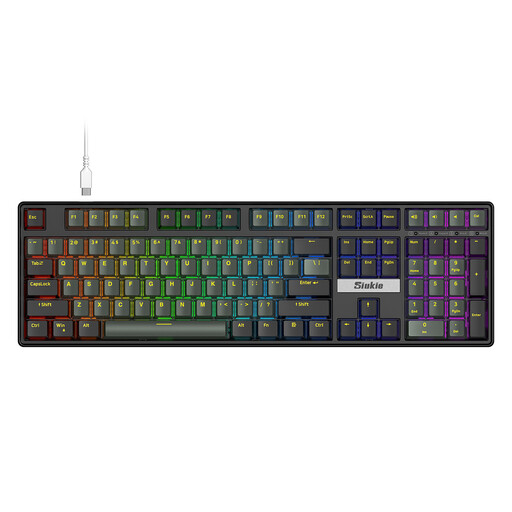
Siukie CR108 108-key wired mechanical keyboard
The 108-key wired design is an option to examine if direct key access matters more than a compact footprint. Check the fitted switch variant and key legends before buying.
View on Joybuy
Frequently asked questions
Do management games require a full-size keyboard?
A full-size keyboard makes sense if you regularly use the number pad or other dedicated keys. If you can do without the number pad, TKL saves desk space while retaining function and navigation keys; SCAN UK notes that a 60% layout removes more dedicated key clusters.
Are macro keys worth having for management games?
Macro keys are worth considering when you repeat commands that your game permits you to bind and are willing to configure them. Razer lists dedicated macro keys on the BlackWidow V4 X, while CORSAIR lists macro programming through iCUE for the K70 CORE; neither feature replaces a layout that meets your basic key needs.
Which switch should I choose for long sessions?
Choose the switch feel and sound you prefer for extended typing, rather than treating one type as universally better for management games. Razer describes its Green option as tactile and clicky, while Logitech G offers tactile and linear G515 variants; confirm the switch fitted to the keyboard you intend to buy.


