Reviewers with limited socket access
If leaving a keyboard cabled to your review desk is inconvenient, weigh wireless connection options against how and where you will charge the keyboard.


Choose a wireless keyboard if removing a permanent desk cable and switching between devices matter, but plan for charging and check whether its gaming connection needs a USB receiver. For frequent footage review, a 96% or tenkeyless layout can keep more controls within direct reach; choose a 60% board only if its smaller footprint outweighs the need to use function-key shortcuts. A wired keyboard remains an option when competitive play takes priority and a USB port and cable route are available.
If leaving a keyboard cabled to your review desk is inconvenient, weigh wireless connection options against how and where you will charge the keyboard.
If you repeatedly navigate footage or use media, function and number keys, check which controls you can reach directly before choosing a smaller layout.
If one keyboard serves both tournament play and footage review, decide whether you need Bluetooth device switching, a 2.4 GHz receiver connection or a wired option for each task.
Plan charging and computer USB-port use first, then choose a layout around the controls you use during review and a connection mode that suits your gaming setup.
| Concern | What to check | Who this matters to |
|---|---|---|
| Desk cabling and charging | Check the charging method and cable, available computer USB ports, and whether your preferred wireless mode uses a receiver. | When sockets are scarce, I want fewer permanent cables without interrupting review sessions to recharge. Around 40% of consumers would put charging and cable management first. |
| Direct review controls | Check whether arrows, function and number keys, navigation commands and media controls are direct or require an Fn combination. | If I navigate footage repeatedly, reaching the controls I use matters more than having the smallest board. Direct review controls would be the main concern for around 30% of consumers. |
| Play and review connections | Check the exact model’s Bluetooth, 2.4 GHz and wired options, including receiver and USB-port requirements. | Sharing one keyboard between play and review means I need a connection choice that fits each setup. Around 30% of consumers would make that flexibility their primary concern. |
A wireless keyboard can remove a permanent desk lead, but it still needs charging; a 2.4 GHz connection may also occupy a computer USB port.
Count your available sockets and USB ports, and check the model’s charging and connection arrangements before ordering.
Corsair’s shortcut guide places arrows, media functions and navigation commands behind Fn combinations on the K70 PRO MINI WIRELESS. That arrangement may be awkward if you use those commands repeatedly while reviewing footage.
Compare the exact model’s shortcut guide with the controls you use most often, then consider a tenkeyless or 96% layout if direct access matters more than desk space.
A listing can specify a US QWERTY keyboard even when it appears on a UK-facing site. The key arrangement may therefore differ from the one you expect.
Check the layout stated in the listing and inspect the product images before checkout.
Corsair states up to 1,000 hours for the K70 CORE TKL WIRELESS, while Razer states up to 980 hours for the BlackWidow V4 Tenkeyless HyperSpeed. Neither figure promises that runtime under every lighting, connection and usage setting.
Check the conditions behind the figure for the model you want and make sure its charging routine fits your review and tournament schedule.
The ROG Strix Scope II 96 Wireless is a reference point if you want wireless options while retaining function and number keys for review work.
The K70 CORE TKL WIRELESS and K70 PRO MINI WIRELESS illustrate different choices between a tenkeyless layout and a smaller 60% board.
The BlackWidow V4 Tenkeyless HyperSpeed is a reference point for a wireless tenkeyless board with dedicated controls.
The G915 X TKL and PRO X TKL Wireless are tenkeyless examples for buyers comparing wireless connections and programmable controls.
These wireless keyboards offer different compact layouts for a desk used to review tournament footage. Compare their stated key arrangements and connection options against your controls, charging plan and preferred keyboard layout.
 No image available
Consider this 96% model if you want function and number keys within reach while using the keyboard wirelessly. ASUS describes Bluetooth, 2.4 GHz and wired USB connections, alongside media controls; confirm the charging cable and receiver arrangements for your setup.
 No image available
Consider this wireless model if a compact keyboard appeals but navigation and audio adjustments remain important to your review work. Check the exact key layout before ordering, along with the connection and charging arrangements you intend to use.
 No image available
Consider the 75% layout if desk space matters and you want to assess whether its controls suit footage review. The title specifies Bluetooth, 2.4 GHz and wired connections, plus a US QWERTY layout; check that key arrangement and the charging requirements before buying.
 No image available
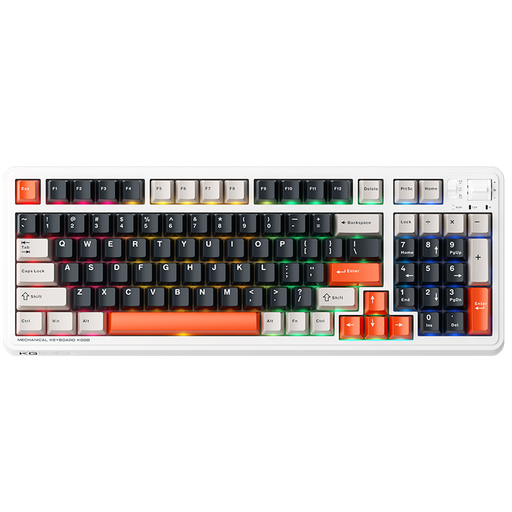
Consider this 96% option if retaining a number pad matters alongside wireless use. Its title specifies a US QWERTY layout and hot-swappable switches; check its direct media and recording controls, charging routine and key arrangement against your workflow.
 No image available
Consider this wireless model if you want to compare a compact keyboard with number-key access against smaller layouts. The title specifies Bluetooth, 2.4 GHz and wired modes and a US QWERTY layout; check direct access to your review shortcuts and how often you would need to charge it.
It can remove a permanent keyboard cable from the desk, but it will not remove the need to charge the keyboard. Check where you can charge it and whether your chosen connection needs a computer USB port for a receiver.
Bluetooth is useful when switching between compatible paired devices is the priority; use a model’s 2.4 GHz receiver mode if that is the gaming connection you intend to rely on. Scan’s UK keyboard guide also recommends considering wired use for competitive games, so check your available USB port and cable route before deciding.
Contact the seller about the fault rather than relying only on a manufacturer warranty. UK Department for Business & Trade guidance on the Consumer Rights Act 2015 explains that repair or replacement can be available for faulty goods after the first 30 days; the appropriate remedy depends on the circumstances.
Keep unwanted electrical products and batteries out of household rubbish. The UK Office for Product Safety and Standards advises separate recycling for electrical waste and batteries; check the arrangements available locally for the item you have.