What matters when buying?
Settle the game and platform question before choosing chat equipment; account permissions and the practicalities of using equipment at home then shape the setup.
| Concern |
What to check |
Who this matters to |
| Game and platform compatibility |
Confirm the exact game, friends’ platforms, cross-network play and any multiplayer membership or child-account requirements. |
If my child wants to join friends in a particular game, I need their platforms and the child’s account to allow it; about 36% of consumers put that compatibility need first. |
| Voice chat in a shared room |
Check the headset connection and microphone support on the intended device, plus access to mute and cable or charging arrangements. |
When play happens in a shared room, I want my child to hear the game and control when their microphone is on. That is the primary concern for about 29% of consumers. |
| Child-account boundaries |
Review communication, multiplayer, friend and purchase settings on the child’s actual account; test them in the intended game. |
I want to decide who my child can contact and what they can access before online play begins; about 28% of consumers place those account boundaries first. |
| Purchase traceability |
Identify the seller and product model, and check the supplied documentation and plug or charger suitability. |
For electrical equipment, I want to know who supplied it and keep its documentation. About 7% of consumers make that traceability their primary concern. |
Joybuy products for these setups
These selections cover wired gaming headsets and a Nintendo Switch 2 console for families checking game, chat and child-account fit.
 No image available
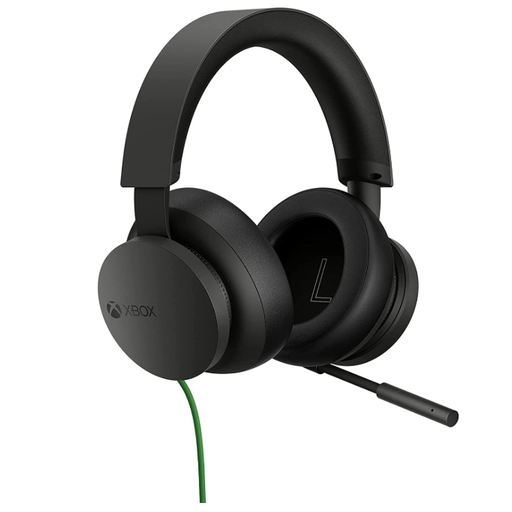
Official Xbox Stereo wired headset, black
Consider this for an Xbox setup where a wired headset suits the room. Check the child’s controller connection, microphone chat in the intended game and whether the cable and fit are practical.
View on Joybuy
 No image available
LOGITECH ASTRO A10 Gen 2 wired headset, white
Consider this when a wired headset is wanted for a household that may use different gaming devices. Confirm the exact device connection and game-chat support, then check the fit and cable position for the child.
View on Joybuy
 No image available
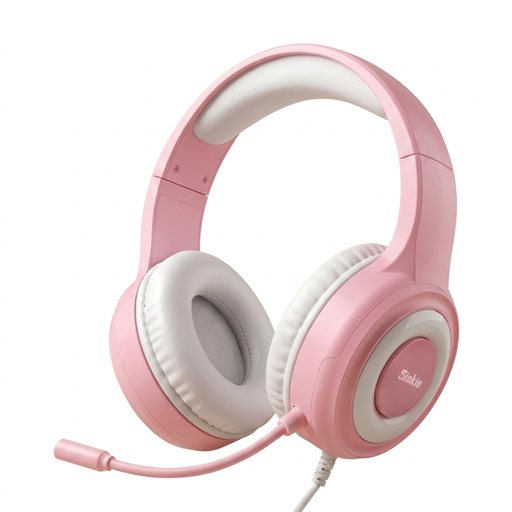
Siukie CH25 wired headset, 50 mm, blue LED
Consider this only after checking how its 3.5 mm audio and microphone connections would attach to the intended controller or device. Its title also lists USB and blue LED lighting; confirm any adapter needs and microphone operation in the child’s game.
View on Joybuy
 No image available
Nintendo Switch 2 + Nintendo Switch Sports Resort
Consider this console bundle if the child’s intended games and friends’ platforms fit Nintendo Switch 2. Check multiplayer and membership requirements for those games. Nintendo UK Support says supervised users under 16 need parental-control setup and parent approval of chat friends to use GameChat.
View on Joybuy
 No image available
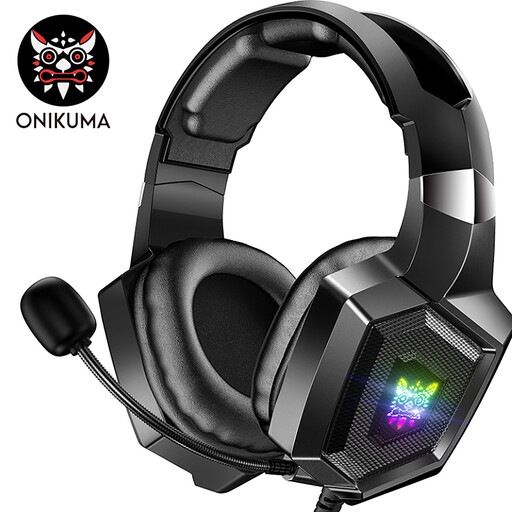
ONIKUMA K8 wired headset with RGB lighting
Consider this for a wired PC or Xbox setup only after confirming how its headphone and microphone connections attach to the intended device. Check game-chat operation, any adapter needed, child fit and where the cable will run.
View on Joybuy
Common questions
Should I choose the console before the headset?
Choose the game and a platform that lets your child join their friends before selecting a headset, unless the platform is already settled. Then check the controller or device connection and the game’s microphone-chat requirements.
Can a child play with friends while other contact is restricted?
Some platform controls allow communication permissions to be managed, but the result depends on the account, feature and game. Xbox Support describes family communication settings; Nintendo UK Support describes communication restrictions and, for supervised Nintendo Switch 2 GameChat users under 16, parent approval of chat friends. Test the intended arrangement after setting it up.
Does a gaming headset make online play safer?
No headset prevents online harms. It provides audio and, when the setup supports it, a microphone; decisions about contact and multiplayer access still require attention to the game, child account and household supervision.
What should I set up before my child uses voice chat?
Set up the child account and its adult-managed controls where applicable, review communication and multiplayer permissions, then test the microphone and mute control in the intended game. Nintendo UK Support specifies parental-control setup and approved chat friends for supervised Nintendo Switch 2 GameChat users under 16.
What should I check when buying electrical gaming equipment?
Check the seller and exact model, keep the product documentation, and confirm that the supplied plug or charger suits the intended setup. For Great Britain, the Office for Product Safety and Standards says electrical equipment must meet applicable safety requirements before being placed on the market; do not assume that Great Britain guidance establishes the position for Northern Ireland.


