Choose your gaming device around the games and people you actually play with: check each game’s platform availability, cross-play, online membership needs and voice-chat method before buying a console, controller or headset. Add controllers and charging equipment if people will play together in the same room. Consider Ethernet or new Wi-Fi equipment when you have identified a connection problem that the accessory could address.
Who needs what?
Friends on different platforms
If your group uses a mixture of consoles and PCs, check the games you play together before settling on hardware. Xbox Support says cross-network play varies by game; controller pairing and your group’s voice-chat method need separate checks.
Families sharing a screen
If some sessions take place around one TV or console, the game’s local multiplayer mode, controller count and display arrangement matter alongside online access. PlayStation UK says a PS5 can use up to four controllers at once, but that does not establish how many players a particular game supports.
Households with connection problems
If play or chat is disrupted when others stream, download or make video calls, check the gaming room’s Wi-Fi coverage, the possibility of a wired connection and what else is using the network. Ofcom notes that broadband availability and speeds can differ by property.
What to check before buying
Work out whether your main decision is about playing together, talking together, sharing a room or connecting reliably; each points to different equipment.
| Concern |
What to check |
Who this matters to |
| Games and cross-play |
Check each game’s supported platforms, cross-play and online membership requirements. Xbox Support says cross-network play is game-specific. |
If my friends use different devices, I need to know we can join the same game before choosing mine. About 31% of consumers put game and platform compatibility first. |
| Voice chat |
Confirm the group’s chat method, microphone support and the headset’s connection to the exact device. |
When we talk throughout a session, I need a headset and microphone that work with our chosen chat arrangement. Voice-chat compatibility comes first for about 25% of consumers. |
| Shared-room play |
Check the game’s local player count, the console’s display mode and how many compatible controllers you need. |
If friends or family also play beside me, I need the game and controls to accommodate everyone in the room. For about 19% of consumers, shared-room play is the primary concern. |
| Home connection |
Check broadband availability at your address, Wi-Fi coverage in the gaming room and whether an Ethernet cable can reach. |
When play or chat falters while other devices are busy, I want to identify where the connection is struggling before changing network equipment. About 25% of consumers prioritise home-network reliability. |
Common buying mistakes
-
Assuming every game supports cross-play
Owning different platforms does not establish that friends can join one another. Xbox Support says cross-network play depends on the game.
List the games your group plays, then check each title’s supported platforms, cross-play, online access requirements and chat method before buying hardware.
-
Choosing a wireless headset by its connection label alone
Wireless connection methods vary by console and headset. Xbox Support says an Xbox One cannot connect a headset directly through Bluetooth.
Check the exact headset and console model, any controller-jack or adapter requirement, and whether the microphone works with your intended chat service.
-
Buying for online play when you mean local play
People joining remotely and people sharing one screen may need different game modes and equipment. Extra controllers cannot make a game support local multiplayer.
Check the game’s local player count and display mode, then plan controllers and charging for the people who will actually play in the room.
Controllers and charging equipment also need storing and keeping ready between shared-room sessions.
-
Replacing the router before locating the connection problem
A new router cannot change the broadband service available at your property. Ofcom advises that availability and received speeds can differ by address; manufacturer traffic-prioritisation features also depend on the model and the problem being addressed.
Check address-level broadband availability, connection quality in the gaming room, possible Ethernet routes and whether disruption coincides with other household traffic before choosing a cable, mesh system or router.
Brands to consider
PlayStation
Relevant to households planning PS5 online sessions and shared-room play, or considering a DualSense controller for a compatible PC or mobile device.
- PlayStation UK says a PS5 can use up to four controllers simultaneously and describes Bluetooth and USB connections for DualSense on compatible devices.
- Check each game’s local player count, cross-play and controller-feature support separately.
Xbox
Relevant to console and PC groups considering cross-network games, party communication and compatible controllers or headsets.
- Xbox Support identifies cross-network play in some games and documents headset connections through compatible controller jacks or Xbox Wireless.
- Cross-play varies by game, and Xbox Support says Xbox One does not pair headsets directly through Bluetooth.
Nintendo
Relevant when a household wants to combine compatible online games with local play in the console’s supported display modes.
- Nintendo UK documents TV, tabletop and handheld modes for Nintendo Switch systems and online play through Nintendo Switch Online in compatible games.
- Nintendo says Switch Lite does not support TV mode; check voice-chat arrangements by game and console generation.
TP-Link
Relevant when the identified home-network issue calls for Wi-Fi coverage, wired ports or device prioritisation.
- TP-Link UK describes traffic-prioritisation features for selected networking products.
- Features differ by model, and the brand’s gaming claims do not establish a particular latency improvement in your home.
NETGEAR
Relevant to households considering router or mesh coverage where gaming shares a network with other activities.
- NETGEAR describes coverage and wired-port options across its home-networking products.
- Match the exact model to the home layout, port needs and broadband service rather than assuming a newer Wi-Fi generation will resolve disruption.
Joybuy products for home gaming
These controllers, personal-audio options and mesh Wi-Fi equipment address different parts of playing with others at home. Choose by your existing devices, games, chat arrangement and any identified coverage problem.
 No image available
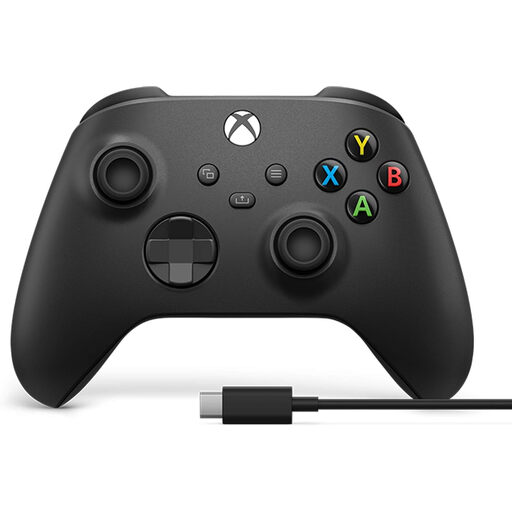
Xbox Wireless Controller with USB-C Cable
Consider this controller for play on the listed Xbox Series X|S, Xbox One or Windows devices. The bundle includes a USB-C cable; check your game’s multiplayer support and your intended headset and chat connection separately.
View on Joybuy
 No image available
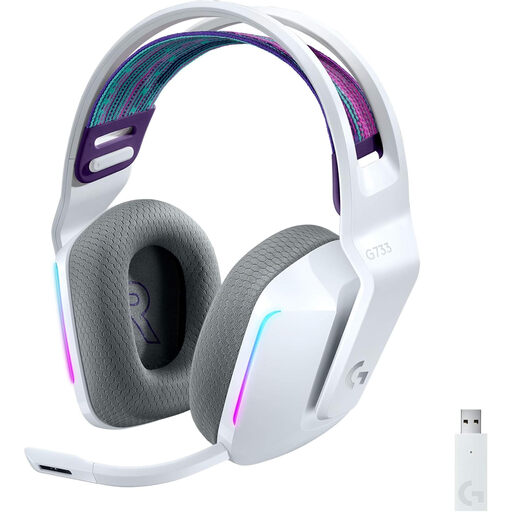
Logitech G G733 Lightspeed Wireless Headset, White
A headset option for a group that needs personal audio and voice chat. For Nintendo Switch, the stated wireless USB-dongle stereo use is in dock mode; confirm microphone operation with your exact device, game and chat service.
View on Joybuy
 No image available
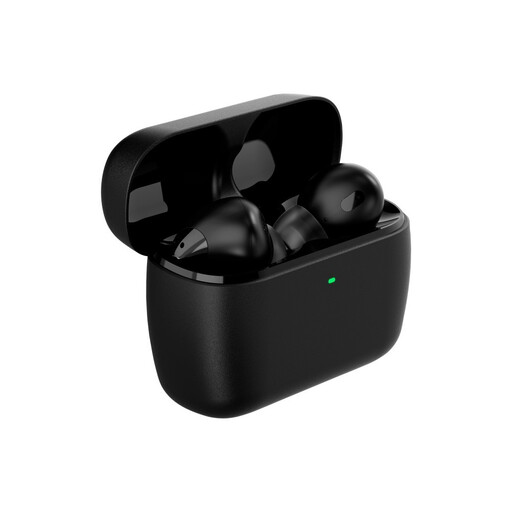
HyperX Cloud MIX Buds 2 Gaming Earbuds with Mic
An in-ear option if you prefer earbuds for gaming and group communication. Before choosing them for a console, check the exact model’s dongle connection and microphone support with your game and chat service; in-ear fit is a separate personal consideration.
View on Joybuy
 No image available
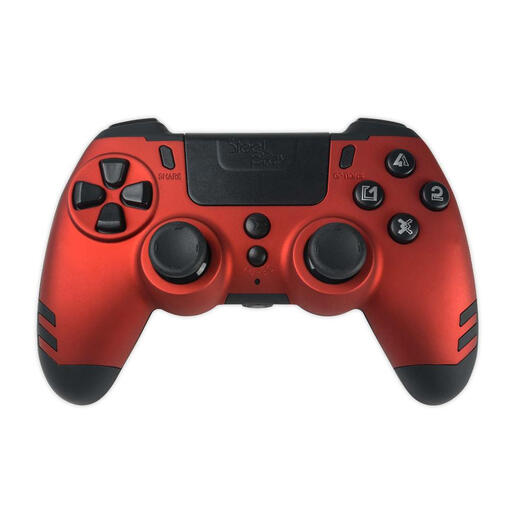
Lexip SteelPlay Slim Pack Wireless Controller, Ruby Red
A controller to consider for the listed PS4 or PC use, including sessions where an additional local player needs a compatible controller. Check your game’s controller and local multiplayer support; confirm whether this exact variant has motion sensors if you need them.
View on Joybuy
 No image available
NETGEAR Orbi 370 RBE373 Wi-Fi 7 Mesh System, 3-Pack
Consider this dual-band BE3600 mesh system if inadequate in-home Wi-Fi coverage is the connection problem you have identified. The product name specifies 2.5 Gbps Ethernet; check your broadband service, existing modem or gateway and node locations before deciding whether mesh equipment addresses your setup. Coverage and wireless speed will vary by home.
View on Joybuy
Frequently asked questions
Do friends need the same console to play online together?
Not if their chosen game supports cross-network play between their devices. Xbox Support says support varies by game, so check the title’s platform and cross-play details before choosing hardware for a mixed-platform group.
When is an Ethernet accessory more relevant than a new Wi-Fi router?
A cable or suitable switch is worth considering when the gaming device can be connected physically and Wi-Fi in that room is the identified problem. If coverage affects several rooms, assess mesh placement or router features instead; check address-level broadband availability first, because in-home equipment cannot change the service available at the property.
Can a Bluetooth headset connect directly to an Xbox One?
No. Xbox Support says Xbox One consoles cannot connect a headset directly through Bluetooth. Check whether the headset instead supports a compatible controller jack or an Xbox-specific wireless connection, and confirm its microphone works with your chosen chat method.
Will extra controllers let everyone play together on one screen?
Only if the particular game supports enough local players and your console supports the intended display arrangement. PlayStation UK says a PS5 can use up to four controllers simultaneously, but games may support fewer local players; Nintendo UK says Switch Lite does not support TV mode.


