Gamer who can run a cable
If your game falters over Wi-Fi and your console or PC is close enough to wire, check the device’s port, the cable route and whether you need an adapter or an extra switch port.


Before buying, compare gaming over Wi-Fi with a suitable device connected by Ethernet to the main router: if the problem is confined to Wi-Fi, focus on the in-home link; if it persists when wired, investigate the provider or service. Choose a cable, compatible adapter or switch for a device within reach, consider a router for a demonstrated local-network issue or wired-backhaul mesh for a distant room, and check local availability and contract terms before changing service. These checks help identify the route to investigate, but equipment cannot promise lower latency to a game server.
If your game falters over Wi-Fi and your console or PC is close enough to wire, check the device’s port, the cable route and whether you need an adapter or an extra switch port.
If the connection worsens away from the main router, distinguish a room-coverage problem from a broadband fault before considering mesh with wired backhaul.
If interruptions continue over Ethernet beside the main router, check service status and address-specific broadband options before paying for more Wi-Fi equipment.
Ofcom advises that a poor Wi-Fi result alone does not establish a broadband-line fault, so compare wired and wireless performance before buying. For consumers weighing a fix for online-gaming connectivity, the percentages below are approximate shares by primary need.
| Concern | What to check when buying | Who this matters to |
|---|---|---|
| Wired device connection | Check that the console or computer has Ethernet or supports the exact adapter; confirm the cable route and an available router or switch port. | If your gaming device is close enough to connect by cable, you need to know whether it can take a direct connection. Consumers whose primary concern is wiring a reachable gaming device account for around 33% of this group. |
| Incoming broadband service | Compare wired tests at different times and check provider outages; review address-specific availability and contract terms before changing service. | If problems persist over Ethernet, you need to investigate the incoming service before replacing local equipment. Consumers whose primary concern is assessing the broadband service account for around 27% of this group. |
| Distant-room connection | Check whether a direct cable is practical; for mesh, confirm wired-backhaul support, unit placement and available ports. | If the gaming room is far from the router, you need to establish whether the room-to-room link is the issue and whether cabling the mesh units is practical. Consumers prioritising a stable distant-room connection account for around 20% of this group. |
| Busy household network | Check performance when other household devices are active and whether the specific router offers configurable traffic management and enough wired ports. | If downloads or streaming coincide with game interruptions, you need to consider local network traffic as well as the incoming service. Consumers whose primary concern is managing simultaneous household use account for around 20% of this group. |
A router upgrade will not address an outage or an unstable incoming service. Ofcom notes that Wi-Fi results can be affected by the router, device, distance, walls and interference.
Compare Wi-Fi with a suitable Ethernet connection at the main router, and check for outages before choosing a router, mesh system or new service.
Console, dock and adapter requirements vary. A connector that fits does not by itself establish that the device supports the adapter.
Check the exact console or computer, dock, connector and adapter compatibility before buying.
Mesh can address a room-to-room connection, but it does not resolve an outage or a problem that also appears over Ethernet.
Consider mesh for a demonstrated distant-room link issue, and investigate the service if problems persist when wired.
NETGEAR warns that malware can exploit UPnP, and the UK National Cyber Security Centre also describes potential security risks from UPnP and port forwarding.
Investigate the specific connectivity problem and weigh the security implications before changing router settings; do not treat a setting change as a general lag fix.
Its routers, Deco mesh systems and wired switches suit different home-networking routes.
A possible route when you are considering configurable traffic management in a home router.
Its USB-C to Gigabit Ethernet Adapter is a wired-connection option for a compatible device without a built-in Ethernet port.
Its wired-connection guidance is relevant when the gaming device is a Nintendo Switch.
Its router documentation is relevant when weighing multiplayer connectivity features against security.
These Joybuy options cover several practical routes for home gaming connectivity: adding Ethernet, expanding wired ports, using mesh with wired backhaul, or considering a 5G or 4G router where local service is suitable.
 No image available
Consider this SIM-based mobile-broadband route only after checking that usable 4G or 5G service is available at your address; it also provides wired connections for gaming devices.
Specifications include a 2.5 Gbps WAN/LAN port, two Gigabit LAN ports and QoS.
 No image available
Consider this mesh system for a distant room when the units can be linked by cable; wired backhaul requires an Ethernet connection between suitably placed units.
Each unit has two 1 Gbps Ethernet ports, and the system supports combined wired and wireless backhaul.
 No image available
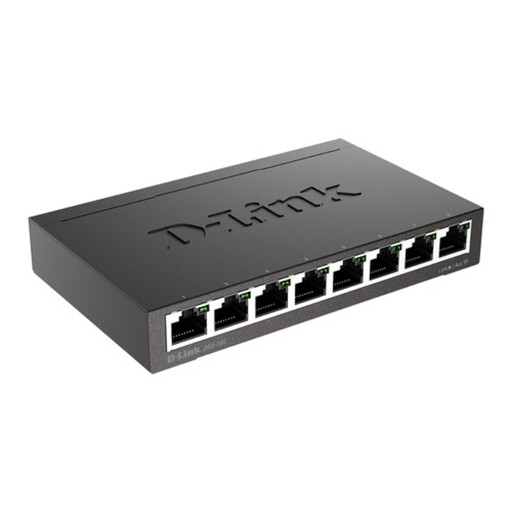
Use a wired switch when devices can reach it by Ethernet and the router does not have enough available ports.
The product is identified as an 8-port Gigabit unmanaged desktop switch.
 No image available
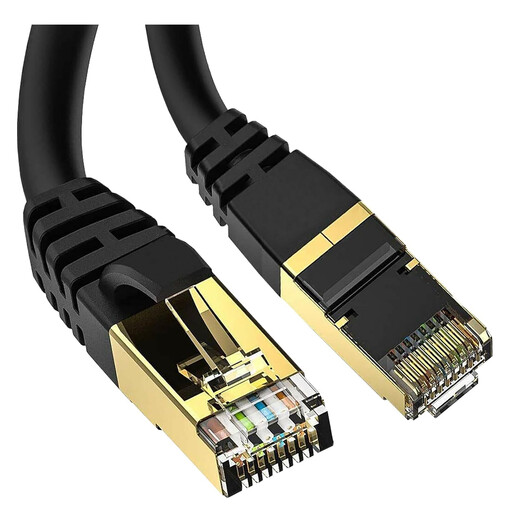
Consider this cable when the gaming device and router can be connected along a route within its stated length.
The product name specifies a 5 metre Cat 8 cable with an RJ45 connection, 40Gbps, 2000MHz and shielded S/FTP construction.
 No image available
For a compatible USB-C computer that needs wired Ethernet as well as display or peripheral connections; the described PC or Mac use requires USB-C Alt Mode.
Specifications include 10/100/1000 Mbps Ethernet, HDMI, VGA, 100W power delivery and dual USB 3.0 ports.
Compare Wi-Fi with Ethernet at the main router, repeat the checks at different times and consult your provider’s outage information. Ofcom notes that a poor Wi-Fi result alone does not demonstrate a broadband-line fault; persistent problems over a wired connection warrant provider investigation.
No. Nintendo says a dock with a built-in LAN port does not need one; a dock without that port needs a compatible USB LAN adapter for a wired connection. Check the exact console and dock, particularly for Switch Lite.
Use a compatible Ethernet switch when the router lacks enough wired ports for devices you can connect by cable. Consider wired-backhaul mesh when suitable unit locations and an Ethernet link between them can help serve a distant room; check support on the specific system.
A gaming label or QoS feature alone does not establish that a router will lower latency on your broadband line. Check whether the fault is local to Wi-Fi or the router, confirm service compatibility, and treat manufacturer-listed traffic controls as features rather than a promised result.
Do not treat UPnP as a general lag fix or enable it without weighing security. NETGEAR describes its use for multiplayer connectivity but warns that malware can exploit it; the UK National Cyber Security Centre also identifies potential security risks involving UPnP and port forwarding. Investigate the specific connection problem before changing router settings.