Check whether the lag comes from home Wi-Fi before buying networking equipment: compare repeated tests, pause competing traffic and use your console or PC network diagnostics. If a safe cable route is practical, direct Ethernet removes the wireless link to the gaming device; where only a cable to a nearer point is feasible, consider an access point or mesh node with wired backhaul. Wi-Fi adjustments avoid new cabling but depend on the device, its location and the signal path, while none of these purchases fixes a provider or game-service fault.
Who each approach suits
Players who can run a cable
If there is a safe, acceptable route from the router to your console or gaming PC, a direct wired link is worth checking before replacing wider-home Wi-Fi equipment. Ofcom recommends Ethernet for a more reliable local connection.
Players in cable-constrained rooms
If the gaming device is far from the router, a cable to a nearer access point or mesh node may be more practical than a cable all the way to the device. Check the intended equipment and wiring layout: TP-Link says wired-backhaul support depends on the exact models and configuration.
Players who need to find the cause first
If performance varies or the connection is shared, check household traffic, the wireless link, the provider connection and game-service connectivity before choosing hardware. Ofcom identifies several possible bottlenecks, and Xbox provides console network tests.
What to check before buying
Start with a wired comparison where practical and check whether other devices or services are affected. If the problem appears local to Wi-Fi, choose a route according to where a cable can safely reach.
Direct Ethernet
Choose it when: A safe cable route reaches the console or PC; a switch is useful only if additional wired ports are needed.
Allow for: Cable routing and available ports. A wired link cannot correct a provider or game-server problem.
Wired-backhaul node or access point
Choose it when: A cable can reach a point nearer the gaming room, but not the device itself.
Allow for: A backbone cable and compatible equipment; a wireless-only extender is not the same arrangement.
Wi-Fi adjustments
Choose them when: Cabling is impractical and testing points to the wireless connection at the gaming location.
Allow for: Walls, distance and interference; a different Wi-Fi band also has to be supported by the gaming device.
| Concern |
What to check |
Who this matters to |
| Local-link consistency |
Check the device's Ethernet connection, router ports and a safe cable route. Count the ports needed before adding a switch. |
If Wi-Fi interruptions affect my matches and a cable can reach the device, I want a dependable local link without replacing the whole network. Around 27% of consumers put that wired connection first. |
| Reaching a distant room |
Confirm a cable can reach the proposed node and that its exact model, ports and operating mode support wired backhaul. |
When a cable across the floor is impractical, I need a network point nearer my gaming room instead. A wired endpoint is the main concern for around 27% of consumers. |
| Improving Wi-Fi in place |
Check device band support and the signal path through the home before changing equipment or placement. |
If I cannot run a cable, I want to know whether the wireless connection at my usual playing position can be improved. Around 20% of consumers prioritise that Wi-Fi route. |
| Finding the actual fault |
Compare results at different times and, where possible, over Wi-Fi and Ethernet; check concurrent traffic and platform connectivity. |
With other people using the connection, I do not want to buy hardware for lag caused by shared traffic or a service fault. Diagnosis comes first for around 26% of consumers. |
Mistakes to avoid
-
Replacing the network before locating the problem
Ofcom identifies Wi-Fi, in-home congestion, device limitations and content servers among factors that can affect a connection. A new router or mesh kit will not identify which one is responsible.
Compare repeated results, pause demanding household traffic, check for a provider outage and try a wired connection where practical before selecting equipment.
-
Assuming a wireless extender provides wired backhaul
Wired backhaul requires an Ethernet connection between the relevant network points. TP-Link describes benefits for its supported wired-backhaul configurations, not for every mesh or extender setup.
Check both devices' exact-model support, available ports and wiring rules before ordering.
-
Changing firewall settings just to chase lower ping
Xbox explains that network firewalls help protect devices and that some settings can affect multiplayer connectivity. A broad security change is not a routine response to Wi-Fi lag.
Run the platform's connection tests first. If they identify a NAT or related connection issue, follow the platform and router instructions without making an unexplained blanket change.
-
Planning a wired link without checking the device
A PC without an Ethernet socket may need an adapter, as Microsoft notes. The gaming device's location and the router's available ports also determine whether a cable route works.
Inspect the device connection, available router ports and cable route. For a PC adapter, confirm its interface and operating-system compatibility before buying.
Brands to consider
TP-Link
Relevant when comparing Deco mesh or EasyMesh-compatible equipment for a gaming room that needs a nearer network point.
- TP-Link says Ethernet backhaul on supported Deco setups avoids a wireless hop between nodes and can improve connection stability.
- For EasyMesh, TP-Link says both the main and satellite models must support wired backhaul. Check the exact models, topology and operating mode rather than assuming compatibility.
NETGEAR
Relevant when wider-home coverage is part of the gaming-room decision and a cable between mesh nodes is feasible.
- NETGEAR lists a 2.5 Gig wired-backhaul option for its Orbi 770 series.
- That specification belongs to the stated series; it does not establish the capabilities of every Orbi model or show that Wi-Fi is the cause of gaming lag.
Ubiquiti
Relevant to households considering separate UniFi access points and centralised network management instead of a consumer mesh kit.
- Ubiquiti describes channel-planning and RF-scanning capabilities within its UniFi Wi-Fi range.
- Check the chosen model's cabling, power and configuration requirements; a wired access-point installation can require more planning than a plug-in extender.
Joybuy products for wired setups
These choices relate to connecting a gaming PC by Ethernet or adding ports to a wired home network. Switches can also be part of a separately planned wired access-point setup; none supplies Wi-Fi coverage on its own.
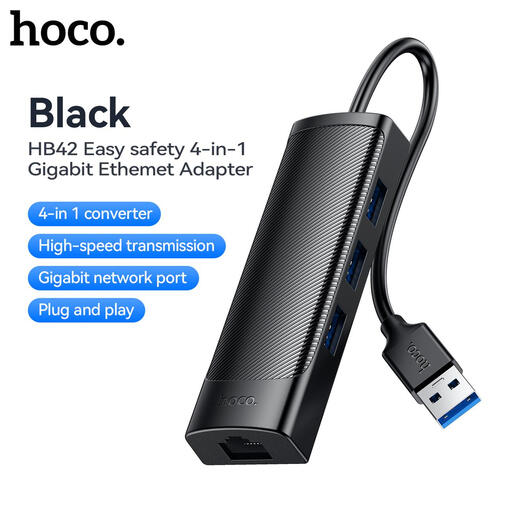 Image unavailable
HOCO HB42 4-in-1 USB Gigabit Ethernet Hub, 0.2 m, Black
Consider this for a gaming PC that needs a wired-network connection, once you have confirmed its USB interface and operating-system compatibility. The listed connections are Gigabit Ethernet via RJ45 and three USB 3.0 ports; check whether an Ethernet cable is included.
View on Joybuy
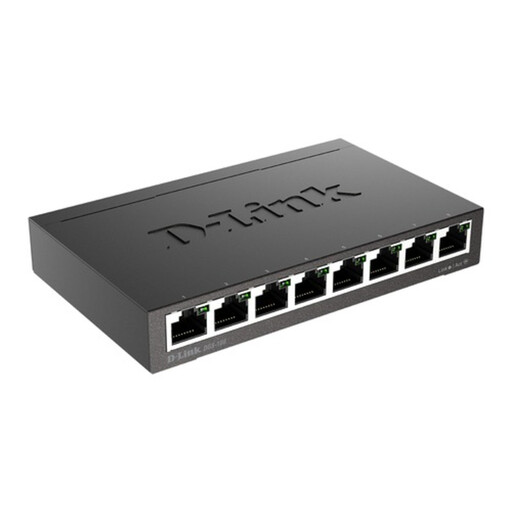 Image unavailable
D-Link DGS-108 8-Port Gigabit Unmanaged Desktop Switch
Consider this when several devices need wired connections and router ports are limited. It has eight Gigabit ports; plan a connection to the existing network and check whether the required Ethernet cables are included. It does not create a Wi-Fi connection.
View on Joybuy
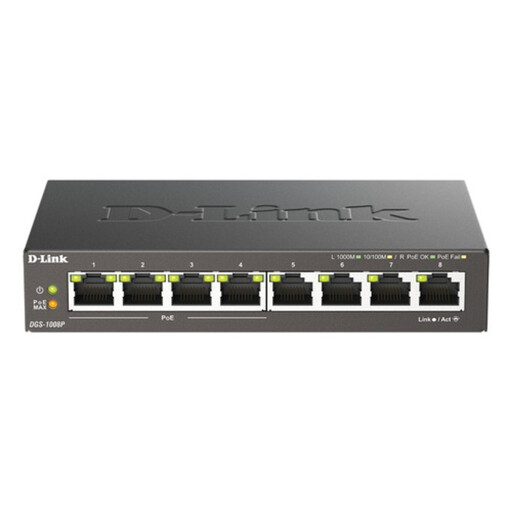 Image unavailable
D-Link 8-Port Gigabit PoE Unmanaged Desktop Switch
Consider this for wired port expansion if you are also planning a compatible Power over Ethernet (PoE) device, such as an access point. The title identifies eight Gigabit ports and PoE; confirm the intended device's PoE standard and power needs, and check cable inclusion before buying.
View on Joybuy
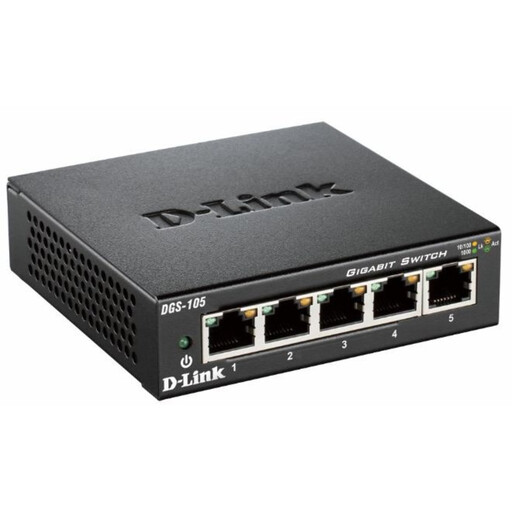 Image unavailable
D-Link DGS-105 5-Port Gigabit Unmanaged Desktop Switch
Consider this when a smaller wired setup needs additional network ports. It has five Gigabit ports; count the connection to the existing network among the ports you need, and check whether Ethernet cables are included. It does not extend Wi-Fi coverage.
View on Joybuy
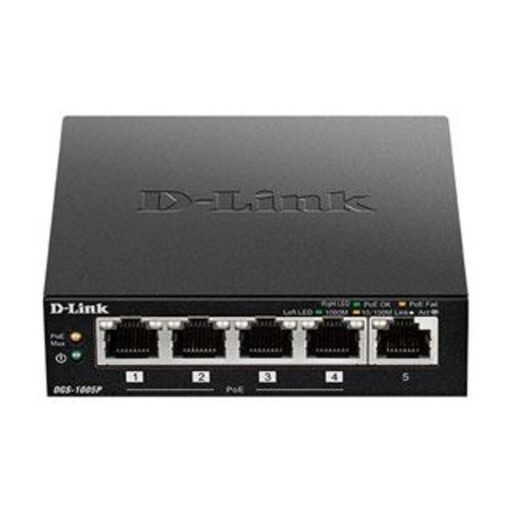 Image unavailable
D-Link DGS-1005P 5-Port Gigabit PoE+ Switch
Consider this when a compact wired setup may also need to power a compatible PoE+ device. It has five Gigabit ports; confirm the endpoint's PoE requirements against the switch's per-port and total power limits, and check whether the required cables are included. The switch does not provide Wi-Fi itself.
View on Joybuy
Common questions
How can I tell whether gaming lag comes from home Wi-Fi?
Compare the gaming device over Wi-Fi and Ethernet where practical, rather than judging from one ping result. Pause competing downloads, check whether other devices are affected and look for a provider or platform outage. Ofcom notes that in-home Wi-Fi, congestion, devices and content servers can all affect the connection; Xbox network tests can help narrow down console connectivity problems.
Will Ethernet fix lag on a console or gaming PC?
Ethernet can remove an unreliable Wi-Fi link when a safe cable route is available, but it cannot fix every cause of lag. Ofcom recommends a direct Ethernet connection for a more reliable local link; shared traffic, broadband faults and game-service problems still need separate checks.
What should I check before connecting a gaming PC by Ethernet?
Check whether the PC has an Ethernet port and whether a cable can reach the network. Microsoft notes that a PC without an Ethernet port may need a USB-to-Ethernet adapter; confirm the adapter's interface and compatibility with your PC before ordering. If you stay on Wi-Fi, check the PC's adapter, supported bands and drivers rather than relying on the router's specification alone.


