Buying priorities
Compare the exact configuration with the games you expect to play before weighing portability, screen features or a higher-end graphics label.
| Priority |
What to check |
Your needs |
| Game requirements |
Compare the exact GPU and VRAM, RAM and free SSD capacity with each game publisher’s recommended tier. Allow for game files, saves, updates and everyday applications. |
I want games to run at the settings I intend to use, rather than merely launch. EA Help lists separate recommended requirements for The Sims 4, while Epic Games distinguishes Fortnite minimum, recommended and Epic-quality tiers. |
| Heat and sustained performance |
Check the manufacturer’s stated GPU power or TGP where available, then seek independent tests of the exact chassis under sustained load. Compare like-for-like settings when reading benchmarks. |
For long sessions or a shared room, I need a laptop that remains practical to use rather than choosing only by the GPU name. NVIDIA says Laptop GPU power ranges vary by laptop design; RTINGS identifies heat and fan noise as relevant under heavy work such as gaming. |
| Portability, display and battery |
Match screen size, resolution and refresh rate to the games you play and how often you carry the laptop. Read gaming battery tests separately from browsing or video battery figures. |
I may prefer a smaller machine, but not at the cost of missing my games’ requirements. RTINGS tests browsing, video playback and gaming battery life as separate workloads, and highlights refresh rate, motion performance and VRR for fast-moving games. |
Joybuy product options
Joybuy gaming-laptop options for a one-device setup that combines household computing with PC gaming.
 No image available
Lenovo LOQ Essential 15ARP11, Ryzen 7 170, RTX 5050
A 15.6-inch option for household multitasking and games where a 1080p high-refresh display is appropriate.
Listed with 16 GB DDR5 RAM, 1 TB NVMe SSD, RTX 5050 Laptop GPU with 8 GB GDDR7, 65 W GPU TGP, 15.6-inch FHD 144 Hz IPS display, FreeSync, Ethernet and HDMI 2.1.
Check game requirements and settings, as the listed TGP and 144 Hz panel do not establish game-specific frame rates. Verify exact-model testing if shared-room noise, lap use or gaming battery runtime matters.
Joybuy
 No image available
MSI Pulse 16 AI, Core Ultra 7 155H, RTX 4060
A larger-screen choice for regular gaming alongside household multitasking and a fixed desk setup.
Listed with an RTX 4060 Laptop GPU with 8 GB GDDR6, 16 GB DDR5 RAM, 1 TB NVMe PCIe 4.0 SSD and a 16-inch 2560×1600 240 Hz display with 100% DCI-P3 coverage.
Some expansion, keyboard and port details are configuration-qualified, so confirm the supplied unit’s specification. A 240 Hz panel alone does not establish matching frame rates in intended games.
Joybuy
 No image available
Lenovo Legion Pro 7 16IAX10H, Core Ultra 9, RTX 5090
A configuration with substantial listed memory and storage for demanding games, multiple applications and larger home media libraries.
Listed with 64 GB DDR5 RAM, 2 TB SSD, RTX 5090 with 24 GB GDDR7, a 16-inch 2560×1600 240 Hz OLED display, two SO-DIMM slots, two M.2 slots and vapour-chamber cooling.
Confirm exact-model results for sustained gaming performance, fan noise, surface temperatures and battery life if those conditions affect your choice.
Joybuy
 No image available
ASUS ROG Zephyrus G14 GA403WR-QS088W, RTX 5070 Ti
A 14-inch gaming-capable route for buyers who expect to carry the laptop more often while retaining dedicated graphics.
The listing states a Ryzen AI 9 HX 370, RTX 5070 Ti Laptop GPU, 32 GB LPDDR5x RAM, 2 TB SSD, 14-inch WQXGA+ display and Wi-Fi 7.
Verify GPU VRAM, GPU TGP, display refresh rate, battery capacity, weight, ports, UK keyboard layout and regional warranty terms before purchase.
Joybuy
 No image available
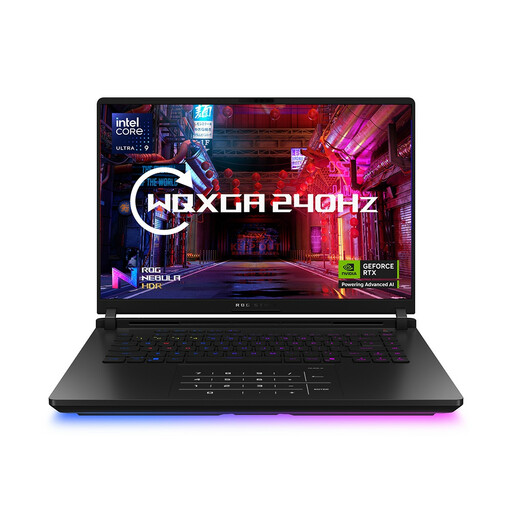
ASUS ROG Strix SCAR 16 G635LW, Core Ultra 9
A 16-inch option listed for gaming, streaming and demanding household workloads with a UK-layout keyboard.
The record lists a Core Ultra 9 275HX, 64 GB RAM, 2 TB SSD, RTX 5080 Laptop GPU, Windows 11 Home and a 16-inch 2560×1600 240 Hz display.
The listing contains conflicting wording about the RTX 5080, so confirm the actual GPU configuration with the seller. Also verify GPU VRAM, power limit, chassis weight, battery capacity and exact-model thermal testing.
Joybuy
Frequently asked questions
Should I buy a laptop that only meets a game’s minimum requirements?
Usually not if you want room for higher settings, updates, expansion packs, background applications or additional games. EA Help’s recommended The Sims 4 specification is higher than its minimum in CPU, RAM, storage and graphics, while Epic Games distinguishes Fortnite minimum, recommended and Epic-quality tiers. Compare the exact laptop with the relevant tier for your intended settings.
Does the same NVIDIA Laptop GPU name guarantee the same gaming performance in every laptop?
No. NVIDIA states that Laptop GPU power ranges vary across laptop designs. Compare the exact laptop’s stated GPU subsystem power or TGP where disclosed, its cooling design and independent benchmarks instead of relying on the GPU label alone.
How should I assess battery life for a laptop that will also game?
Look for an exact-model test that states brightness, resolution, refresh rate and workload conditions. Light-use battery figures do not establish gaming runtime: RTINGS tests web browsing, video playback and gaming separately, and notes that gaming laptops are power-hungry.
What should I check about heat and fan noise before buying?
Prioritise independent exact-model thermal and fan-noise tests if you expect lap use, shared-room use or long gaming sessions. RTINGS identifies heat and fan noise as important under heavy workloads; a manufacturer cooling description is useful context, but it is not a measured result.


