People choosing for particular games
If you already have PC games in mind, compare their current requirements with the laptop configuration and settings you want to use.


An ordinary laptop with integrated graphics may be enough when its exact configuration meets the requirements of your games at settings you are happy with. Consider a gaming laptop with dedicated graphics when your games or preferred settings call for more graphics capability, while weighing the added cooling needs and the practicality of carrying and using it for everyday tasks.
If you already have PC games in mind, compare their current requirements with the laptop configuration and settings you want to use.
When the computer will also handle everyday tasks or be carried around, screen size, storage and day-to-day practicality matter alongside gaming.
Check the specific unit’s configuration, software support, condition and after-sales terms rather than relying on its model-family name alone.
Start with the games and settings you want, then weigh everyday portability, software fit and the condition of any refurbished unit.
Consider it when: the exact configuration meets your intended games’ requirements at settings you would accept, and everyday use and portability take priority.
Trade-off: integrated graphics alone do not show whether a particular game will run well.
Consider it when: your games and preferred settings call for graphics capability that a verified integrated-graphics configuration cannot establish.
Trade-off: graphics power produces heat that needs cooling; check the exact model’s sustained performance, noise and battery behaviour.
| Concern | What to check when buying | Who this matters to |
|---|---|---|
| Game fit and settings | Compare each intended game’s current requirements with the exact laptop configuration and your preferred settings. | If I have particular games in mind, I want to know whether the laptop fits the experience I would accept before weighing extras; around 36% of consumers prioritise game fit. |
| Everyday portability | Check the exact model’s weight, screen and charger, plus battery and noise tests that match your intended use. | When I use one computer for routine tasks as well as gaming, comfort away from a desk matters too; around 29% of consumers prioritise everyday portability. |
| Software and storage | Confirm game and launcher compatibility, the installed operating system and enough space for the games and files you intend to keep. | If my games and everyday software need to work on the same machine, I need a supported setup and enough room for my installations; around 21% of consumers put software and storage first. |
| Refurbished condition and support | Check the unit’s configuration and condition, included accessories, seller warranty and returns terms. | If I am considering a refurbished laptop, I need confidence in the individual unit and its support, not just the model name; around 14% of consumers prioritise condition and support. |
A game’s minimum requirements and its recommended settings answer different questions, so meeting the minimum may not match the experience you want.
Check the publisher’s current requirements for the specific games and settings you plan to use, then compare them with the exact laptop configuration.
Laptop graphics configurations can use different power levels, and a display refresh specification is not a test of in-game frame rates. NVIDIA explains that graphics power also affects heat that the laptop must cool.
Compare the exact laptop GPU configuration and relevant testing of that model before drawing conclusions about performance, noise or battery use.
A model’s standard specification does not establish the condition or installed components of the particular laptop being offered.
Ask for the unit-specific configuration and condition, confirm which accessories are included, and read the seller’s warranty and returns terms.
The Joybuy listing for Lenovo LOQ 15AHP10 model 83JG000AUK names RTX 5050 graphics in its title but RTX 4070 in its technical details; Lenovo PSREF specifies RTX 5050 for that model.
Resolve material conflicts with the seller before relying on a listing’s graphics specification or comparing it with another configuration.
Lenovo’s LOQ and IdeaPad lines illustrate the difference between dedicated-graphics gaming configurations and laptops aimed at everyday use.
Victus includes dedicated-graphics configurations that can be assessed against both gaming requirements and household use.
The Vivobook 16 X1607CA-MB063W is a general-purpose, integrated-graphics configuration to assess against the games you intend to play.
Aspire offers general-purpose configurations to consider when the intended games allow for integrated graphics.
These Joybuy options are laptops listed with dedicated graphics. Compare each configuration with your games and preferred settings; their inclusion does not establish that a particular game will run as you expect.
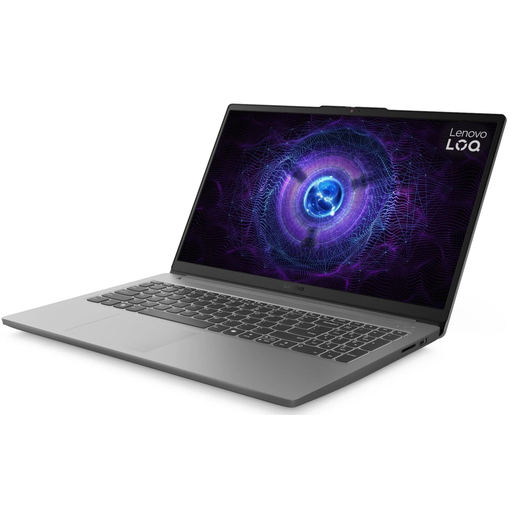 No image available
Compare this dedicated-graphics configuration with the requirements of your intended games; the model name alone does not establish game performance.
Intel Core i5-12600HX; NVIDIA GeForce RTX 4050; 16 GB RAM; 1 TB SSD; Windows 11 Home; 15.6-inch FHD display with 144 Hz refresh rate.
 No image available
Compare the listed graphics configuration with the requirements and settings of your intended games before choosing this laptop.
AMD Ryzen 7 170; GeForce RTX 5050 with 8 GB graphics memory; 16 GB RAM; 1 TB SSD; Windows 11 Home; 15.6-inch FHD display with 144 Hz refresh rate.
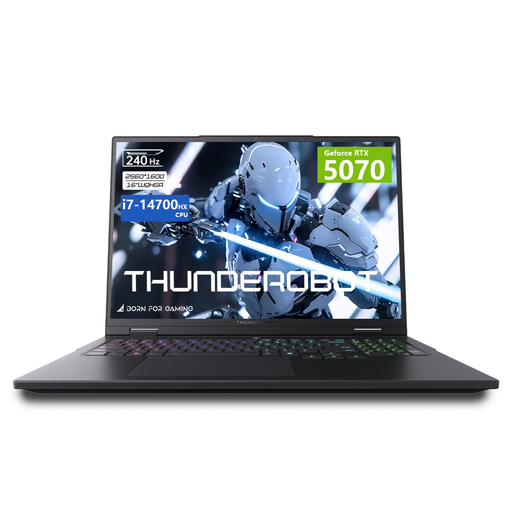 No image available
Check the exact model against your games’ requirements and consider whether its display size suits your everyday use.
Intel Core i7-14700HX; RTX 5070; 32 GB RAM; 1 TB SSD; 16-inch 2560 × 1600 display with 240 Hz refresh rate.
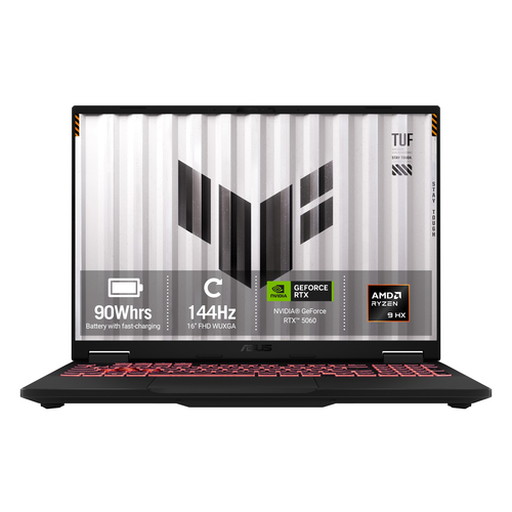 No image available
Compare the listed laptop GPU with your games’ requirements, and consider the display and battery details in the context of your usual use.
AMD Ryzen 9 8940HX; RTX 5060 Laptop GPU; 16 GB RAM; 1 TB SSD; Windows 11 Home; 16-inch WUXGA display with 144 Hz refresh rate; 90 Wh battery.
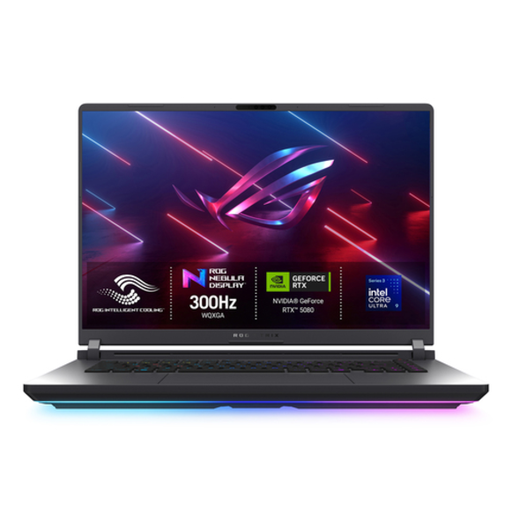 No image available
Compare this configuration with the games and settings you plan to use; a display refresh specification alone does not establish in-game performance.
Intel Core Ultra 9 290HX Plus; RTX 5080 Laptop GPU with 16 GB graphics memory; 32 GB RAM; 1 TB SSD; Windows 11 Home; 16-inch WQXGA display with 300 Hz refresh rate; Wi-Fi 7.
Not if you want particular settings or performance. Check the publisher’s requirements for your preferred preset where available. For example, CD PROJEKT RED distinguishes Cyberpunk 2077’s 1080p low minimum from its 1080p high recommendation; check the current requirements for the game version you plan to play.
Compare its exact processor and configuration with Microsoft’s Windows 11 requirements, which include a compatible processor, Secure Boot capability and TPM 2.0. Microsoft states that Windows 10 support ended on 14 October 2025. Its PC Health Check can assess Windows 11 eligibility, but does not check graphics-card or display suitability for games.
Add the current storage requirements for the games you intend to keep installed, then allow room for the operating system, other applications, files and updates. As examples for specific games, EA recommends 50 GB free for The Sims 4 plus at least 1 GB for custom content and saved games, while CD PROJEKT RED lists a 70 GB SSD requirement for the cited Cyberpunk 2077 configuration.
Confirm the exact unit’s installed components and condition, whether a suitable charger is included, and what support the seller provides. Check the warranty and returns terms separately, and verify that the laptop’s operating system and configuration meet the requirements of your games.
No. Citizens Advice guidance for England explains that warranties add to legal rights rather than replacing them; check the applicable guidance for your part of the UK. GOV.UK also describes a time-limited cancellation right for qualifying online purchases, subject to the applicable rules and exceptions.