What matters when choosing
Choose the desk setup you can power safely, then check whether an exact PC configuration meets the requirements of the games you intend to play.
Gaming laptop
Consider it when: You want the PC and screen in one device, or may move between rooms.
Trade-off: Its built-in screen saves a separate monitor, but graphics capability depends on the exact laptop configuration and cooling.
Desktop and monitor
Consider it when: You have a safe power arrangement for both devices and value a separately chosen display or documented expansion options.
Trade-off: The separate monitor adds powered equipment to plan for; an upgradeable design must be confirmed on the desktop you choose.
| Concern | What to check | Who this matters to |
|---|
| Powered desk equipment |
Count the devices your setup needs, including a laptop charger or a tower and monitor. If using an extension lead, check its marked current rating against the combined load. |
I have few usable sockets and want to avoid powering a separate screen. Around 36% of consumers put minimising essential desk equipment first. |
| Fit for named games |
Compare each game’s official requirements and your target settings with the exact CPU, GPU, memory, storage and display resolution; check laptop GPU power where published. |
I want to choose settings for the games I actually play, rather than rely on a gaming label. For around 29% of consumers, game-specific fit is the primary concern. |
| Desktop expansion |
Check the chosen tower’s documented expansion options, whether you already have a monitor and which devices need mains power. |
My setup stays at one desk, and I would prioritise changing components later if I can safely power the equipment. Upgradeability comes first for around 21% of consumers. |
| Accessories and ownership |
Check the extension lead’s condition and rating. Use the supplied laptop charger or follow the manufacturer’s requirements for a certified replacement; retain your purchase records. |
I need to be confident that the charger and any extension lead suit my setup, and that I can identify the seller if a fault arises. Around 14% of consumers make these checks their first priority. |
Gaming laptops on Joybuy
These laptops have built-in displays, so a separate monitor is not essential to the basic setup. Compare each listed configuration with your games and check its charger requirements as part of your socket plan.
 No image available
Lenovo LOQ Essential 15ARP11, Ryzen 7 170, RTX 5050, 16GB RAM, 1TB SSD
Consider this if you want a gaming laptop with its own screen rather than a separate powered monitor.
The listed configuration has a 15.6-inch Full HD 144Hz display, AMD Ryzen 7 170, GeForce RTX 5050, 16GB RAM and a 1TB SSD. Check your games’ requirements and preferred settings before deciding whether it fits.
View on Joybuy
 No image available
ASUS ROG Zephyrus G14 GA403WR-QS088W, RTX 5070 Ti, 32GB RAM, 2TB SSD
The built-in 14-inch screen may suit you if you want to move your setup without relying on a separate monitor.
The listed variant has an AMD Ryzen AI 9 HX 370, GeForce RTX 5070 Ti, 32GB RAM, a 2TB SSD and a WQXGA+ display. Compare the exact GPU configuration and screen target with your games, and confirm the supplied adapter for the model you order.
View on Joybuy
 No image available
THUNDEROBOT Radiant S16, Ryzen 7 7745HX, RTX 5060, 16GB RAM, 1TB SSD
Consider its integrated screen if a separate monitor would complicate your desk power arrangement.
The listed configuration has a 16-inch QHD+ 240Hz display, AMD Ryzen 7 7745HX, GeForce RTX 5060, 16GB DDR5 RAM and a 1TB SSD. Check the exact GPU-power specification, supplied adapter and requirements of your games.
View on Joybuy
 No image available
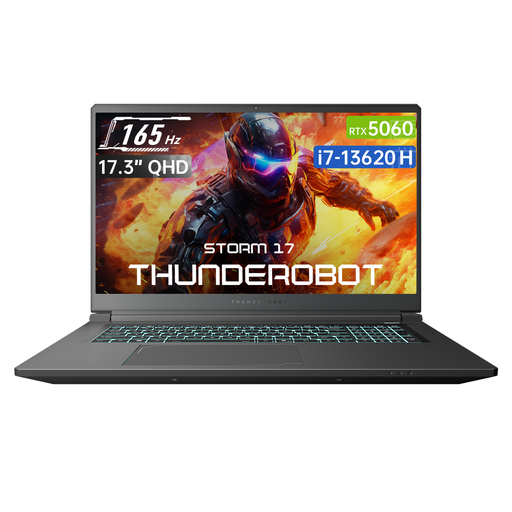
THUNDEROBOT Storm 17 5060, Core i7-13620H, RTX 5060, 16GB RAM, 1TB SSD
Its built-in 17.3-inch screen may appeal if you want a larger laptop display without powering a separate monitor.
The listed variant has a QHD 165Hz display, Intel Core i7-13620H, GeForce RTX 5060, 16GB DDR5 RAM and a 1TB SSD. Check its GPU-power specification, supplied adapter and your games’ requirements before choosing.
View on Joybuy
 No image available
HP OMEN 17-db1000na, Ryzen AI 7 350, RTX 5060, 16GB RAM, 1TB SSD
The integrated display keeps a separate monitor optional for the basic gaming setup.
The listed laptop has a 17-inch Full HD display, AMD Ryzen AI 7 350, RTX 5060, 16GB RAM and a 1TB SSD. Compare the exact configuration with your games and confirm the supplied adapter before ordering.
View on Joybuy
Common questions
Does a gaming laptop remove the need for a monitor socket?
Yes, if its built-in display suits how you want to play, a separate monitor is optional. You still need to account for the laptop’s charger, and battery capacity alone does not establish how long it will run your games.
Can I use an extension lead for a gaming PC setup?
You can use one extension device per wall socket if it is in good condition and the combined connected load stays within its marked rating. Electrical Safety First says most extension leads are rated 13A, while some are rated 10A or less; do not daisy-chain them.
What should I compare between laptops with the same RTX GPU name?
Compare the exact GPU-power specification where published, as well as the CPU, cooling design, memory and the display target for your games. NVIDIA lists RTX 5060 Laptop GPU subsystem power from 45W to 100W, so the shared name does not describe one fixed configuration.
What if a gaming PC bought from a UK trader is faulty?
Contact the seller promptly and keep your order records. For goods that do not conform to the contract, the Consumer Rights Act 2015 provides a short-term right to reject within a 30-day time limit, subject to the Act’s conditions; this remedy is distinct from a retailer’s change-of-mind returns policy.


