Consumers with one practical socket
You want the computer and screen in one device, without relying on chained adaptors. Electrical Safety First advises against daisy-chaining extension leads.


Choose a laptop with a built-in display if limited plug sockets make a separate monitor impractical. Check the requirements of the point-and-click games you intend to play rather than assuming every gaming specification is necessary; a desktop is worth considering if you already have a monitor and enough safely managed power for the complete setup.
You want the computer and screen in one device, without relying on chained adaptors. Electrical Safety First advises against daisy-chaining extension leads.
You mainly play older point-and-click games and want to choose specifications around your actual game list. Steam lists The Secret of Monkey Island: Special Edition as a point-and-click, 2D title.
You need to check requirements game by game rather than relying on the genre label. Steam lists 8 GB RAM and DirectX 12-compatible graphics among the minimum requirements for Return to Monkey Island.
Choose when: A separate powered monitor would make your limited-socket setup impractical, or you need to move the computer between rooms.
Accept that: The screen and keyboard come with the computer, so their size and comfort matter; adding an external display can bring back the socket problem.
Choose when: You already have a monitor and can safely power every essential part of a desk-based setup.
Accept that: A tower does not remove the monitor's separate power requirement.
| Concern | What to check | Who this matters to |
|---|---|---|
| Socket use | Count all mains-powered equipment. If using an extension device, check its marked current rating against the combined load. | If I have one practical outlet, I want the computer and screen together without chaining adaptors. Around 50% of consumers put socket simplicity first. |
| Game compatibility | Compare the newest intended game's official operating-system, memory and graphics requirements with the exact PC configuration. | I play adventures now but want my next games to run on this computer too. Around 30% of consumers make newer-game compatibility their primary concern. |
| Desk setup | Check the space and safe power available for a tower, monitor and essential accessories; decide which future changes you expect to make. | I already have a monitor and would rather keep a desk-based setup that I can adapt later. Around 20% of consumers prioritise that arrangement. |
A tower also needs a display, and a separate monitor adds another mains-powered item.
Count everything you will use at once. If a separate monitor is impractical, check whether a laptop's built-in screen is comfortable for reading dialogue and using puzzle interfaces.
Electrical Safety First warns that exceeding an extension device's maximum current rating can cause overheating and fire, and advises against daisy-chaining extension leads.
Check the marked rating and the combined connected load. Fully unwind a cable reel while it is in use.
Point-and-click titles do not all have the same requirements. Steam lists 8 GB RAM and DirectX 12-compatible graphics as minimum requirements for Return to Monkey Island.
Compare the official requirements of your newest intended games with the exact configuration before deciding which graphics and memory specifications you need.
Lenovo positions Legion as a gaming-laptop range with dedicated graphics, cooling and configuration options.
ASUS ROG positions Zephyrus as a thin-and-light gaming-laptop line, including 14-inch and 16-inch configurations.
HP distinguishes its OMEN, OMEN MAX, OMEN Transcend and Victus gaming-laptop lines.
These laptops include their own displays, so basic use does not require a separately powered monitor. Compare each screen with your available space, and check the exact configuration against the games you plan to play.
 Image unavailable
The built-in 15.6-inch screen suits a setup without a separate monitor.
144 Hz FHD display, 16 GB RAM and 1 TB SSD. Check your intended games against this configuration and confirm the supplied adaptor's plug suits your socket.
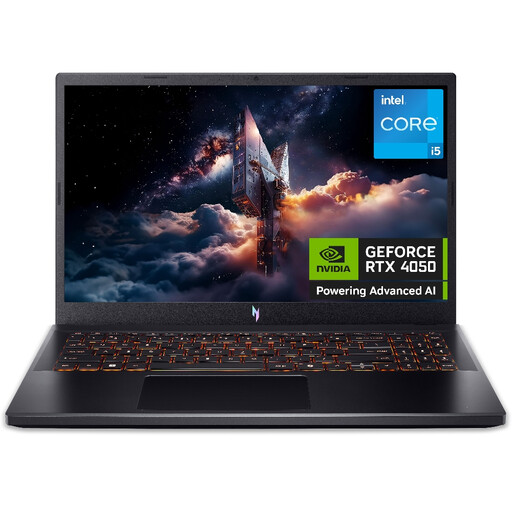 Image unavailable
Its built-in 15.6-inch Full HD screen removes the need for a separate monitor in a basic setup.
16 GB RAM and 512 GB SSD. Confirm the screen refresh rate for the exact variant, as the product information gives conflicting figures, and check the supplied adaptor's plug.
 Image unavailable
The built-in 17-inch screen is worth considering if you want more viewing area without powering a separate monitor.
16 GB RAM, 1 TB SSD and Windows 11 Home. Check that its screen size fits your space, and confirm the keyboard layout and supplied adaptor's plug.
 Image unavailable
The integrated 16-inch screen keeps a separate monitor optional for a socket-limited desk.
Check the operating system and your intended games' requirements, as well as the keyboard layout and supplied adaptor's plug.
 Image unavailable
The built-in 14-inch screen suits a compact setup if it is comfortable for reading your games' dialogue and interfaces.
32 GB RAM, 2 TB SSD and Windows 11 Home. Confirm the keyboard layout, ports and supplied adaptor's plug for your setup.
No. Electrical Safety First advises against daisy-chaining extension leads and warns that the combined load must not exceed an extension device's maximum current rating. Count the equipment your completed setup needs rather than treating more adaptors as more capacity.
Not necessarily: requirements vary by title. Steam lists 8 GB RAM and DirectX 12-compatible graphics among the minimum requirements for Return to Monkey Island, so compare each intended game's official listing with the exact PC configuration.
Read the terms for the exact product and seller before ordering. A Joybuy listing for an ASUS ROG Strix SCAR 16 states 30-day free returns and a one-year manufacturer's warranty, but those listing terms should not be assumed to apply to other laptops; check how the seller handles both change-of-mind returns and faulty goods.