
24/7 Customer Support

Free returns

Same-day & Next-day Delivery

Quality Guaranteed

Unlock Your Welcome Offers: FREE Delivery | Up to 80% OFF | Free 30-day JoyPlus trial
Download the APP
Buying a gaming computer involves more than comparing graphics card names. A high-performance gaming laptop may offer portability and a built-in screen, while a desktop PC can provide stronger cooling, easier upgrades and better value for demanding workloads. The right choice depends on how and where you use it.
An RTX 5060 laptop and an RTX 5060 desktop do not necessarily deliver identical performance. Laptop graphics processors operate within different power and cooling limits, so check the complete specification rather than relying on the GPU name alone.
Also look for the dedicated graphics memory, processor, cooling design and display resolution. A balanced system is generally more useful than one with a powerful GPU paired with limited RAM or storage.
A gaming laptop with a 240Hz display can make compatible fast-paced games appear smoother, but the computer must produce sufficiently high frame rates to take advantage of it. For many users, a QHD gaming laptop with a 165Hz or 240Hz panel may be more practical than choosing refresh rate alone.
Check whether the display is Full HD, QHD or WQXGA, and consider the type of games you play. Competitive esports titles may benefit more from a high refresh rate, while cinematic games and creative work may place greater value on resolution and colour coverage.
A desktop may have spare memory slots, additional M.2 storage bays and a replaceable graphics card. A laptop is usually less flexible, and some models have memory that cannot be upgraded. Confirm the maximum supported RAM before buying, especially if you edit video, use virtual machines or run large creative applications.
Desktop PCs also consume more power under sustained load. A powerful tower such as an RTX 5080 desktop PC should be placed where airflow is unobstructed and connected to a suitable mains outlet or surge protector.
For modern games, NVIDIA GeForce RTX graphics support features such as hardware ray tracing and DLSS in compatible software. An RTX gaming laptop can suit users who need portable graphics power, while an RTX 5070 gaming PC or RTX 5080 desktop PC is more suitable for a fixed desk setup and demanding high-resolution workloads.
Do not treat the GPU as the only performance measure. Check the processor, graphics memory, system power configuration and expected gaming resolution together.
A recent multi-core processor helps with gaming alongside streaming, browser tabs, editing software and communication tools. For general gaming, 16GB RAM remains a common starting point. A gaming PC with 32GB RAM is more suitable for heavy multitasking, content creation and large project files.
Look at the memory type as well. DDR5 can provide a newer platform, while DDR4 systems may offer a lower-cost route to substantial capacity. The practical difference depends on the application and the rest of the hardware.
A gaming computer with 1TB SSD storage provides space for Windows, applications and several large games. A 2TB SSD is more convenient if you maintain a large library or work with video files.
For laptops, check the keyboard layout, weight, battery capacity, port selection and charger size. A UK keyboard is useful for local residents, while HDMI, USB-C and RJ-45 Ethernet support can simplify monitor, peripheral and low-latency network connections. A Windows 11 gaming PC or laptop is ready for familiar desktop software, but always confirm the exact edition and included accessories.

Why This Fits Their Persona: A practical option for students and first-time PC gamers who need one machine for study, everyday work and Full HD gaming.
Its specification clearly lists the RTX 5050, 16GB DDR5, 1TB SSD and 144Hz Full HD display, making the core configuration easy to compare.
UK keyboard layout, Windows 11 Home, Wi-Fi 6, 1TB PCIe 4.0 SSD and HDMI 2.1 connectivity.
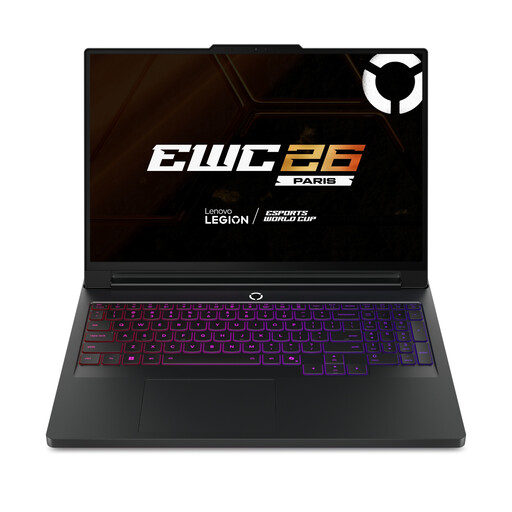
Why This Fits Their Persona: Designed for users combining high-resolution gaming with demanding editing, rendering and multitasking.
The 64GB DDR5 memory and 2TB SSD reduce the need for immediate upgrades, while the listed 240Hz WQXGA OLED display matches its high-performance positioning.
Intel Core Ultra 9 275HX, RTX 5090 with 24GB GDDR7 and Wi-Fi 7.
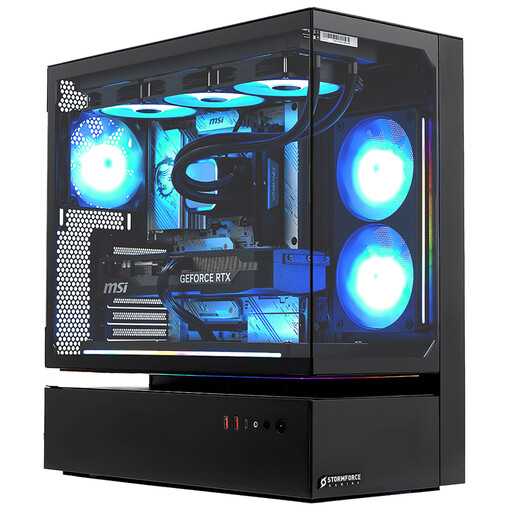
Why This Fits Their Persona: Suited to desk-based gamers, streamers and creators who prioritise 4K-capable hardware over portability.
The full specification identifies the desktop form factor, 32GB DDR4, 2TB NVMe SSD and RTX 5080, rather than presenting a GPU name without supporting hardware.
Intel Core i7-14700F, 16GB GDDR7 graphics memory, Windows 11 Home and a three-year collect, repair and return guarantee.
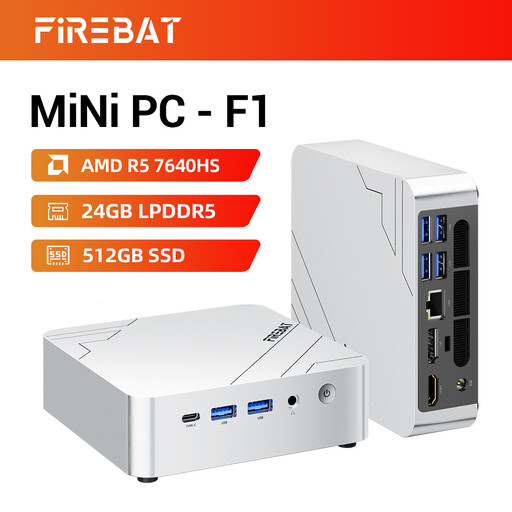
Why This Fits Their Persona: A small desktop format for home offices, small-footprint desks and light gaming where space and multi-screen support matter.
Its compact design is paired with clearly stated integrated Radeon 760M graphics, so buyers can assess it as a small-form-factor system rather than a full tower replacement.
Ryzen 5 7640HS, 24GB LPDDR5 RAM, 512GB PCIe 4.0 SSD and support for 4K triple-screen output.
We have compiled a complete, real-time list of products that fully satisfy these strict selection criteria and UK safety regulations.
Yes, provided the weight, battery capacity and charger size suit your routine. Models with Windows 11, USB-C, HDMI and a comfortable keyboard can handle study, office software and gaming. Larger 17-inch systems offer more screen space but are less convenient to carry.
Lifespan depends on workload, cooling, maintenance and game settings. Keeping vents clear, updating drivers and removing dust can help maintain stable operation. Desktop components are generally easier to replace individually, while laptop upgrades may be limited to specific storage or memory options.
A desktop with a high-power graphics card typically draws more electricity during demanding gaming sessions than a laptop. Actual running cost depends on usage time, power settings and the system’s components. Using balanced settings during light work and shutting down rather than leaving the system idle can reduce unnecessary consumption.