What should you prioritise?
Start with the screen you want to look at in a dark room, then check whether the exact laptop configuration fits your games, resolution and racing setup.
| Concern |
What to check |
Who this matters to |
| Dark-room image quality |
Confirm the exact panel type and look for reviews of its black levels and shadow detail. If choosing OLED, check the available panel-care settings. |
I want to make out detail on night tracks without being distracted by the screen's dark-scene behaviour. Around 36% of consumers could put image quality first. |
| Smooth motion |
Compare refresh rate and VRR support with the exact GPU and native resolution; check performance in the games and settings you intend to use. |
When braking points and fast camera movement matter, I want consistent frames rather than a refresh-rate label alone. Smooth motion could be the primary concern for around 29% of consumers. |
| Long-session performance |
Check cooling modes and configuration-specific graphics power where published. Look for sustained-game testing rather than relying on a power rating alone. |
I usually race while plugged in and need the laptop to behave consistently through a long session. Around 21% of consumers could prioritise sustained performance. |
| Transport and connections |
Compare size and charger requirements, then check the ports and operating-system support against your wheel and other equipment. |
If I move my setup or connect a wheel and external screen, the laptop has to fit both the journey and my hardware. Setup flexibility could come first for around 14% of consumers. |
Joybuy product choices
These gaming laptops give you different screen and configuration details to assess for dark-room racing. Compare each exact variant with your games and equipment rather than treating the list as a performance ranking.
 No image available
Lenovo Legion Pro 7 16IAX10H, RTX 5090, 83F5000UUK
Consider this configuration if an OLED screen is central to your dark-room choice; confirm the screen and its care guidance for model 83F5000UUK before ordering.
The product name specifies a 16-inch laptop with Intel Core Ultra 9, 64GB RAM, a 2TB SSD and an NVIDIA GeForce RTX 5090. Check game-specific performance at the resolution and settings you want to use.
View on Joybuy
 No image available
Lenovo LOQ Essential 15ARP11, RTX 5050, 144Hz FHD
This is a high-refresh option to examine if smooth motion is your main concern. Check how its screen handles dark scenes if black levels are also important to you.
The product name specifies a 15.6-inch FHD 144Hz screen, AMD Ryzen 7 170, 16GB RAM, a 1TB SSD and a GeForce RTX 5050. Check performance in your chosen racing games and settings.
View on Joybuy
 No image available
Stormforce Exobook 16 QHD+, Ultra 9, 32GB/4TB
Consider this model if its QHD+ screen size fits your racing setup, but establish the exact graphics configuration before judging its likely performance.
The product name specifies a 16-inch Exobook with an Ultra 9 processor, 32GB RAM and 4TB storage. Confirm the supplied GPU and panel type, especially if dark-scene viewing is a priority.
View on Joybuy
 No image available
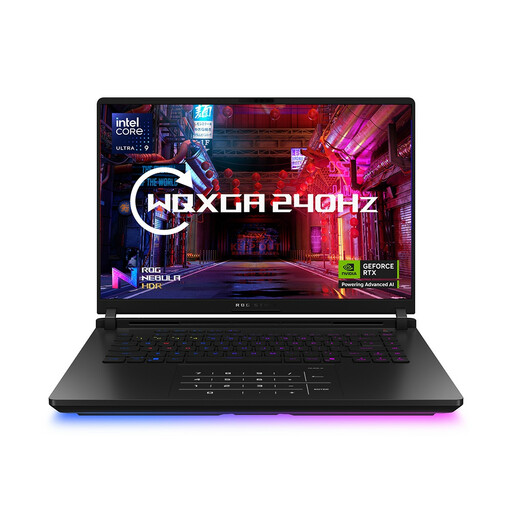
ASUS ROG Strix SCAR 16 G635LW, 64GB/2TB
This G635LW configuration is relevant if you want to assess a larger Strix laptop for desk-based racing. Confirm its exact panel and GPU before relying on family-level specifications.
The product name specifies a 16-inch model with Intel Core Ultra 9, 64GB RAM, a 2TB SSD and Windows 11 Home. Check performance for your racing games at your intended settings.
View on Joybuy
Frequently asked questions
Should I choose OLED for racing in a dark room?
Choose an OLED laptop if dark-scene black levels are your priority and you are willing to follow its panel-care guidance. Acer describes independently lit pixels on its Helios 16 AI OLED option, while ASUS recommends care settings to reduce the chance of ageing from static imagery. Confirm the exact laptop panel and check reviews of its dark-scene behaviour.
Will a high-refresh screen make my racing games run at that frame rate?
No: the screen's refresh-rate specification does not guarantee a matching game frame rate. Check performance for your exact GPU configuration, racing game, resolution and graphics settings before deciding how much refresh rate you need.
How can I check wheel and external-display compatibility?
Start with your wheel manufacturer's operating-system, driver and connection requirements, then compare them with the exact laptop's ports. Check the external display's required connection separately; the presence of a USB port alone does not confirm wheel compatibility.
What should I check about a laptop warranty in the UK?
Check what the seller and manufacturer warranties cover and keep your order confirmation and warranty paperwork. Citizens Advice explains that warranties and guarantees add to your legal rights; a voluntary warranty and your rights concerning faulty goods are separate matters.
What should I do with an old laptop I am replacing?
Back up your files and sign out of accounts before passing on or recycling the laptop. Recycle Your Electricals advises repairing, passing on or recycling old devices; check an appropriate local recycling route if you cannot reuse yours.


