Choose a gaming laptop around the most demanding part of your tile-set workflow. For 2D pixel art and tilemaps, focus on a usable screen, memory and desk setup rather than a GPU tier chosen for rendering; if you also model or render in Blender, the Blender Foundation’s recommended Windows specification of an 8-core CPU, 32 GB RAM and 8 GB VRAM is a more relevant reference. Check the exact laptop configuration, because its fitted display, memory and graphics hardware determine what you are buying.
Who is this for?
2D tile and pixel-art makers
If your work centres on sprites, tilesheets or tilemaps, give priority to a screen and setup you can use comfortably while editing. Tiled supports layered tile editing, while Igara Studio describes Aseprite as a tool for pixel art and 2D videogame animation; neither workflow alone establishes a need for rendering-focused hardware.
3D tile and environment creators
If you build modular 3D pieces, bake textures or render previews in Blender, check memory and graphics capacity against that application. The Blender Foundation recommends an 8-core CPU, 32 GB RAM and 8 GB VRAM for Windows use; those figures are a Blender reference, not a requirement for every tile editor.
Creator-gamers working from a home office
If one laptop will handle asset work and gaming at your desk, decide whether you need built-in screen space or a machine you will move regularly. ASUS ROG, Lenovo and HP list laptop examples with different screen sizes and chassis formats, so compare the exact model and its external-display connections.
What matters when choosing?
Settle the software and heaviest project task before choosing graphics hardware, then work out how much screen space and desk space you need.
| Concern |
What to check |
Who this matters to |
| Visual workspace |
Check the fitted panel’s resolution and colour-gamut specification. If you use Blender, its recommended display resolution is at least 1920 × 1080, according to the Blender Foundation. |
When arranging tiles, palettes and editor panels, I want enough room to inspect the artwork without constantly rearranging windows. Around 45% of consumers would put that visual workspace first. |
| 3D work and multitasking |
For Blender work, compare the CPU, RAM and GPU memory with its recommended Windows specification of 8 cores, 32 GB RAM and 8 GB VRAM; check the exact laptop GPU configuration too. |
If my tile set involves modelling, rendering or several creative applications at once, I need to assess the heavier workload rather than the 2D editor alone. Roughly 33% of consumers would make that capability their primary concern. |
| Home-office fit |
Check chassis size and weight, plus the ports needed for your intended external display. Allow desk space for the laptop and its power adapter. |
On a crowded desk, or when moving the laptop between rooms, I need its size and connections to suit where I work. About 22% of consumers would prioritise that practical fit. |
Buying pitfalls
-
Choosing by GPU name alone
A shared GPU family label does not describe every part of a laptop’s graphics configuration. NVIDIA’s laptop comparisons distinguish GPU subsystem-power ranges, making the exact configuration relevant when assessing demanding 3D work.
Compare the fitted GPU, its memory and configured power alongside the laptop’s CPU and RAM.
-
Reading an ‘up to’ specification as the fitted one
A laptop family may offer several displays, memory capacities and GPUs. A family-level specification therefore need not describe the particular variant in your basket.
Check the purchasable variant’s RAM, SSD, panel, GPU memory and ports before ordering.
-
Specifying a 2D project as though it requires 3D rendering
Tiled and Aseprite address 2D editing workflows, whereas the Blender Foundation’s recommended 32 GB RAM and 8 GB VRAM are figures for Blender use. Those Blender figures should not be treated as universal requirements for tilemaps or pixel art.
List the applications and largest project tasks you will actually use before choosing a GPU configuration.
-
Starting production work in the Aseprite trial
Igara Studio states that files cannot be saved in the Aseprite trial, which makes it unsuitable for a tile-set project you need to keep.
Confirm that your chosen edition can save the intended files before starting the project.
Work begun without a way to save it may have to be recreated.
Brands to consider for this workflow
ASUS ROG
The Zephyrus line is worth comparing if you want a gaming laptop that can also fit a smaller home-office setup.
- ASUS ROG lists a 16-inch Zephyrus G16 example with a 2.5K OLED display, a 1.85 kg chassis and USB-C DisplayPort support.
- Check the display, GPU and ports on the exact Zephyrus variant rather than applying one model’s specification to the whole line.
Lenovo Legion
The Legion 9i illustrates a large-screen, desk-first configuration for buyers with defined 3D or on-laptop workspace needs.
- Lenovo UK lists an 18-inch Legion 9i configuration with a 3840 × 2400 display and 32 GB RAM.
- An 18-inch configuration is not a default requirement for 2D tile work; account for its desk space and adapter as well as its components.
HP OMEN
HP OMEN includes compact and larger gaming-laptop formats to compare against the space available at your desk.
- HP lists OLED display and up-to-32 GB RAM options within its laptop range.
- Those are range options, not specifications for every OMEN laptop; check the fitted panel, memory and GPU on the chosen variant.
MSI
MSI describes laptop families spanning gaming and creator use, giving buyers different formats to compare.
- Its range includes compact designs and larger gaming systems.
- A creator label does not establish colour accuracy or Blender suitability; check the exact display, RAM and graphics configuration.
Acer Predator
Acer describes Predator models across performance-focused and thinner gaming-laptop formats.
- The range gives buyers different display and chassis approaches to assess for desk use or movement.
- Compare the particular model’s panel, GPU and size; the Predator name alone does not establish its suitability for colour-critical assets.
Joybuy laptop choices
These laptops span larger desk-first screens and 16-inch gaming configurations for tile-set work. Match the listed variant to your software and desk setup, particularly if your projects extend into Blender or rendering.
 No image available
MSI Stealth 18 AI Studio A1VGG-001UK, 18-inch, RTX 4070
Consider this variant if a large built-in screen matters more to your desk setup than a compact chassis.
The product name specifies an Intel Core Ultra 9, 32 GB RAM and a 2 TB SSD. For sustained Blender or rendering work, confirm the fitted GPU’s memory and configured power.
View on Joybuy
 No image available
Stormforce Exobook 16-inch QHD+, Ultra 9, 32 GB, 4 TB, 5080
This 16-inch variant is an option to assess if your workflow includes several creative applications or a large project library.
Its product name specifies a QHD+ screen, Ultra 9 processor, 32 GB memory and 4 TB storage. If colour review or sustained 3D work matters, confirm the fitted panel and graphics configuration.
View on Joybuy
 No image available
Lenovo Legion Pro 7 16IAX10H 83F5000UUK, RTX 5090
Assess this 16-inch configuration if your tile-set work includes demanding Blender tasks or substantial multitasking.
The product name specifies an Intel Core Ultra 9, 64 GB RAM and a 2 TB SSD. Check configured GPU power and the display and output connections against your intended desk setup.
View on Joybuy
 No image available
Lenovo Legion Pro 5 LEG P5 R9, 32 GB, 2 TB, 5060
This variant is worth assessing for a home-office tile workflow that also needs room for multitasking.
The product name specifies R9, 32 GB memory and 2 TB storage. If Blender is central to your work, confirm the graphics memory and configured GPU power before relying on it for 3D tasks.
View on Joybuy
 No image available
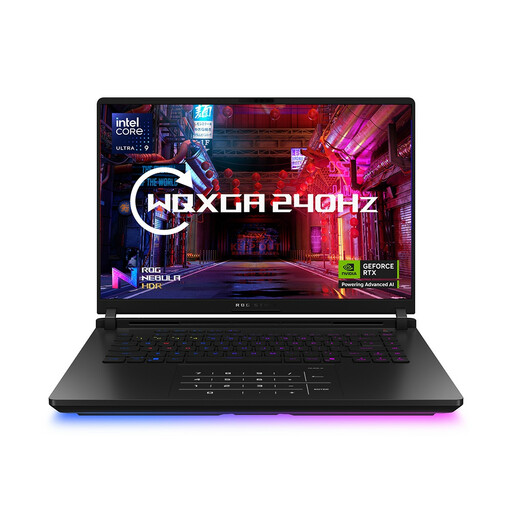
ASUS ROG Strix SCAR 16 G635LW WQXGA, RTX 5080-listed variant
The 16-inch format and stated memory make this a configuration to examine for tile editing alongside multitasking.
The product name specifies an Intel Core Ultra 9, 64 GB RAM and a 2 TB SSD. Its graphics details conflict: one description names an RTX 5080, while another labels the component future or unannounced. Confirm the actual GPU and its memory before choosing it for 3D work.
View on Joybuy
Frequently asked questions
Do I need a high-end gaming GPU for a 2D tile set?
A high-end GPU is not established as necessary for tile editing or pixel art alone. Tiled supports tilemap editing and Igara Studio positions Aseprite for 2D art; if your workflow also involves Blender modelling or rendering, compare laptops with the Blender Foundation’s recommended Windows specification of an 8-core CPU, 32 GB RAM and 8 GB VRAM.
What should I check on an RTX gaming-laptop listing?
Check the fitted GPU and its memory and configured power, as well as the RAM, display and ports on the exact variant. NVIDIA’s laptop comparisons show that GPU power specifications differ, while a manufacturer’s ‘up to’ figure may describe an option rather than the laptop you select.
Can I use the Aseprite trial for a tile-set project I need to keep?
No: Igara Studio states that the Aseprite trial cannot save files. Choose an edition or another tool that can save your intended format before beginning the project.
What should I do with an old laptop when replacing it?
Back up and securely erase your personal data, then check the retailer’s take-back arrangements or a local electrical-recycling service. GOV.UK provides guidance on electrical-equipment recycling and retailer take-back responsibilities; check the conditions of the route you plan to use.


