What to check when choosing
Start with the actions you want on the mouse, then weigh handling, connection and lighting against how you use your desk.
| Concern | What to check | Who this matters to |
|---|
| Shortcuts and scrolling |
Check which buttons can be reassigned, whether configuration needs software and how the wheel operates. |
If I keep switching garden tools and moving the camera, I want commands within reach without accidental presses. Around 33% of consumers put shortcut access first. |
| Shape and weight |
Compare stated weight, handedness and the reach of side buttons; check the shape against your grip. |
During longer garden-building sessions, I care more about a mouse that suits my hand than adding more buttons. Roughly 27% of consumers put handling first. |
| Wireless use |
Confirm connection modes, charging arrangements and which receiver or accessories are supplied. |
I want freedom to arrange my desk without a mouse cable, and I am willing to manage charging. Around 20% of consumers prioritise cable-free placement. |
| Lighting |
Check the available lighting controls, then decide whether their appearance matters in your bright room. |
I want adjustable lighting for my setup, but not at the expense of a shape I can use comfortably. Roughly 20% of consumers put lighting customisation first. |
Wireless mice on Joybuy
These wireless gaming mice are relevant if cable-free desk placement appeals to you while designing a virtual garden. Their shortcut layouts, grip fit and connection options still need to suit your own setup.
 No image available
Rapoo VT2 True 8K wireless gaming mouse, purple
Consider this model if you want wireless placement alongside controls for repeated garden-game actions.
The listing names a 53 g weight, 10 programmable buttons and battery life of up to 750 hours. Check the button positions against your grip and the software needed to configure shortcuts.
View on Joybuy
 No image available
AJAZZ AJ200 AI MC wireless mouse with charging dock
This model may suit a desk where you want a choice of wired and wireless connections.
Its title lists Bluetooth, 2.4 GHz and USB-C modes and a charging dock. Check the exact weight and which controls can be reassigned before relying on either for long sessions or shortcuts.
View on Joybuy
 No image available
AJAZZ AJ159 APEX wireless mouse with magnetic charging base
Consider it if wireless placement and the stated 56 g weight appeal more than a confirmed multi-button layout.
The title also lists a magnetic charging base. Check the exact connection modes, DPI specification and remappable-button layout before choosing this variant: its connection and DPI descriptions differ.
View on Joybuy
 No image available
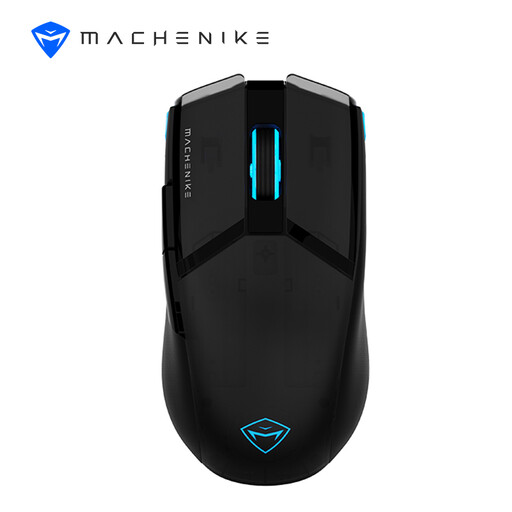
MACHENIKE M7 Pro PAW3395 dual-mode gaming mouse
This is a dual-mode option to consider if you want to switch between wireless and wired desk use.
The title identifies a PAW3395 sensor and a 26000 DPI figure. Check its actual weight, grip shape and programmable-button layout if handling or garden-game shortcuts will drive your choice.
View on Joybuy
Questions before buying
Do I need a particular mouse sensor for a bright room?
Do not choose a sensor solely because your virtual-garden setup is brightly lit. Compare the mouse’s fit, controls and connection for the tasks you perform, and treat RGB lighting as an appearance choice rather than a tracking requirement.
How many programmable controls are useful for a virtual-garden game?
Look for enough reachable controls to assign the actions you repeat, rather than aiming for the highest count. SteelSeries lists nine programmable buttons on the Rival 5; Razer describes 13 Basilisk V3 35K controls with secondary assignments. Check your game’s key bindings and the configuration software before deciding which layout is useful.
Should I choose a wired or wireless mouse?
Choose wired if you prefer a fixed desk setup without managing mouse charging; choose wireless if cable-free placement matters more. Logitech G rates the PRO X SUPERLIGHT 2 SE for up to 88 hours of battery life, while Razer rates the Viper V3 Pro for up to 95 hours. Those are stated maximums, so plan charging around your own use.
What should I do with an old gaming mouse in the UK?
Use an electrical-waste collection route rather than putting an old gaming mouse in ordinary household waste. GOV.UK’s guidance on waste electrical and electronic equipment describes the aim of reducing disposal through landfill and incineration; check your local authority’s collection options or the retailer’s take-back arrangements.


