Shortcut-focused city planners
Players who want camera, building, management and utility commands on reachable mouse controls instead of using the keyboard for every action.


Choose a gaming mouse for city-building games according to the commands you want within thumb reach: a conventional multi-button layout suits a manageable set of shortcuts, while a 12-button side panel makes more sense if you will learn and regularly use many bindings. A configurable scroll wheel may suit frequent map navigation, but check the game’s inputs, your grip and the exact mouse’s software and connection options before buying.
Players who want camera, building, management and utility commands on reachable mouse controls instead of using the keyboard for every action.
Players who often zoom or move around extensive maps and want to assess whether different scroll-wheel behaviours suit their navigation habits.
Players prepared to learn a dense side-button layout so they can keep a larger set of commands on the mouse.
List the commands you would actually assign before choosing a button layout. Then consider wheel behaviour for navigation and whether the mouse will feel practical throughout a long session.
| Concern | What to check | Who this matters to |
|---|---|---|
| Reachable shortcuts | Check button placement and whether the exact mouse and your operating system support the remaps you need. | If I repeatedly switch between building tools and management screens, I want those commands within easy reach without learning a crowded thumb grid. Around 42% of consumers would put reachable shortcuts first. |
| Map navigation | Compare the exact wheel’s free-spin, stepped or tilt options, and check how your game handles wheel inputs. | When I spend much of a session moving around a large settlement, I care most about a wheel that suits my zooming and scrolling habits. This would be the primary need for around 33% of consumers. |
| Long-session use | Assess grip fit and weight; for wireless models, check connection modes and charging arrangements. | For longer sessions, I would prioritise a comfortable grip and a connection routine I can live with over extra controls. Around 25% of consumers would make long-session use their main concern. |
A dense side panel gives you more places to assign commands, but finding the right button can take practice when you only use a few shortcuts.
Write down your intended bindings. Consider a conventional multi-button layout unless a larger, memorised command set is central to how you play.
Free-spin and tilt are wheel features, not guarantees that a city-building game will use those inputs in the way you expect.
Check the exact wheel controls and your game’s zoom and camera settings; try the combination yourself where possible.
Remaps and macros depend on the features available for the particular device and operating system.
Check support for your exact model in Logitech G HUB, Razer Synapse or Corsair iCUE, as applicable, before planning a control layout around it.
A wireless mouse adds charging and connection setup to your routine.
Check its charging method and available connection modes, then decide whether those suit your PC setup or whether you would prefer a wired mouse.
The G502 X line is relevant if you want a conventional multi-control layout rather than a 12-button thumb grid; wired and wireless variants have different stated specifications.
The Basilisk line is relevant to players considering a right-handed ergonomic shape and a configurable wheel alongside programmable controls.
The SCIMITAR line is relevant when a dense side-button layout is more important to you than keeping the thumb controls simple.
These wireless gaming mice offer programmable buttons for players considering mouse-based city-building shortcuts. Compare each model’s controls and connection options with your own bindings; assess wheel behaviour and grip fit for the exact mouse before deciding.
 No image available
Consider this model if you want several mouse-based building or camera shortcuts without selecting a 12-button side panel.
The product information states 10 programmable buttons, macro support and a weight of 53 g. Check the wheel controls and grip fit against your game and hand.
 No image available
This is another option for putting a manageable set of city-building commands on a wireless mouse.
The product information states 10 programmable buttons, macro support and a weight of 53 g. Compare its shape and wheel controls with the VT7 MAX rather than assuming the shared figures mean the mice feel alike.
 No image available
Consider the VT2 if 10 programmable controls cover the shortcuts you intend to use.
Its stated specifications include a 53 g weight and mechanical switches. Check its grip fit and wheel behaviour separately; the stated battery-life figure depends on a driver update that enables low-power mode.
 No image available
This model suits a plan to assign several regular building and management actions to mouse buttons.
The product information states 10 programmable buttons, macro support, a 53 g weight and optical switches. Confirm that its shape and wheel suit your grip and game; low-power mode requires a driver update.
 No image available
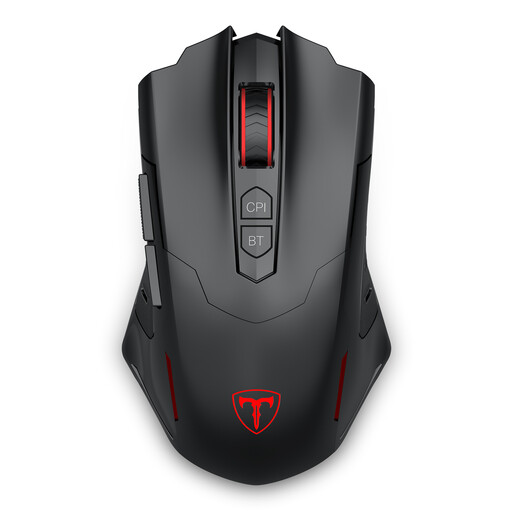
Consider this model if a smaller set of assigned shortcuts and a choice of wireless connections meet your needs.
The product information states 7 programmable buttons, 2.4G wireless and Bluetooth. Confirm the programming software works on your operating system, and check the wheel controls and hand fit before relying on it for long sessions.
Choose enough reachable buttons for the commands you will use regularly, rather than choosing the largest count automatically. Logitech G states that G502 X LIGHTSPEED has 13 customisable controls, Razer specifies 10+1 programmable buttons for Basilisk V3, and Corsair specifies 16 customisable buttons for SCIMITAR ELITE WIRELESS SE; a dense side panel is most relevant if you will learn its positions.
Check that the configuration software supports your exact mouse and operating system, then confirm it offers the assignments you intend to make. Razer describes button remapping and macros in Synapse, Corsair describes those functions in iCUE, and Logitech says G HUB can customise Logitech G gaming mice; those general capabilities do not establish support for every device.
Choose wireless if its connection and charging routine suits your setup as well as your preferred controls. For example, Corsair’s SCIMITAR ELITE WIRELESS manual describes charging, 2.4 GHz wireless and Bluetooth; check the modes and requirements of the exact model you plan to buy.
Check your local council’s electrical-equipment recycling arrangements rather than putting an old mouse in ordinary household waste. GOV.UK identifies the Waste Electrical and Electronic Equipment Regulations 2013, as amended, as the legislation underpinning UK WEEE rules; collection arrangements can vary locally.