Aim-first co-operative shooter players
If repeated tracking and aiming movements shape your choice, compare mouse weight and the connection you would use in-game before deciding how many extra buttons you need.


Prioritise a light wireless mouse if repeated aiming movements matter more to you than having many commands under your thumb. If you regularly use co-op controls and office shortcuts, compare multi-button models instead; for either choice, check the connection modes, button placement and hand fit at your shared desk.
If repeated tracking and aiming movements shape your choice, compare mouse weight and the connection you would use in-game before deciding how many extra buttons you need.
If one desk serves work and play, consider how the mouse connects to each device and where it sits beside your keyboard. The Health and Safety Executive advises keeping the mouse in line with your elbow as part of a comfortable workstation position.
If you bind push-to-talk, pings, utilities or office shortcuts to your mouse, the reach and placement of programmable controls may matter more than choosing the lowest stated weight.
Start with the need most likely to decide your choice when aiming, shortcuts and office use pull in different directions. Then check the exact mouse’s shape and connection options against both parts of your routine.
| Concern | What to check | Who this matters to |
|---|---|---|
| Aiming movements | Compare the exact variant’s stated weight and its connection mode for play; check that its shape suits your grip. | If repeated tracking and quick movements take priority, I want a mouse I can move comfortably without sacrificing the controls I use most. Around 36% of consumers put aiming first. |
| Work-and-play connections | Check which of 2.4 GHz, Bluetooth and wired use the exact model offers, and whether your work device supports your intended mode. | When the same desk serves office tasks and games, I want connections that suit both devices without assuming they behave alike. For around 29% of consumers, connection flexibility is the primary need. |
| Accessible commands | Look at button placement and reach as well as the stated count; confirm the remapping options you need. | If I use pings, push-to-talk and shortcuts often, I need controls my thumb can reach without accidental presses. Command access comes first for around 21% of consumers. |
| Desk comfort | Check handedness, dimensions and grip fit, then whether the mouse can sit close to you and in line with your elbow. | For long stretches at my home-office desk, I need a shape and position I can use comfortably for work as well as play. Around 14% of consumers make workstation comfort their primary concern. |
For the Aerox 5 Wireless, SteelSeries states that its 2.4 GHz connection can reach up to 1,000 Hz polling, while Bluetooth defaults to 125 Hz. Those figures describe that mouse’s modes, not every wireless gaming mouse.
Check the modes and stated behaviour of the exact model you are considering, then choose the connection that suits your gaming device and office setup.
DPI, polling rate and button count do not tell you whether a mouse fits your hand or sits comfortably on your desk. The Health and Safety Executive advises positioning the mouse in line with the elbow, with the screen and keyboard central.
Compare dimensions and handedness, and make sure your usual grip lets you reach the buttons while keeping the mouse close to your body.
A manufacturer’s battery-life figure does not establish how long the mouse will run under every connection and usage setting.
Check the exact model’s stated battery conditions and charging method. If interruptions matter to you, confirm whether it can be used while charging or requires replaceable batteries.
A mouse is an electrical item. Recycle Now advises using an appropriate electrical-item recycling route rather than sending it to landfill.
Check local recycling centres, electrical-item collection points or retailer takeback options when replacing your mouse.
These brands offer different mouse designs relevant to aiming, command access and shared-desk use; compare the specific models rather than treating a brand name as a fit guarantee.
Its PRO X SUPERLIGHT 2 and G502 X LIGHTSPEED illustrate different priorities: Logitech G specifies the former at 60 g and the latter with 13 customisable controls.
Razer specifies the Basilisk V3 X HyperSpeed with a right-handed ergonomic form, nine customisable controls, 2.4 GHz wireless and Bluetooth.
SteelSeries specifies the Aerox 5 Wireless at 66 g with nine programmable buttons and 2.4 GHz and Bluetooth connection options.
These choices include light wireless mice for aiming and shared-desk use, plus a wired mouse for a fixed setup. Compare their stated controls and connections against the tasks you use most, and check hand fit separately.
 No image available
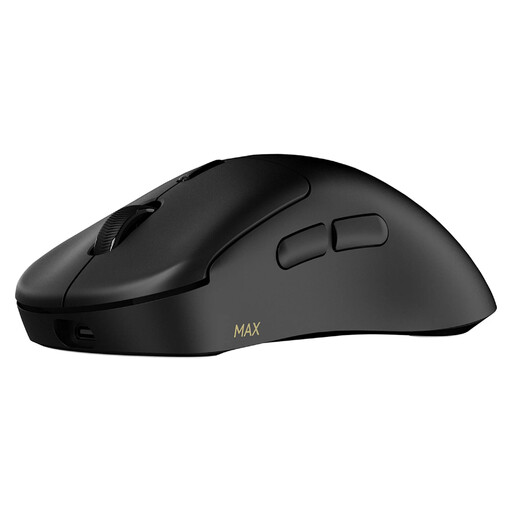
Consider this model if both low stated weight and direct access to co-op commands matter to you. Its title specifies 53 g, 10 programmable buttons and wireless polling up to 8 kHz. Check its connection options and whether the buttons suit your grip before relying on it for office shortcuts.
 No image available
Consider it if a light mouse and a charging base suit your shared desk. The title states 56 g and names 2.4 GHz wireless and wired modes. Confirm the exact connection options before buying if you also need Bluetooth, and check the button layout for your usual commands.
 No image available
This is worth comparing if low stated weight and several connection choices are your main concerns. Its title specifies 49 g and wired, 2.4 GHz and Bluetooth modes. Check its button placement and remapping options if co-op or office shortcuts will decide your choice.
 No image available
Consider this model if a charging dock and work-and-play connection choices suit your desk. Its title lists Bluetooth, 2.4 GHz and USB-C modes. If low mouse weight is decisive, confirm the exact figure for this variant before choosing it; the listed weight figures conflict.
 No image available
Consider a wired mouse if your gaming setup stays at one desk and you do not require wireless use. The title identifies the CW905 as wired and describes programmable buttons. Check its dimensions, button layout and compatibility with your computer before choosing it for both games and office work.
For the Aerox 5 Wireless, 2.4 GHz is the better-supported choice when its stated polling rate matters to you: SteelSeries specifies up to 1,000 Hz for that mode and a default 125 Hz for Bluetooth. Check the exact mouse’s documentation before applying that distinction to another model; Bluetooth may be more convenient for a compatible office device.
No: mouse shape is only one part of the workstation setup. The Health and Safety Executive advises keeping the mouse in line with your elbow and the screen and keyboard central, so check desk positioning as well as whether the mouse fits your hand.
Contact the retailer and keep your order details. A fault is different from simply changing your mind; describe the problem and check the seller’s process for arranging a remedy rather than assuming its change-of-mind policy settles a faulty-goods claim.
Use an electrical-item recycling route rather than putting it in general waste. Recycle Now suggests checking recycling centres, electrical-item collection points and electrical retailers for suitable options.