What matters when choosing
Start with the voice binding and the commands you actually use, then assess thumb reach and connection choice. Treat lighting as a separate dark-room preference.
| Concern | What to check | Who this matters to |
|---|
| Voice and command access |
Check the intended button’s position and whether you can remap it to the voice app or game keybind. |
If I need to speak while aiming, I want one control I can reach by touch without changing my grip. Around 42% of consumers put dependable voice and command access first. |
| Comfort and connection |
Consider grip and thumb reach, then compare wired or wireless use under the stated battery conditions. |
For longer practice sessions, I want a shape and connection arrangement that remain practical throughout play. Comfort and connection are the primary concern for roughly 33% of consumers. |
| Dark-room visibility |
Check whether lighting can be adjusted and whether the communication button is distinguishable by touch. |
At a dim desk, I would like to locate the mouse easily without relying on lighting to identify my voice button. About 25% of consumers prioritise dark-room visibility and customisation. |
Joybuy product choices
These gaming mice offer different approaches to dark-room team practice, from a wired model to wireless options with varying control layouts. Choose by the button you intend to assign, then check its setup with your voice app or game.
 No image available
ASUS ROG SPATHA X wireless gaming mouse
Consider this if you want a wireless mouse for a voice bind alongside several game commands. Check that you can reach your intended control without accidental presses and can assign it in your voice app or game.
View on Joybuy
 No image available
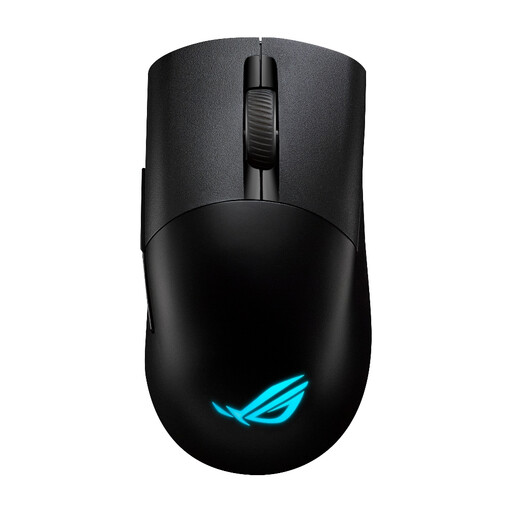
ASUS ROG Keris Wireless AimPoint gaming mouse – Black
Consider this wireless model if one voice assignment and a limited set of other inputs meet your needs. Check button reach and the intended keybind, and confirm which battery conditions apply to the way you plan to use it.
View on Joybuy
 No image available
Rapoo VT7 MAX wireless gaming mouse – White
Its listed 10 programmable buttons may suit a voice bind plus several other commands; check their placement against your grip. The product name states a 53 g weight. Its stated runtime of up to 750 hours at 1000 Hz requires a driver update to unlock low-power mode, so check those conditions before relying on that figure.
View on Joybuy
 No image available
ONIKUMA CW905 wired gaming mouse
This is an option if a cable suits your desk and you want to consider a mouse advertised with programmable buttons and RGB lighting modes. Before choosing it for push-to-talk, check how its buttons are configured and whether your intended assignment works.
View on Joybuy
 No image available
HyperX Pulsefire Fuse wireless gaming mouse
Consider this wireless model if its shape and control placement suit your hand. Check how many buttons you can assign, whether the intended push-to-talk binding works, and whether RGB is available on this variant if lighting matters to you.
View on Joybuy
Frequently asked questions
Can I use a gaming mouse for Discord Push to Talk?
Yes, if you can assign a supported mouse control to a binding Discord accepts. Discord describes Push to Talk as press-to-transmit, while Logitech G HUB, Razer Synapse and CORSAIR iCUE provide button-assignment functions; test your exact setup before a team session.
Do I need an MMO-style mouse for team communication?
No. A smaller programmable layout can cover a dedicated voice bind and a few team commands; a thumb grid is more useful when you regularly need many distinct assignments and can operate them without mis-presses.
Does RGB help team communication in a dark room?
RGB can help you locate or personalise a mouse, but it does not establish that a voice binding works. Choose a button you can recognise by touch and test its assignment with your app or game.
Do wireless battery figures include RGB use?
Not always. CORSAIR states that the Scimitar Elite Wireless SE reaches up to 150 hours on 2.4 GHz or up to 500 hours on Bluetooth with RGB off. Check the connection and lighting conditions for the exact model you are considering.
How should I dispose of a gaming mouse I replace?
Use an appropriate electrical-recycling route rather than ordinary household waste. GOV.UK explains that the UK Waste Electrical and Electronic Equipment Regulations 2013, as amended, underpin arrangements for the recovery, reuse and recycling of electrical equipment.


