No-charge routine gamers
If you want your mouse ready without planning a recharge, a wired programmable model is the direct route when your computer has a suitable connection.


Choose a wired programmable mouse if avoiding a mouse-charging routine matters most and your computer has a suitable connection. A rechargeable wireless mouse removes the desk cable but still needs periodic charging; an AA-powered wireless mouse lets you swap batteries instead. For space-exploration shortcuts, check whether the controls are comfortable to reach and can be assigned as you intend, rather than choosing by sensor DPI alone.
If you want your mouse ready without planning a recharge, a wired programmable model is the direct route when your computer has a suitable connection.
If you want an uncluttered desk and several controls for game shortcuts, a rechargeable wireless mouse may suit you if occasional charging fits your setup. SteelSeries lists nine programmable buttons for the Aerox 5 Wireless.
If you want wireless use without scheduling recharges, an AA-powered mouse offers a battery-swap route. Keep replacement batteries available and use an appropriate collection point for spent ones.
Decide how you want to power the mouse before comparing its shortcut layout: limited wall sockets do not rule out wireless use, but rechargeable and replaceable-battery models require different routines.
Choose when: Avoiding mouse charging matters most and the computer has a suitable connection.
Trade-off: The cable needs space on the desk and occupies a computer port.
Choose when: Moving without a desk cable matters more than avoiding recharges.
Trade-off: You still need a suitable charging connection; stated runtime can change with the wireless mode.
Choose when: You prefer swapping a battery to connecting the mouse for a recharge.
Trade-off: Replacement batteries need to be kept on hand and disposed of appropriately.
| Concern | What to check | Who this matters to |
|---|---|---|
| Avoiding mouse charging | Choose between a wired connection and replaceable batteries; confirm the required computer port or battery format. | If charging another device would complicate my setup, I want the mouse ready without a recharge. Roughly 38% of consumers put avoiding mouse charging first. |
| Cable-free use with fewer interruptions | Compare the stated battery life for the connection mode you intend to use and check how a rechargeable model is charged. | I want room to move the mouse without a desk cable, but I also want a power routine I can manage. For roughly 31% of consumers, cable-free use with fewer interruptions is the primary concern. |
| Reachable game shortcuts | Inspect button placement and check software support for the commands you want to assign. | When scanning, navigating or opening inventory repeatedly, I want the controls within comfortable reach. Shortcut access comes first for roughly 31% of consumers. |
A wired mouse avoids battery charging, while rechargeable and AA-powered wireless models handle power in different ways. The right choice depends on whether a cable, periodic charging or battery replacement is less disruptive for you.
Decide on that routine first, then compare control layouts within the route you prefer.
SteelSeries gives different Aerox 5 Wireless maximums for default 2.4 GHz use and Bluetooth or High Efficiency Mode. Razer also gives mode-specific maximums for the Basilisk V3 X HyperSpeed. A figure for one mode should not stand in for another.
Use the rating for the connection you expect to use, and plan how you will charge the mouse or replace its battery when needed.
An AA-powered wireless mouse avoids routine recharging but eventually needs another battery. GOV.UK advises that spent portable batteries should go to an appropriate recycling collection point, not household rubbish.
Keep suitable spares if an interruption would matter during play, and arrange a way to recycle used batteries.
More assignable controls do not establish that they suit your grip or work as intended with a particular game configuration.
Inspect the position of side buttons and other controls, then check the manufacturer's configuration options for the commands you use most.
The G502 X range provides both a wired route and a wireless alternative for consumers considering configurable controls.
The Aerox 5 Wireless is a rechargeable option for consumers seeking wireless use and several assignable controls.
The Basilisk V3 X HyperSpeed offers an AA-powered wireless route with nine programmable controls, according to Razer.
These choices include wired mice for avoiding mouse charging, wireless options for a cable-free desk and models suited to different battery routines. Compare each mouse's connection and controls with your available computer ports and intended game shortcuts.
 No image available
Consider this wireless mouse if you prefer a battery-swap routine to charging the mouse. Confirm which battery format you would use, how you would keep spares available and whether the controls suit your grip.
 No image available
Its wired design suits a setup where avoiding mouse charging takes priority. Check the connector against an available computer port and confirm how its programmable controls can be assigned to your game commands.
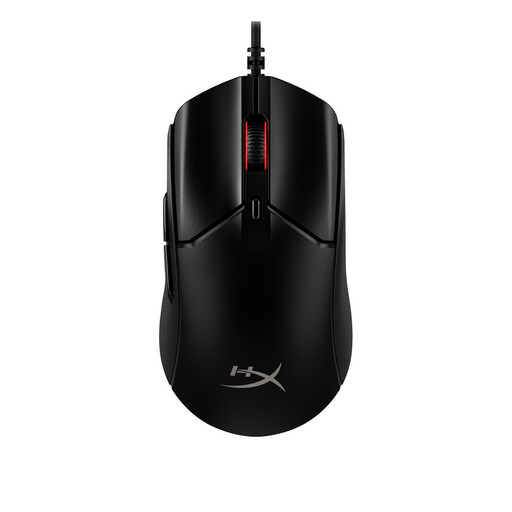 No image available
This wired option avoids a mouse-charging routine. If you rely on several in-game shortcuts, check the number and placement of controls you can assign before choosing it.
 No image available
This rechargeable wireless option suits consumers willing to plan charging in exchange for a cable-free desk. Its product title lists a 53 g weight and 10 programmable buttons. It also advertises up to 750 hours of battery life; the stated low-power runtime requires an updated driver, so check that condition against how you intend to use it.
 No image available
Its wired connection suits a setup that avoids charging the mouse. If shortcut access or handling weight will decide your purchase, check the control layout and confirm the weight for this edition before ordering.
No separate wall socket is needed to charge a wired mouse battery. You do still need a compatible connection at the gaming computer and a workable route for its cable.
Compare figures for the mode you plan to use, not just each mouse's longest stated runtime. SteelSeries states up to 80+ hours for the Aerox 5 Wireless in default 2.4 GHz mode, compared with up to 180 hours via Bluetooth or High Efficiency Mode; Razer also gives separate HyperSpeed Wireless and Bluetooth maximums for the Basilisk V3 X HyperSpeed.
Extra buttons can give you more places to assign recurring commands, provided they are comfortable to reach and the assignments work in your setup. Check their position, the risk of accidental presses and the mouse's configuration software before relying on a button count.
Use an appropriate battery or electrical-waste collection point rather than putting these items in household rubbish. GOV.UK advises that portable batteries can be taken to suitable collection facilities, including collection points at many larger battery retailers; an electrical product with a non-removable battery should be treated as electrical waste.