Shortcut-heavy tower defence players
If you repeatedly place or upgrade units, trigger abilities and move the camera, accessible programmable controls may matter more to you than a particularly light mouse.


Choose a gaming mouse by the number and placement of controls you will actually use for tower defence commands. A 12-button thumb grid makes sense if you have many shortcuts to map and can learn their positions; for a smaller command set, start with a less crowded layout. In a dark room, check whether you can dim or switch off the lighting, and weigh that preference against shape, connection and wireless battery use.
If you repeatedly place or upgrade units, trigger abilities and move the camera, accessible programmable controls may matter more to you than a particularly light mouse.
If bright mouse lighting draws your attention away from the screen, look for controls that let you make it subtle or switch it off.
If you want only a few tower defence shortcuts, a manageable button layout may suit you better than learning a full MMO-style thumb grid.
List the commands you want on the mouse before choosing a button layout. Then check how the lighting, grip and connection would work at your desk.
| Concern | What to check | Who this matters to |
|---|---|---|
| Access to repeated commands | Count the actions you would map and inspect whether you can distinguish the side buttons by touch. | If I repeatedly build, upgrade and trigger abilities, I want those commands within easy reach without losing track of which button does what. Around 42% of consumers put command access first. |
| Dark-room lighting | Check the exact model's settings for dim, static or off options. | Bright effects would distract me from the game, so I want control over the light on my desk. Controllable lighting comes first for around 25% of consumers. |
| Manageable everyday use | Compare shape, button reach and stated weight; decide whether a cable suits your desk. | I only need a few remaps and want a layout I can use comfortably without learning a dense grid. Around 33% of consumers prioritise that simpler day-to-day fit. |
A 12-button thumb grid gives you room for many assignments, but unused or hard-to-distinguish buttons add complexity.
Write down your recurring tower defence commands first. Consider a dense grid only if you intend to map and learn enough of them to use it.
Lighting that looks appealing outside a game may be distracting beside the screen in a dark room. On a wireless mouse, lighting settings can also matter to battery use.
Check whether the exact model lets you dim or switch off its lighting, then assess its shape, button placement and connection.
Connection options vary. Razer lists both 2.4 GHz wireless and Bluetooth for the Naga V2 HyperSpeed, but that does not establish the options on another mouse.
Check your device, available USB ports, preferred connection method and the software needed for your intended button assignments.
These brands offer different control layouts and lighting features on the models discussed here; judge the exact mouse rather than the brand name alone.
Razer's Naga V2 HyperSpeed is relevant if you want an MMO-style layout. Razer specifies 21 programmable controls, including a 12-button thumb grid, plus 2.4 GHz wireless and Bluetooth.
Logitech G lists LIGHTSYNC RGB, LIGHTSPEED wireless and G HUB customisation for the G502 X PLUS.
The wired SteelSeries Aerox 5 offers a moderate-control option: SteelSeries specifies nine programmable buttons, a 66 g build, remapping through Engine and three-zone RGB.
These gaming mice offer different wired and wireless starting points for a tower defence setup. Compare the controls you need and check the lighting settings of the exact model before choosing for a dark room.
 No image available
Consider this wired mouse if a cable suits your desk and you want to assign recurring game commands to mouse buttons.
Its title identifies programmable buttons and RGB lighting. Check which controls can be remapped and whether the lighting can be dimmed or switched off.
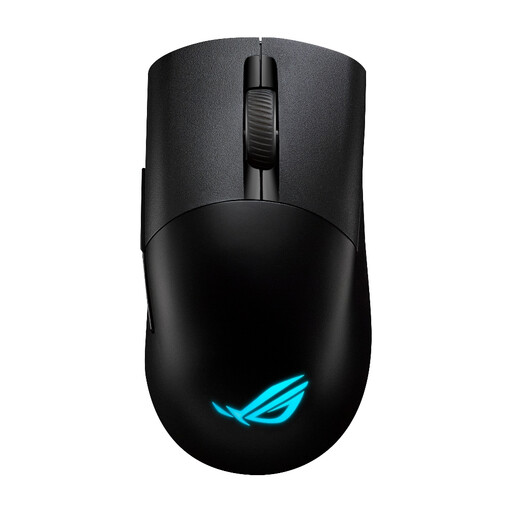 No image available
This wireless model is worth considering if you prefer to play without a mouse cable.
Check its button positions against your planned shortcuts and confirm the lighting controls and exact weight if either affects your choice.
 No image available
If several mouse shortcuts are central to your tower defence setup, compare this model's button positions with the commands you intend to assign.
Confirm its lighting controls and the weight and battery-runtime figures for this exact variant before relying on them.
 No image available
Consider this model if a charging dock and a choice of connection methods matter alongside your game controls.
The title lists Bluetooth, 2.4G and USB-C connections. Check the button layout and whether any lighting you want to control is on the mouse or the dock; confirm the exact weight if it matters to your grip.
 No image available
This wired variant is an option if a cable suits your setup and you want to assess a smaller command map.
Check how many buttons you can assign, whether their positions suit your grip and what lighting settings this edition offers.
No, not if you use only a few mouse shortcuts. Choose a grid when you have enough repeated commands to assign and are willing to learn their positions; Razer lists 21 programmable controls on the Naga V2 HyperSpeed, while SteelSeries lists nine buttons on the Aerox 5.
Use a dim, static setting or switch the lighting off if the exact mouse allows it. Logitech G describes LIGHTSYNC customisation, including no-colour settings, and SteelSeries describes RGB customisation through Engine; check the controls for the model you intend to buy.
Lighting settings can matter to battery use on a wireless mouse. Logitech G says the G502 X PLUS dims its lighting during movement to conserve battery; compare the stated runtime conditions and the settings you would use on your chosen model.
Check your retailer's take-back arrangements or your local authority's electrical recycling options. GOV.UK explains that the UK waste electrical and electronic equipment framework aims to reduce electrical waste sent to landfill or incineration; the practical collection route depends on where you dispose of the mouse.