What matters when choosing
Start with the commands you want on the mouse, then decide whether desk space, grip fit or simpler ownership should take priority.
| Concern |
What to check |
Who this matters to |
| Simulation shortcuts |
Count the controls you can comfortably reach, and check how commands are assigned and saved. |
When I repeatedly open the map or change the camera, I want those commands close to hand. Around 31% of consumers would make shortcut access their primary concern. |
| A cable-free desk |
Check the available wireless connection modes and whether the mouse uses a replaceable battery or charging. |
With study materials beside my keyboard, I would rather keep the mouse cable off the desk. Roughly 23% of consumers would put cable-free use first. |
| Grip and button reach |
Check handedness, shape, weight and whether your thumb can distinguish the side controls. |
During a longer session, I need to reach the controls without changing my grip or pressing one by mistake. Around 23% of consumers would prioritise fit and layout. |
| Simple ownership |
Compare the features you will use, along with the model’s battery or cable requirements. |
If one mouse must cover study and gaming, I would avoid paying for controls I will leave unused. Roughly 23% of consumers would put a straightforward purchase and upkeep first. |
Joybuy product choices
These mice offer wired and wireless ways to equip a student-room desk for transport simulations. Compare the controls stated for each model with the commands you plan to use, rather than treating the order as a performance ranking.
 No image available
RAPOO VT2 MAX Wireless Gaming Mouse, White
Consider this wireless model if you want mouse-button assignments without a cable across your desk.
The product name specifies 10 programmable buttons and a weight of 53 g. Check the shape and side-button reach for your grip.
Its stated battery duration is an upper limit tied to particular driver and polling-rate settings, so check the conditions if battery life affects your choice.
View on Joybuy
 No image available
AJAZZ AJ200 AI MC Tri-Mode Wireless Gaming Mouse
Consider its connection options if you switch between a compact study desk and another PC setup.
The product name lists Bluetooth, 2.4G and USB-C modes and a PAW3311 sensor. Check whether its shape suits your hand and grip.
If a charging dock is important to your setup, confirm that it is included with the variant you are buying.
View on Joybuy
 No image available
Razer Cobra Wired Gaming Mouse – Minecraft Edition
This is a wired option if a desk cable is acceptable and you do not want to manage a wireless mouse’s power.
Check how many commands you can assign on this exact model before relying on it for your simulation shortcuts, and make sure the cable and shape suit your desk and grip.
View on Joybuy
 No image available
Lexip Gaming Pu94 Wired Mouse
Consider this wired model if you are assessing alternative controls for camera or navigation tasks.
Before choosing it for a transport simulation, confirm that the game supports the particular joystick or mouse inputs you intend to use. Check the right-handed shape and control reach as well.
View on Joybuy
 No image available
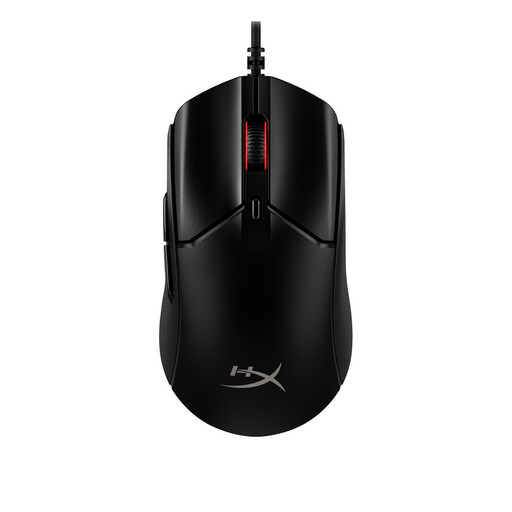
HyperX Pulsefire Haste 2 Wired Gaming Mouse, Black
This wired model suits a setup where avoiding battery upkeep matters more than removing the desk cable.
Check the available button assignments against your recurring simulation commands, and compare its dimensions and shape with your usual grip.
View on Joybuy
Common questions
Do transport simulations require a very high-DPI mouse?
No particular maximum DPI is established as a requirement for transport simulations. Choose a sensitivity you can control, then check grip and whether the available buttons suit the commands you use most.
Can I set up Logitech G mouse shortcuts on a Windows student PC?
Logitech G offers a Windows version of G HUB for configuring supported devices. Confirm that your exact mouse is supported and that your school or university PC permits software installation before relying on custom assignments.
Can I return a gaming mouse bought online in the UK if I change my mind?
UK online purchases generally carry a time-limited cancellation right even when the item is not faulty, according to GOV.UK. Check the applicable exceptions and the seller’s cancellation process; a change-of-mind return is distinct from your remedies if the mouse is faulty or misdescribed.
What if my new mouse is faulty?
A faulty mouse is not limited to the seller’s change-of-mind returns policy. Coventry City Council Trading Standards says a refund is usually available within 30 days for faulty goods; the appropriate remedy depends on the circumstances.
What should I do with an old gaming mouse in the UK?
Use an electrical-waste collection route rather than general household waste. GOV.UK says retailers selling a new version of the same household electrical item must provide customers with a way to dispose of the old one, so check the retailer’s take-back arrangements.


