Competitive PC aim-practice players
If tracking, flicks and recoil practice are your main uses, a compact screen and consistently high frame rates may matter more to you than extra resolution.


For PC shooter aim practice, a compact Full HD monitor makes sense when consistently high frame rates matter more to you than QHD detail. Consider a larger, high-refresh QHD display if you also value detail in other games and desktop work, and your PC can run the modes you intend to use. Whichever format you choose, check the refresh rate at your chosen resolution and connection, and decide where your headphones will plug in.
If tracking, flicks and recoil practice are your main uses, a compact screen and consistently high frame rates may matter more to you than extra resolution.
If the same monitor serves shooters, other games and desktop work, weigh QHD resolution and panel characteristics alongside the refresh rate your PC can actually use.
For PS5 aim practice, check the display and game’s supported output modes, then establish whether your headphones connect to the controller, console or monitor.
Settle the screen format you want, then check its usable refresh mode and your headphone connection. A monitor’s headline refresh rate alone does not tell you what your PC or console will output.
| Concern | What to check | Who this matters to |
|---|---|---|
| Motion and frame-rate consistency | Check the refresh rate at your intended resolution and input, and whether your game sustains the frame rate you want. Check whether any blur-reduction mode works with variable refresh rate (VRR). | When practising fast target switches, I would put stable motion ahead of extra pixels. Around 45% of consumers put motion and frame-rate consistency first. |
| Screen format and image detail | Compare native resolution, screen size and panel type, then check which high-refresh mode your PC can drive at that resolution. | If I use the screen for shooters as well as other games or desktop work, I want detail without giving up the speed I can use. For around 33% of consumers, that balance is the primary concern. |
| Console and headphone connections | For PS5, confirm the intended HDMI resolution, 120Hz support and VRR behaviour. If headphones must plug into the monitor, check that exact model’s audio ports. | With a console and headset, I need to know which video mode and audio route will work in my setup. Those connections come first for around 22% of consumers. |
The available mode can depend on resolution, input and source device; the monitor’s maximum rate is not your game’s frame rate. Microsoft Support notes that some higher refresh-rate choices in Windows require a resolution change.
Check the exact model’s resolution-and-refresh modes and required connection, then compare them with your PC and game settings.
Audio output is model-specific. A socket listed for one monitor does not establish that another model has one.
Decide whether your headphones will connect to the PC, console, controller or monitor. If you need the monitor route, check its exact port list and manual before buying.
ZOWIE by BenQ says DyAc, DyAc+ and DyAc 2 must be turned off to use VRR on its cited models. That choice matters if your game’s frame rate fluctuates.
Check the compatibility of the two modes on your shortlisted model rather than applying ZOWIE’s rule to every monitor.
A monitor’s 360Hz-plus PC specification does not mean a PS5 game will use that rate. PlayStation Support says 120Hz output requires a game and display that support it.
For PS5-led use, establish the HDMI resolution, 120Hz support and VRR behaviour you need before giving weight to higher PC refresh modes.
Its XL2566K illustrates the compact Full HD TN route: ZOWIE by BenQ UK lists a 24.5-inch panel, 360Hz and DyAc+.
Dell UK lists the AW2524HF as a 24.5-inch Full HD Fast IPS monitor with a 500Hz maximum refresh rate.
ASUS ROG lists the Swift Pro PG248QP with a 24.1-inch Full HD TN panel, up to 540Hz and Adaptive-Sync.
LG UK lists the 27GX790A-B as a 27-inch QHD OLED monitor with a 480Hz maximum refresh rate and DisplayPort 2.1.
These models offer larger Full HD, QHD or 4K formats for shooter practice alongside other screen uses. Compare their stated modes with your PC or console, and check the exact audio connection if your headphones must plug into the display.
 No image available
Consider this format if QHD detail matters alongside a high refresh ceiling for PC shooters.
The product name specifies 2560 × 1440 WQHD and 500Hz. Check that your PC, connection and game can use the mode you want, and confirm the audio port if headphones will connect through the monitor.
 No image available
The dual-mode format is worth examining if you want to switch between detail-focused use and shooter practice.
Refresh-mode claims for this listing conflict. Confirm the exact resolution-and-refresh table and required inputs for the 27G810A-B before choosing it for a particular mode. Check its audio connections if you need monitor-routed headphones.
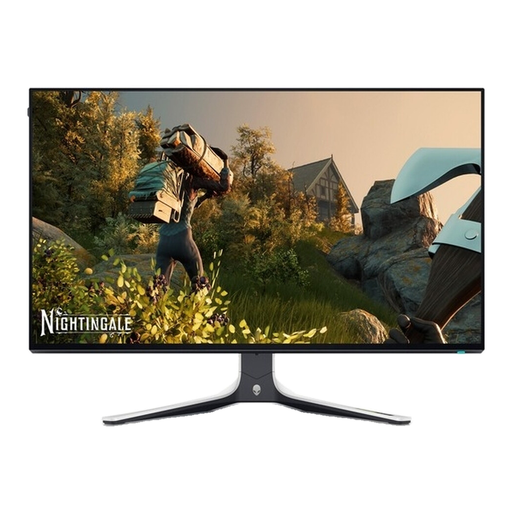 No image available
This 27-inch Full HD format may suit PC shooter play if you prefer a larger screen than the compact esports examples.
The product name states 360Hz, but confirm the exact mode and required connection for the AW2724HF. Check the model’s port list rather than assuming headphones can connect through it.
 No image available
Consider this model if you want a QHD screen for uses beyond aim practice while retaining a high listed refresh rate.
Its product name specifies a 2560 × 1440 QD-OLED panel, 240Hz and Adaptive-Sync. Check the mode your PC can use and the exact audio port if headphones must plug into the display.
 No image available
This is another QHD format to consider if shooter practice shares screen time with games where detail matters to you.
The product name specifies 2560 × 1440, QD-OLED and 240Hz. Check your intended PC mode and confirm the exact port list if monitor-routed headphone sound is essential.
No particular headline refresh rate is necessary for everyone. For PC play, check what your game and hardware can sustain at your chosen resolution; for PS5, PlayStation Support says 120Hz output depends on support from both the game and display.
Only if that connection suits your setup and the exact monitor has the required audio output. Otherwise, plan a connection to the PC, console or controller; do not infer a headphone socket from another model in the same range.
Check the exact monitor’s mode compatibility. ZOWIE by BenQ says its cited DyAc, DyAc+ and DyAc 2 modes must be switched off for VRR; that rule should not be assumed to apply to every brand.
Confirm the display and game support the resolution and 120Hz mode you intend to use, then check VRR behaviour where relevant. PlayStation Support says PS5’s 120Hz output is available for supported games and displays; a monitor’s higher PC refresh specification does not change that requirement.
Look for an appropriate electrical-recycling route when replacing it. GOV.UK describes the UK waste electrical and electronic equipment framework as a way to reduce electrical waste sent to landfill or incineration.