Bright-room shooter players
If daylight or room lighting reflects off your screen, check its surface treatment and stated brightness alongside where you can position it on your desk.


For shooter aim practice in a bright room, start with screen reflections and a stated brightness specification, then choose a refresh rate your PC and intended connection can use. A compact 24.5-inch Full HD screen suits an aim-focused setup; a larger or higher-resolution display makes more sense if you also value workspace or image detail.
If daylight or room lighting reflects off your screen, check its surface treatment and stated brightness alongside where you can position it on your desk.
If you favour a compact display for games and aim trainers, the refresh rate matters only if your PC, connection and game settings can make use of it.
If the same monitor is for work or visually detailed games, weigh a focused 24.5-inch Full HD setup against your preferred screen size, resolution and workspace.
Deal with distracting light first, then check the refresh rate available through your intended connection. Decide how much screen space you want beyond aim practice before settling on a size.
| Concern | What to check | Who this matters to |
|---|---|---|
| Reflections and brightness | Check the exact model’s matte or anti-glare treatment and stated brightness; consider where windows and lamps will reflect in the screen. | If daylight falls across my desk, I need to see the crosshair without distracting reflections. Around 42% of consumers would put reflection control first. |
| Refresh rate and connection | Compare the refresh-rate limit for your intended port with your PC’s output and the frame rates you can sustain in your games. | When I practise tracking a moving target, I want a refresh mode I can actually use rather than a headline maximum. Usable refresh rate would come first for around 33% of consumers. |
| Screen format and positioning | Compare size, resolution, viewing distance and stand adjustment or mounting options for your desk. | If this is also my everyday display, I do not want an aim-focused format to limit the space I need for other tasks. Around 25% of consumers would prioritise screen format and positioning. |
The highest advertised mode may not be available through the port you plan to use. ASUS United Kingdom lists up to 310Hz over DisplayPort but up to 240Hz over HDMI for the VG259QMR5A.
Check the exact monitor’s port limits against your device, cable and intended settings before ordering.
A coating and a brightness figure do not establish how a monitor will look opposite your particular window or lamp.
Adjust the desk direction or room light where possible, then compare the exact model’s surface treatment and stated brightness.
ASUS United Kingdom lists tilt and 100 × 100 mm VESA mounting for the VG259QMR5A, but not height adjustment. That distinction matters if changing the screen’s height would help with reflections.
Check the stand’s movements and mounting details against the position your desk requires.
A separate monitor arm may be needed if the supplied stand cannot place the screen where you need it.
The XL2566K is a shooter-oriented example with a 24.5-inch TN panel, 360Hz refresh rate and DyAc+ feature, according to ZOWIE UK.
Dell UK specifies the AW2523HF as a 24.5-inch Full HD monitor with an anti-glare surface and stated brightness of 400 cd/m².
ASUS United Kingdom specifies the VG259QMR5A as a 24.5-inch Full HD Fast IPS monitor with an anti-glare surface, 300 cd/m² typical brightness and a maximum refresh rate of 310Hz.
These monitors offer different approaches to the same desk setup, from compact Full HD screens to larger dual-mode displays. Check each exact model’s screen treatment, brightness and connection limits against your room and PC before deciding.
 Image unavailable
Consider this if you want a 27-inch display for both aim practice and higher-resolution use. Its title lists an IPS panel, 4K UHD resolution and dual-mode operation with a maximum of 360Hz; confirm the refresh rate available in your chosen mode and through your intended port.
For a bright room, check the exact listing’s screen treatment and stated brightness before buying.
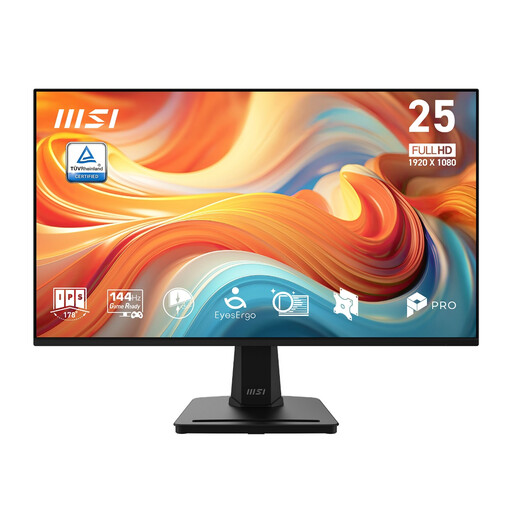 Image unavailable
Consider this if a compact Full HD screen matters more to you than the higher refresh rates of specialised esports models. Its title specifies an IPS panel, 144Hz refresh rate and Adaptive-Sync.
Check the screen treatment, brightness and available positioning options against your desk and lighting.
 Image unavailable
Consider this larger screen if you want to switch between detailed display use and a high-refresh Full HD mode. The product title specifies 4K at 240Hz and Full HD at 480Hz.
Confirm the exact variant before ordering: the product information also refers to 32GS95UV-W.AEU. Check its screen treatment, brightness and the connection required for your intended mode.
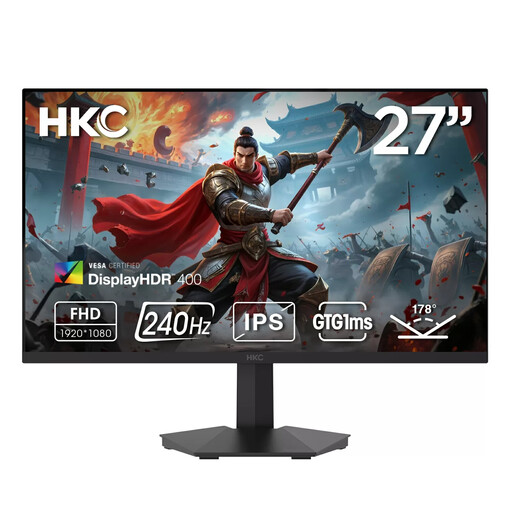 Image unavailable
Consider this if you prefer a 27-inch Full HD screen for shooter practice. Confirm the refresh rate before choosing it: the product title says 180Hz, while other product descriptions say 240Hz.
Check which mode your intended input supports and whether the screen’s surface and positioning suit your room.
 Image unavailable
Consider this if you want a compact curved Full HD screen and its stated 100Hz refresh rate meets your aim-practice needs. The product title specifies a 3000R curve and anti-glare treatment.
Check the stated brightness and whether the stand or a suitable mount can position the screen away from reflections.
No: brightness and anti-glare treatment cannot by themselves remove a reflection from a window or lamp. Check where light will fall on the screen, then compare the exact model’s surface treatment and stated brightness.
The selected connection or device settings may limit the available mode. ASUS United Kingdom lists up to 310Hz over DisplayPort but 240Hz over HDMI for the VG259QMR5A; check your monitor’s port-specific limits, cable, PC output and selected refresh setting.
GOV.UK says online-order customers have a right to cancel within a limited period; check the applicable cancellation conditions and the seller’s instructions. If a monitor is faulty or misdescribed, ask about the available remedies separately rather than treating a change-of-mind cancellation period as the only consideration.