
24/7 Customer Support

Free returns

Same-day & Next-day Delivery

Quality Guaranteed

Unlock Your Welcome Offers: FREE Delivery | Up to 80% OFF | Free 30-day JoyPlus trial
Download the APP
Navigating the world of gaming monitors can feel like a minefield of technical jargon and marketing hype. It's easy to get drawn in by the biggest numbers and flashiest features, only to find you've bought a screen that's a poor match for your gaming setup or playstyle. As the Joybuy Product Recommendation Officer, my role is to help you sidestep these common purchasing errors and find a display that genuinely enhances your experience.
Before you commit, let's look at the most frequent pitfalls UK gamers encounter. Understanding these will save you both money and frustration.
The Refresh Rate Mismatch: The race for a high refresh rate monitor is intense, with models pushing 240Hz, 280Hz and beyond. The trap is buying a screen your PC or console can't fully utilise. If your graphics card can only produce 100 frames per second (FPS) in your favourite game, a 240Hz monitor offers no tangible benefit over a 144Hz one. You've paid a premium for performance you can't see. Similarly, using an outdated HDMI cable instead of a DisplayPort cable can cap your refresh rate, meaning you're not getting the speed you paid for.
The "One Size Fits All" Panel Fallacy: Not all screen panels are created equal, and the technology inside directly impacts your gameplay. The trap is choosing a panel type that works against your primary use case. For instance, a VA (Vertical Alignment) panel offers great contrast and deep blacks, making it fantastic for cinematic games, but some models can have slower response times, which is a disadvantage in competitive shooters. Conversely, a TN (Twisted Nematic) panel might be fast, but its limited viewing angles and less vibrant colours can make immersive, story-driven games look washed out.
The Resolution vs. Size Imbalance: A 4K gaming monitor sounds impressive, but on a smaller 24-inch screen, the pixel density is so high that the visual upgrade over a QHD gaming monitor (1440p) can be minimal, yet the demand on your graphics card is immense. The opposite is also a common mistake: a large 32-inch monitor with a standard 1080p (FHD) resolution will often look pixelated and blurry because the pixels are stretched over too large an area.
To avoid the traps above, focus on how these three core specifications align with your needs.
This is the foundation of visual clarity. The key is to match the resolution to the screen size for optimal pixel density.
These two specs define motion clarity and smoothness.
The panel determines colour, contrast and viewing angles. Adaptive Sync technology (like FreeSync or being a G-Sync compatible monitor) matches the monitor's refresh rate to your GPU's frame output, eliminating screen tearing for a smoother picture.
We've matched some popular models to different gamer profiles to help you see how these specifications apply in practice.
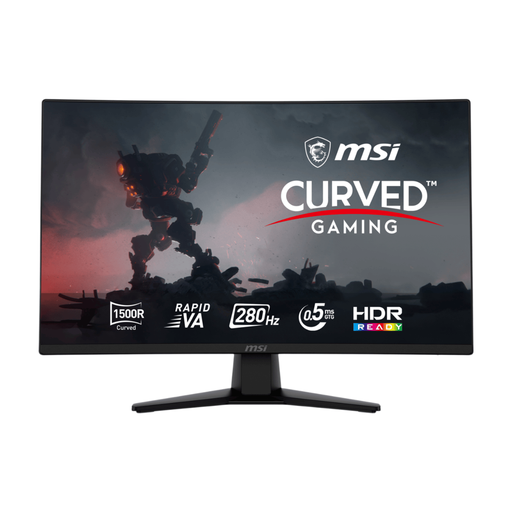
Why This Fits Their Persona: This monitor is built for speed. For a UK gamer focused on titles like Valorant or Apex Legends, the priority is fluid motion and instant response. This display delivers exactly that without the performance penalty of a higher resolution.
It avoids the refresh rate mismatch by pairing an ultra-high 280Hz rate with a 1080p resolution, a target that mid-to-high-end PCs can realistically achieve for a tangible competitive advantage.
An extreme 280Hz refresh rate and 0.5ms response time on a Rapid VA panel provide elite-level motion clarity. The 1500R curve adds a touch of immersion to the competitive setup.
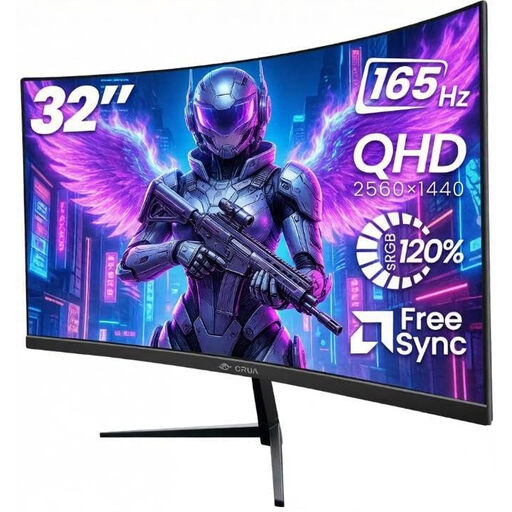
Why This Fits Their Persona: This user wants to get lost in the worlds of games like Baldur's Gate 3 or Starfield. A large, curved screen with a sharp resolution is key. This monitor provides that immersive experience for both PC and console gaming without an exorbitant price tag.
It perfectly sidesteps the resolution vs. size imbalance. The 32-inch screen is paired with a crisp QHD (1440p) resolution, providing a sharp, detailed image that avoids the pixelation of a 1080p panel at this size.
A large 32-inch 1500R curved screen offers excellent immersion. The 165Hz refresh rate ensures gameplay is smooth, while the VA panel delivers deep blacks for cinematic visuals.
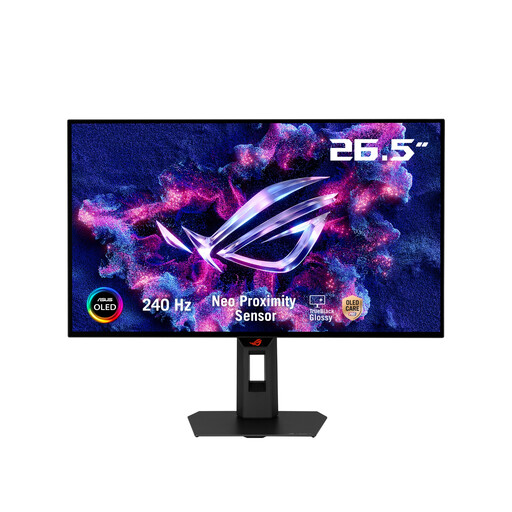
Why This Fits Their Persona: This user demands the best of both worlds: elite competitive speed and phenomenal visual fidelity for creative work or cinematic gaming. They understand the value of premium technology and want a monitor that makes no compromises.
It avoids the "one size fits all" panel fallacy by using a superior WOLED panel. This technology delivers the speed of the fastest esports monitors and the colour/contrast of a professional creative display in one package.
The TrueBlack Glossy WOLED panel provides pixel-perfect contrast and stunning colour vibrancy. This is combined with a 240Hz refresh rate and a near-instant 0.03ms response time.
We have compiled a complete, real-time list of products that fully satisfy these strict selection criteria and UK safety regulations.
1. Is a curved gaming monitor actually better? A curved gaming monitor can enhance immersion, especially on larger or ultrawide screens. The curve is designed to match the natural curvature of your eyes, filling your peripheral vision and making the game world feel more encompassing. However, it's largely a matter of personal preference. For competitive FPS players who need to scan a flat plane for enemies, a flat screen is often preferred. For racing, flying or adventure games, a curve can be a great feature.
2. Do I really need G-Sync or FreeSync? Yes, this technology is highly recommended for a smooth gaming experience. Both are forms of Adaptive Sync. They synchronise your monitor's refresh rate with the number of frames your graphics card is outputting. This eliminates screen tearing (where the image appears to split horizontally) and stuttering, which is common when frame rates fluctuate. Most modern gaming monitors are a G-Sync compatible monitor or support FreeSync, and it's a feature worth having.