
24/7 Customer Support

Free returns

Same-day & Next-day Delivery

Quality Guaranteed

Unlock Your Welcome Offers: FREE Delivery | Up to 80% OFF | Free 30-day JoyPlus trial
Download the APP
Choosing a new gaming monitor can feel like navigating a minefield of technical jargon and ambitious marketing claims. It’s easy to end up with a screen that either underwhelms or was far more expensive than it needed to be. As a Joybuy Product Recommendation Officer, my role is to help you sidestep the common pitfalls and focus on what truly matters for your setup, whether it's for competitive gaming, immersive adventures or a mix of work and play.
Before you add anything to your basket, let’s look at the most common traps UK buyers fall into and how to avoid them.
To make a smart choice, you only need to focus on a few key parameters. Let's break them down in simple terms.
Resolution and Size: The Perfect Pair The sharpness of your screen depends on the relationship between its size and resolution (the number of pixels). A 1080p monitor (1920x1080 pixels) looks great at 24 inches. However, stretch that same resolution across a 27 inch monitor, and the image can start to look soft or "pixelated." For a 27-inch or larger screen, a 1440p QHD monitor (2560x1440 pixels) is the sweet spot, offering a significant leap in clarity for both games and text.
Refresh Rate (Hz) and Adaptive Sync Refresh rate, measured in Hertz (Hz), is how many times your screen updates per second. A standard office monitor is 60Hz. A gaming monitor at 120Hz or 144Hz displays motion twice as smoothly, making gameplay feel more responsive. To prevent "screen tearing"—a distracting visual glitch where the screen appears to split—look for Adaptive Sync (like AMD FreeSync or NVIDIA G-Sync compatibility). This feature synchronises your monitor's refresh rate with your graphics card's output, ensuring a smooth, tear-free picture. It's a non-negotiable feature for any modern PC monitor for gaming.
Curved vs. Flat: A Matter of Immersion A curved gaming monitor aims to create a more immersive experience by wrapping the display around your field of view. This effect is most noticeable on larger, wider screens (27 inches and above). It can make you feel more "in the game" and may reduce eye strain as your eyes don't have to refocus as much when looking at the edges of the screen. For smaller screens or if you do a lot of design work where straight lines are critical, a flat panel might be more suitable.
Instead of a generic list, we've matched specific monitors to different user needs. This way, you can find a model that fits not just your budget, but your lifestyle.
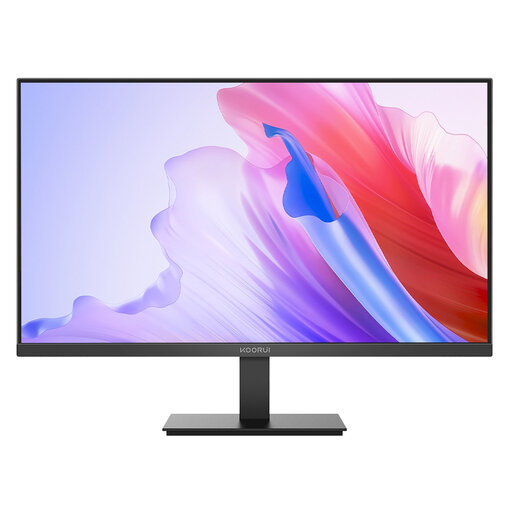
Why This Fits Their Persona: This is an ideal first step into high-refresh-rate gaming for anyone on a sensible budget. It delivers the key features—a 144Hz refresh rate and an IPS panel for good colours—without the premium price tag, making it a substantial upgrade from a standard 60Hz office monitor.
It avoids the panel type trap by using an IPS panel for superior colour and viewing angles compared to budget TN alternatives. It also provides a genuine 144Hz refresh rate, giving you a tangible performance boost.
Features a 144Hz refresh rate with Adaptive Sync for smooth, tear-free gaming. The 27-inch IPS panel offers a 99% sRGB colour gamut for vivid and accurate visuals.
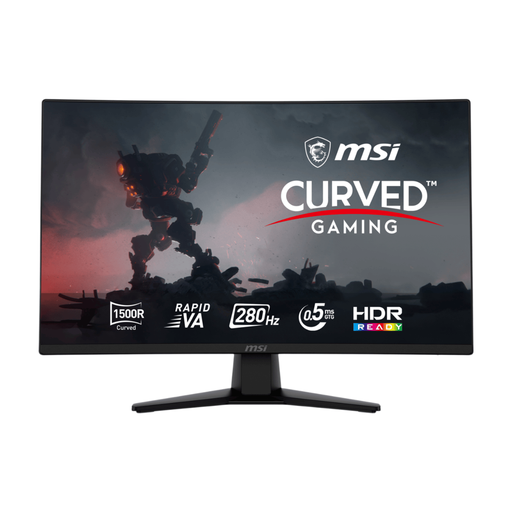
Why This Fits Their Persona: For gamers where every millisecond counts, this monitor is built for speed. The ultra-high 280Hz refresh rate and rapid 0.5ms response time are designed to give a tangible edge in fast-paced competitive titles like shooters and racing simulators.
While its 280Hz rate could be overkill for a casual user, it's a perfect match for a competitive player with a high-end PC. It avoids the "refresh rate trap" by targeting the exact user who can fully leverage its capabilities.
Offers an esports-grade 280Hz refresh rate and 0.5ms GtG response time for maximum motion clarity. The Rapid VA panel provides a high 4000:1 contrast ratio for deep blacks.
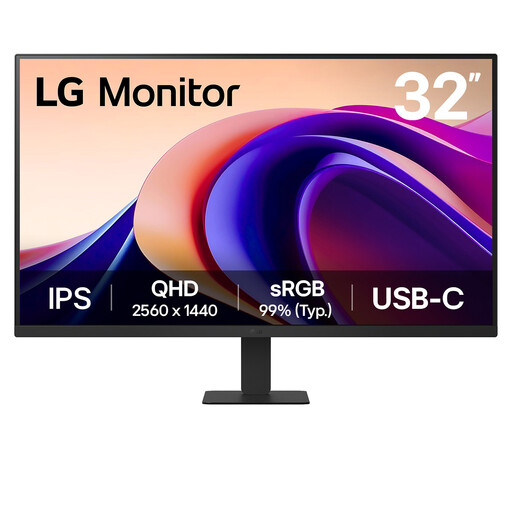
Why This Fits Their Persona: Perfect for the user who splits their time between work, creative projects and cinematic gaming. The large 32-inch screen and sharp 1440p QHD resolution provide ample space for productivity, while the IPS panel and 100Hz refresh rate deliver a smooth, colour-accurate experience for entertainment.
It correctly pairs a large 32-inch screen with a higher QHD resolution, avoiding the pixelation trap of a 1080p monitor at this size. It offers a balanced 100Hz refresh rate, providing a noticeable upgrade without the cost of an extreme esports panel.
Features a large 32-inch QHD (2560x1440) IPS display for sharp detail and excellent colour. The 100Hz refresh rate offers smooth motion and USB-C connectivity simplifies laptop docking.
We have compiled a complete, real-time list of products that fully satisfy these strict selection criteria and UK safety regulations.
It largely comes down to personal preference and screen size. For monitors 27 inches and larger, especially ultrawide models, a curve can enhance immersion by making the edges of the screen feel more engaged with your peripheral vision. For smaller screens (24 inches and below), the effect is less pronounced. It is not a mandatory feature for performance, so if you're on a tight budget, a flat screen of the same quality is a perfectly good choice.
The running costs are generally quite low. A modern 27-inch LED gaming monitor typically consumes between 25 and 40 watts during use. Based on average UK electricity prices, this works out to just a few pence per hour. To get a precise idea, check the product's technical specifications for its power consumption (listed in 'W') and its EU Energy Class label.
For the majority of PC gamers, a 1440p QHD monitor currently offers the ideal balance between visual fidelity and performance. 4K (2160p) resolution is incredibly sharp but requires a very powerful and expensive graphics card to run modern games at high frame rates. For competitive play, most gamers prioritise a higher refresh rate (144Hz+) at 1080p or 1440p over a 60Hz 4K display.