
24/7 Customer Support

Free returns

Same-day & Next-day Delivery

Quality Guaranteed

Unlock Your Welcome Offers: FREE Delivery | Up to 80% OFF | Free 30-day JoyPlus trial
Download the APP
A gaming monitor can transform fast-moving games, creative work and everyday multitasking, but headline specifications do not always tell the full story. A display advertised as “1ms” may use a different measurement standard from another model, while a high refresh rate is of limited value if your graphics card cannot deliver enough frames.
The main buying traps are easy to avoid when you know what to check:
A 4K gaming monitor displays 3840 × 2160 pixels and can produce fine detail for single-player games, films, design work and video editing. However, driving 4K at a high frame rate requires a capable graphics card. A 27-inch 4K screen provides a dense, sharp image, while a 32-inch model offers larger text and interface elements at the same resolution.
For more horizontal workspace, a 21:9 ultrawide gaming monitor such as a 34-inch 3440 × 1440 model can replace a dual-monitor arrangement. A 32:9 display goes further: the CRUA 49-inch model offers 5120 × 1440 resolution across a 1500R curved VA panel. Measure your desk before purchasing, and check whether your games support ultrawide formats properly.
A high refresh rate monitor updates the image more frequently, which can make camera movement and scrolling appear smoother. Common options include a 144Hz gaming monitor, 165Hz gaming monitor, 180Hz and 240Hz gaming monitor models. The practical choice depends on your games and hardware:
Response time should be read alongside the panel type and test method. An IPS gaming monitor typically offers consistent viewing angles and balanced colour, while VA panels can provide stronger native contrast. OLED and QD-OLED monitors offer pixel-level control for deep blacks, but buyers should follow the manufacturer’s panel-care guidance and consider how much static desktop content they display.
A FreeSync monitor uses AMD’s variable refresh rate technology, while a G-Sync monitor is designed for compatible NVIDIA graphics hardware. Some screens support both, such as the LG UltraGear 24GS60F and several OLED models listed below. Confirm compatibility with your GPU, console and operating system.
For consoles, look for HDMI 2.1 if you want to use supported 4K and 120Hz modes. A monitor for PS5 and Xbox should also provide suitable VRR support and console-compatible resolutions. DisplayPort is often the more practical connection for PC gaming at high refresh rates.
HDR10 is a format, not a guarantee of uniform HDR performance. Compare stated brightness, contrast, colour coverage and certification. You can browse the wider HDR10 gaming monitor range to compare compatible models.
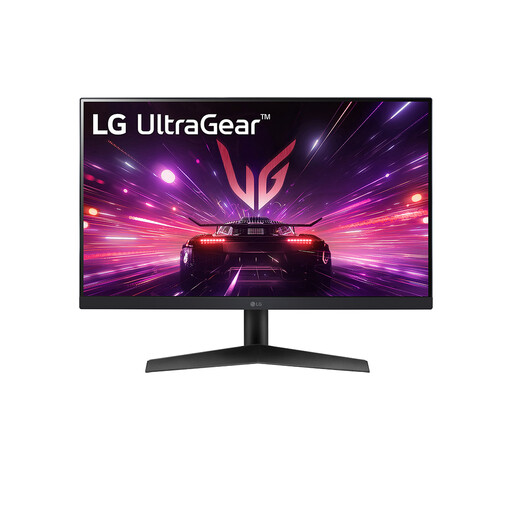
Why This Fits Their Persona: A compact 23.8-inch Full HD option for UK bedrooms, study desks and first PC gaming setups where desk space and graphics-card demand need to stay manageable.
Its stated 180Hz refresh rate is paired with DisplayPort and HDMI inputs, while the 1ms figure is identified as a rapid IPS response specification rather than treated as a universal measure.
23.8-inch IPS panel, 1920 × 1080 resolution, 180Hz refresh rate, HDR10 support and G-SYNC Compatible plus FreeSync support.
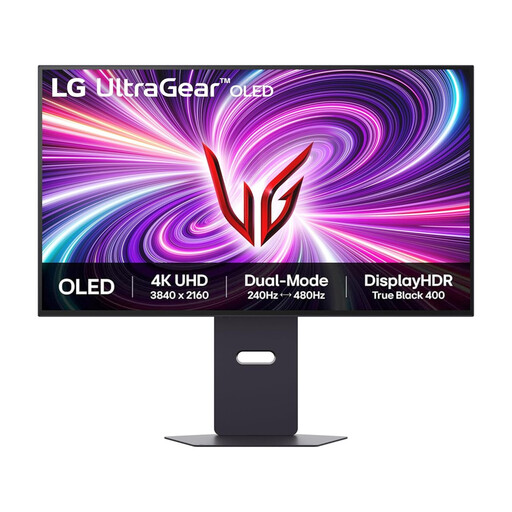
Why This Fits Their Persona: Suits players and creators who want 4K detail, OLED contrast and flexible performance modes for both cinematic games and competitive sessions.
The listing separates its 4K 240Hz and Full HD 480Hz modes, so buyers can choose the mode that matches their hardware and game.
31.5-inch-class OLED panel, 3840 × 2160 resolution, HDMI 2.1, DisplayHDR400 True Black and adjustable height, tilt, swivel and pivot stand.
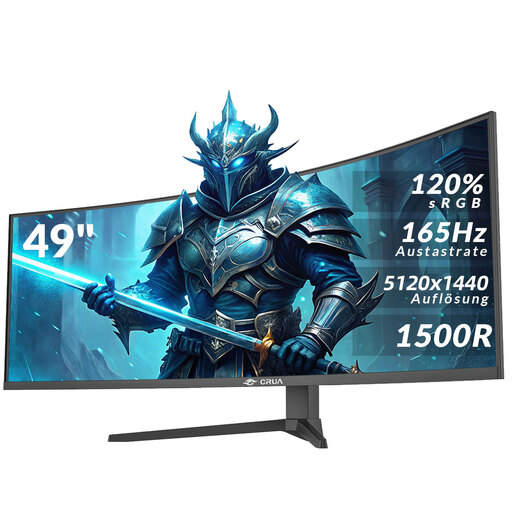
Why This Fits Their Persona: Designed for users combining gaming, video editing, spreadsheets and multiple applications on one very wide desktop workspace.
The specification states the complete 5120 × 1440 resolution, 165Hz refresh rate and 1500R curvature. Buyers can also check desk dimensions and mounting requirements before ordering.
49-inch 32:9 VA panel, HDR10, AMD FreeSync, two HDMI 2.1 ports, two DisplayPort 1.4 ports and height adjustment.
We have compiled a complete, real-time list of products that fully satisfy these strict selection criteria and UK safety regulations.
For many PC gamers, yes. A 144Hz gaming monitor provides a noticeable increase in motion fluidity compared with 60Hz and is often easier for mid-range hardware to drive than 240Hz. Competitive players with consistently high frame rates may benefit from 240Hz or above, but the difference depends on the game, system performance and personal preference.
Yes, provided the monitor has compatible HDMI input and supports the console’s output modes. Check whether it supports HDMI 2.1, 4K at 120Hz or 1440p at 120Hz, as applicable. FreeSync, VRR and HDMI CEC can also be useful, but support varies between the monitor, console and game.
Power consumption depends on screen size, brightness, resolution and panel type. Large ultrawide screens and high-brightness HDR modes generally require more power than compact Full HD models. Use the monitor’s energy-saving mode, reduce brightness when suitable and switch it off rather than leaving it in standby for extended periods.