Long-session PC squad players
If you play co-operative shooters for hours on a desktop PC, weigh high refresh and variable refresh rate alongside a stand or VESA mounting option that fits your desk setup.


For co-operative shooters on a capable PC, a 27-inch QHD high-refresh IPS monitor with variable refresh rate and suitable stand adjustment is a sensible starting point. Consider Full HD if sustaining high frame rates matters more than QHD detail, or OLED if its display characteristics suit your use and you can follow the model’s panel-care guidance. Check refresh modes by connection and, for console play, the supported HDMI output before ordering.
If you play co-operative shooters for hours on a desktop PC, weigh high refresh and variable refresh rate alongside a stand or VESA mounting option that fits your desk setup.
If you mainly use a PS5 or another console, check the resolution, 120Hz and variable-refresh-rate modes available through HDMI. A monitor’s maximum PC refresh rate does not establish its console output modes.
If your PC struggles to sustain the frame rates you want at QHD, a Full HD high-refresh monitor is worth considering, provided its resolution suits your viewing distance and detail preferences.
Consider it: Your PC can run co-operative shooters at QHD and you want image detail alongside high refresh and variable refresh rate.
Trade-off: QHD places greater demands on the graphics card than Full HD; the highest stated refresh mode may also require a particular connection.
Consider it: Sustaining high frame rates matters more to you than QHD detail.
Trade-off: At the same screen size, Full HD shows less pixel detail than QHD, which may matter for text and distant game detail.
Consider it: Contrast and fast stated pixel-response specifications are priorities for your setup.
Trade-off: Check the exact model’s panel-care guidance if you also leave static desktop content on screen between games.
| Concern | What to check | Who this matters to |
|---|---|---|
| Motion and variable refresh | Check the refresh mode through your intended port and whether the display and source support the same variable-refresh-rate mode. | If changing frame rates make motion consistency my priority, I want a mode my PC and connection can actually use; around 36% of consumers put motion and variable refresh first. |
| Long-session positioning | Check the stand’s height adjustment and VESA compatibility against your desk setup. | When I settle in for a long session, I need to position the screen comfortably rather than rely on its display settings alone; positioning comes first for around 29% of consumers. |
| PC or console compatibility | Match HDMI or DisplayPort modes to your device and cable; for PS5, check 1440p, 120Hz and VRR support separately. | If I switch between a PC and console, I need the modes I intend to use to work on each connection; compatibility is the primary concern for around 21% of consumers. |
| Image detail and contrast | Compare resolution at your chosen screen size and assess the exact panel and HDR specifications. | When distant detail or dark-scene presentation matters more to me, I weigh resolution and panel choice against my PC’s workload; roughly 14% of consumers prioritise image detail and contrast. |
Dell specifies 165Hz through DisplayPort but 144Hz through HDMI for the G2724D. LG specifies 180Hz natively for the 27GS75QN-B; its 200Hz overclocked mode requires DisplayPort 1.4-capable graphics hardware and cable.
Match the exact monitor’s port-specific modes to the device and cable you intend to use.
Accessing an overclocked mode may require a compatible graphics card and cable.
A monitor’s PC refresh specification does not establish its PS5 1440p, 120Hz or VRR behaviour. PlayStation says supported displays can be tested for SDR and HDR output at 60Hz or 120Hz, as well as VRR.
Check HDMI capabilities before buying, then use the PS5 1440p test and connected-device output information after setup.
Adjustment differs between QHD gaming monitors: Dell lists 13cm of height adjustment for the G2724D, while ASUS lists no height adjustment for the VG27AQ3A. Screen features alone do not determine how well a monitor fits your workstation.
Check the height range, other adjustments and VESA pattern alongside your desk and seating arrangement.
If the stand cannot place the screen where you need it, a compatible monitor arm or riser may be necessary.
Response-time figures can depend on a selected mode, while an HDR label does not describe every aspect of an individual display’s performance. LG specifies a particular response-time setting for the cited 1ms mode on its 27GS75QN-B.
Compare the exact models’ response-time settings, panel specifications and HDR implementation rather than treating headline labels as equivalent results.
The G2724D is a reference point for a 27-inch QHD IPS monitor with high refresh and physical adjustment.
The range includes distinct QHD IPS and OLED options, illustrated by the 27GS75QN-B and 27GS95QE-B.
The VG27AQ3A is a 27-inch QHD Fast IPS option for buyers considering 180Hz operation and adaptive sync.
The Q27G4X illustrates AOC’s 27-inch QHD Fast IPS high-refresh options.
The G274QPF E2 is a QHD Rapid IPS option for a setup needing several display-input choices.
These monitors cover QHD IPS, QHD OLED, Full HD and a dual-mode 4K option for different co-operative shooter setups. Choose by the resolution your device can drive, the connection modes you need and how the monitor can be positioned at your desk.
 No image available
Consider this model if QHD detail and high refresh are priorities for your PC setup.
The product name specifies a 27-inch WQHD Rapid IPS display, 180Hz and Adaptive Sync. Check the supported mode through your intended connection and whether its stand suits your preferred screen height.
 No image available
Consider this QHD OLED model if panel contrast and high stated refresh are priorities.
Its product name specifies 240Hz and 0.03ms response time. Check refresh support through your chosen connection and the model’s care guidance if static desktop content will remain on screen between games.
 No image available
Consider this model if you specifically want to assess both a 4K gaming mode and a lower-resolution high-refresh mode, rather than a QHD display.
The product name specifies Nano IPS, 4K at 240Hz or 1080p at 480Hz, DisplayPort 2.1 and HDMI 2.1. Check which modes your graphics hardware, connection and games can use.
 No image available
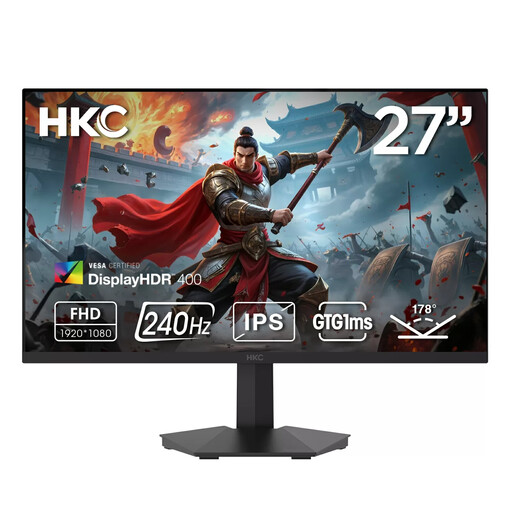
Consider this Full HD route if you prioritise a lower rendering resolution over QHD detail.
The product name specifies a 27-inch 1920 × 1080 Fast IPS display. Refresh-rate figures differ between the product title and its description, so confirm the exact supported rate, connection modes and stand adjustment before choosing it.
 No image available
Consider this model if you want QHD resolution alongside a high stated refresh rate for PC gaming.
The product name specifies 2560 × 1440 and 220Hz. Check the available refresh and variable-refresh-rate modes through your intended connection, as well as the stand’s adjustment range.
Choose a refresh mode that your PC, game settings and connection can use. For example, LG specifies 180Hz natively for the 27GS75QN-B, while its 200Hz overclocked mode requires DisplayPort 1.4-capable graphics hardware and cable.
Not necessarily: check its HDMI output modes rather than relying on a PC refresh figure. PlayStation says you can test supported 1440p displays for SDR and HDR output at 60Hz or 120Hz and for VRR; the game must also support the output mode you want.
No: those display features do not replace suitable screen positioning, lighting and breaks. The UK Health and Safety Executive’s workplace display-screen guidance addresses the wider workstation, so check how the monitor fits your desk rather than treating its feature labels as a comfort guarantee.
Build regular short breaks into your session rather than relying on the monitor to address every aspect of comfort. The Health and Safety Executive advises frequent short breaks in its workplace display-screen guidance; that guidance is not a prescribed gaming schedule.