What matters when choosing?
Decide where the screen can sit before choosing between Full HD and QHD, then check whether your source device can deliver the refresh mode you want. Curvature is a separate fit and viewing-preference decision, not a substitute for either check.
Roughly 24-inch Full HD
Choose it when: Screen width and clearance around the wheelbase limit your options.
Trade-off: Full HD has fewer pixels than QHD, so weigh the smaller format against the detail you want for distant track references.
Flat 27-inch QHD
Choose it when: You have measured room for a 27-inch screen and want the additional pixels of 2560 × 1440.
Trade-off: Your PC must render at the resolution and frame rate you select; a high monitor refresh rating does not guarantee the game will reach it.
Curved 27-inch QHD
Choose it when: You prefer a curved single-screen view and have checked the panel’s position and clearance in your rig.
Trade-off: Curvature does not establish faster wet-line learning, and the exact screen and stand dimensions still determine whether it fits.
| Concern |
What to check |
Who this matters to |
| Cockpit fit and mounting |
Measure available width and depth against the exact model’s dimensions. Check its VESA pattern, weight and your mount’s load limit. |
If the display crowds my wheelbase, I cannot put it where I need it for practice. Around 42% of consumers put physical fit first. |
| Track detail and motion |
Compare Full HD with QHD, and distinguish native from overclocked refresh rates. Check the frame rate your game and system can deliver. |
I want to follow braking references and moving track detail without choosing a display mode my system struggles to supply. For around 33% of consumers, visual and motion clarity comes first. |
| Device and input modes |
Confirm the resolution, refresh rate and variable refresh rate available through your PC or console, cable and selected monitor input. |
If I use a console or switch between devices, I need the intended mode to work through my actual connection. Device compatibility is the primary concern for around 25% of consumers. |
Joybuy monitor choices
These monitor choices cover smaller Full HD screens and 27-inch QHD screens for a compact racing setup. Compare each model’s stated format with your cockpit measurements and intended connection; the selection does not establish that any screen will improve wet-track driving.
 No image available
KOORUI MG24A12FV2 24-inch curved FHD monitor
Consider this 24-inch format when cockpit width is a priority. The product name specifies a 1080p VA panel, 1500R curvature, 180Hz, two HDMI connections, DisplayPort and VESA compatibility. Check the exact stand footprint, mounting pattern and refresh mode available through your intended input.
View on Joybuy
 No image available
MSI MAG 274QF 27-inch WQHD monitor
Consider this 27-inch format if your rig has room for a QHD screen. Its product name specifies WQHD resolution, a 180Hz refresh rating, a Rapid IPS panel and adaptive sync. Measure the stand and confirm the refresh mode for the input you intend to use.
View on Joybuy
 No image available
Gawfolk 24.5-inch FHD 100Hz curved monitor
This is a smaller curved option to consider if you prefer that screen shape but cannot accommodate a 27-inch panel. Its product name specifies 3000R curvature, HDMI and a 75 × 75mm VESA mount. Check the mount’s pattern, the screen’s footprint and the supported mode on your chosen input.
View on Joybuy
 No image available
HKC G27H2DPro 27-inch QHD Fast IPS monitor
Consider this model where a 27-inch QHD screen fits and a high stated refresh rating matters to your PC setup. Its product name specifies 2560 × 1440 resolution and 220Hz. Confirm the refresh modes for your input, along with stand dimensions and mounting compatibility, before planning its cockpit position.
View on Joybuy
 No image available
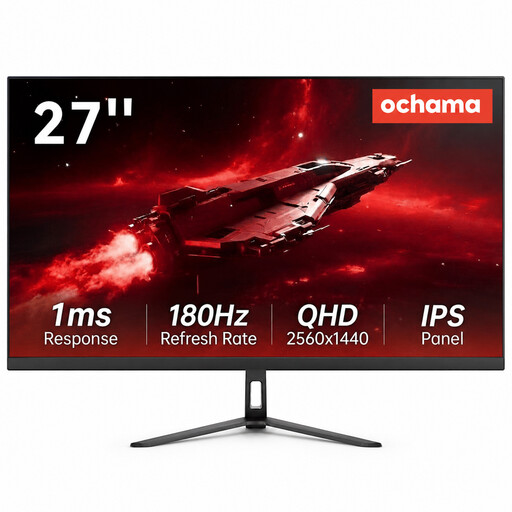
Ochama 27-inch QHD IPS 180Hz monitor with gift keyboard
This 27-inch QHD option is worth comparing if the larger panel fits your rig. The product name specifies an IPS display and 180Hz refresh rating. Check the ports, supported input modes, dimensions and mounting arrangement against your planned setup, and confirm the keyboard bundle details when ordering.
View on Joybuy
Common questions
Should I choose a roughly 24-inch or a 27-inch screen for a compact cockpit?
Choose the smaller format when width or stand depth limits placement; consider 27-inch QHD when you have measured room for it and want more pixels for track references. Check dimensions for the exact model: LG UK lists its 23.8-inch 24GS60F-B at 540.8mm wide and 180.5mm deep with its stand, while ASUS United Kingdom lists its 27-inch VG27AQ5A at 615mm wide and 214mm deep with its stand.
Can a PS5 use a QHD monitor at 120Hz and with variable refresh rate?
It can use those 1440p output options when the connected display supports them and the relevant mode is available. PlayStation says the PS5’s 1440p output test checks SDR and HDR at 60Hz and 120Hz, as well as variable refresh rate. Run the test with the monitor connected, then check the active HDMI mode and the game’s supported output.
Does a 180Hz monitor guarantee that my racing game runs at 180 frames per second?
No. The game and source device must supply the frames, and the connection must support the selected display mode. Check native and overclocked ratings separately: LG UK specifies 180Hz native refresh for the 27GS75QN-B and requires a DisplayPort 1.4-capable graphics card and cable for its 200Hz overclocked mode.
Can I attach a monitor directly to my sim-rig mount?
Only if the exact monitor’s VESA pattern and weight match the mount’s specifications and the installed screen clears the steering controls. LG UK lists 100 × 100mm VESA mounting for the 24GS60F-B, as do ASUS for the VG27AQ5A and BenQ for the EX2710Q; those examples do not establish the pattern or weight of another monitor. Check the screws, load rating and available adjustment for your particular pairing.
Will an imported monitor have warranty service where I live?
Check the warranty for the exact brand, model and region of sale before importing. BenQ UK states that its products can be serviced under warranty only within their region of sale and original warranty coverage. Confirm the seller’s service and return arrangements for your delivery destination rather than assuming the same terms apply to every monitor.


