Choose a monitor around the device you use for football games: on PS5 or Xbox Series X|S, check the HDMI resolution, 120Hz mode and variable refresh rate (VRR) you want before considering the panel’s maximum refresh rate. On a capable PC, higher refresh rates and a choice between IPS and OLED become more relevant, but the game, connection and PC still need to support the mode you select.
Who is this for?
Console football-game players
If you mainly play on PS5 or Xbox Series X|S, the monitor’s HDMI modes matter more than its headline refresh rate. Check the resolution, 120Hz output and VRR combination you intend to use against your console’s supported settings.
PC players seeking smoother motion
If your PC can deliver high frame rates, compare QHD refresh rates, adaptive-sync support and the connection needed to reach each monitor’s stated maximum. A panel specification alone does not establish your game’s frame rate.
Players weighing picture quality
If contrast and HDR presentation matter alongside responsive play, compare QHD OLED and IPS options without choosing solely by the largest refresh-rate number. Check each model’s display modes and care guidance as well as its panel type.
What matters when choosing?
Start with the signal your console or PC can send, then decide how much importance to give refresh rate and picture presentation. PlayStation describes PS5 testing for 1440p output at 60Hz and 120Hz, including VRR on supporting displays; Xbox Support notes that 120Hz can also be used at a lower resolution than 4K.
| Concern | What to check | Who this matters to |
|---|
| Console HDMI modes |
Check the monitor’s per-port resolution, 120Hz and VRR modes against your console and the games you play. |
If I mainly play on a console, I want the HDMI input to accept the mode I plan to use, rather than relying on the panel’s headline figure. Around 42% of consumers put console compatibility first. |
| PC motion |
Compare refresh limits by port and adaptive-sync support, then check the output mode your PC can provide. |
Fast camera movement matters to me, and my PC can supply high frame rates, so I want a display mode that can make use of them. Roughly 33% of consumers prioritise PC motion performance. |
| Picture presentation |
Compare panel type, resolution and HDR specifications, alongside each model’s care and power settings. |
I care about contrast and how the picture looks as well as smooth play, but do not want to choose by refresh rate alone. About 25% of consumers make picture presentation their primary concern. |
Buying pitfalls
-
Buying by maximum refresh rate alone
A monitor’s DisplayPort and HDMI inputs can have different refresh limits. ASUS, for example, specifies the ROG Strix XG27ACS at up to 180Hz but lists HDMI operation up to 144Hz.
Before ordering for a console, check the manufacturer’s resolution, refresh-rate and VRR information for the specific HDMI input you will use.
-
Assuming OLED is automatically the right fit
OLED picture characteristics do not establish which signal mode your console can use or how a particular game will look in your room.
Compare OLED and IPS models against the same connection requirements, then consider whether picture presentation is a priority for you.
LG says turning off Smart Energy Saving on the 27GS95QE-B can increase power consumption.
-
Reading response time as a gameplay result
A stated grey-to-grey response time describes a manufacturer specification, not the frame rate your PC or console will produce.
Consider the response-time figure alongside supported refresh modes, VRR and the performance of the device running your football game.
Brands and monitor ranges to consider
Alienware
Dell’s Alienware range includes Fast IPS and QD-OLED options. Dell specifies the 27-inch QHD AW2725D QD-OLED at 280Hz.
- The AW2725D illustrates a high-refresh QHD option for a PC that can supply the intended mode.
- Its 280Hz panel specification does not mean a console can output at 280Hz.
LG UltraGear
LG specifies the 27-inch QHD OLED 27GS95QE-B at 240Hz and lists QHD at 240Hz from HDMI 2.1.
- It is an OLED option to examine if picture presentation and high refresh are both priorities.
- Check the mode your device will use; LG also notes that its Smart Energy Saving setting affects power consumption.
ASUS ROG
The ROG Strix XG27ACS is a 27-inch 1440p Fast IPS model specified by ASUS at up to 180Hz.
- Its stated DisplayPort, USB-C and HDMI connections give PC buyers distinct connection options to check.
- ASUS lists HDMI operation up to 144Hz, so check that input separately from the 180Hz maximum.
Samsung Odyssey
Samsung lists the 27-inch QHD Odyssey OLED G60SD LS27DG602SUXXU with a 360Hz headline refresh rate.
- It provides a high-refresh OLED specification to consider for a capable PC.
- Confirm the supported input mode and your device’s output before treating the headline refresh rate as usable in your setup.
Joybuy monitor choices
These QHD monitors offer OLED, IPS and curved-display options for football games. Compare the mode available from your own console or PC before choosing between their different panel types and stated refresh rates.
 No image available
MAG 274QP QD-OLED X24 27-inch QHD 240Hz
Consider this QD-OLED model if picture presentation and a high-refresh PC setup are both priorities. Its title specifies 2560 × 1440 resolution, a 0.03ms response time and Adaptive-Sync; check the exact HDMI mode for your console and the OLED care and warranty terms.
View on Joybuy
 No image available
MAG 272QP QD-OLED X50 27-inch QHD 500Hz
This QD-OLED option is most relevant if a capable PC can make use of its high refresh ceiling. The title specifies 2560 × 1440 resolution, a 0.03ms response time and AMD FreeSync; 500Hz is not a console output promise. Check OLED care and warranty terms.
View on Joybuy
 No image available
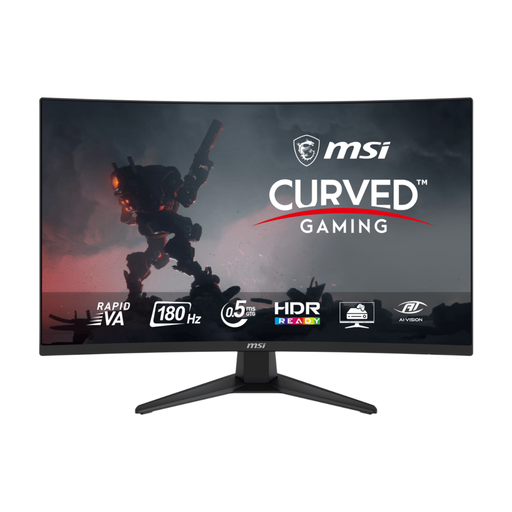
MSI MAG 321CQF E18 32-inch WQHD Curved 180Hz
Consider the larger curved screen if that format suits your setup. The product title also states a 0.5ms response time and HDR; confirm the HDMI resolution, 120Hz and VRR combination before choosing it for a console.
View on Joybuy
 No image available
Samsung Odyssey G6 S27DG612 27-inch QHD OLED 240Hz
This OLED model is an option if QHD picture presentation and high-refresh PC play both matter to you. Its title states a 0.03ms response time; for console use, check the exact HDMI 120Hz and VRR modes, along with OLED care guidance.
View on Joybuy
 No image available
HKC G27H2DPro 27-inch QHD Fast IPS 220Hz
Choose this IPS route to consider if QHD and a high refresh ceiling are your PC priorities. The title specifies 2560 × 1440 resolution; check its per-port refresh limits and console 120Hz and VRR modes before relying on the 220Hz figure for your setup.
View on Joybuy
Frequently asked questions
Do I need a 4K 120Hz monitor for football games on PS5 or Xbox?
No: a lower-resolution 120Hz mode may meet your needs if the console, display and game support it. PlayStation describes PS5 testing for 1440p at 60Hz and 120Hz on supporting displays, while Xbox Support says 120Hz gaming can be enabled at a lower resolution. Choose 4K at 120Hz only after checking the complete mode you want to use.
Does an HDMI 2.1 label guarantee my preferred console mode?
No. Check the monitor’s supported resolution, refresh rate and VRR for the relevant HDMI input. Dell, for example, specifies the Alienware AW2725DM’s HDMI input up to QHD at 144Hz, while listing QHD at 180Hz for DisplayPort; the panel maximum and HDMI mode are different checks.
How do I reach a PC monitor’s stated maximum refresh rate?
Use a connection and output mode that the monitor and PC both support, then select the intended resolution and refresh rate in your settings. ASUS lists the ROG Strix XG27ACS at up to 180Hz but gives HDMI a separate limit of up to 144Hz, so check the specification for the port you plan to use.


