Choose a compact Full HD monitor if your priority is the highest practical refresh rate and your PC can supply frames at the mode you intend to use. Choose a high-refresh QHD monitor if you also want a sharper, larger image, but check the demands on your PC and the refresh limit of your chosen connection. OLED adds another choice of panel technology, with care guidance and warranty terms worth checking before purchase.
Who these monitors suit
High-refresh competitive players
If ranked tactical matches take priority over QHD detail, a compact Full HD screen may suit you. ZOWIE by BenQ lists the XL2566X+ at 400Hz, while Dell lists the 24.5-inch Alienware AW2524HF at up to 500Hz; check the operating mode before choosing either.
QHD all-rounders
If you use the same display for tactical matches and other PC tasks, a larger QHD screen may appeal. ASUS ROG lists the 27-inch PG27AQN at 2560 × 1440 and 360Hz, provided your setup can make use of that mode.
Players considering OLED
If QHD and a high advertised refresh rate matter to you, OLED is another route: ASUS ROG lists the PG27AQDP at 480Hz and Dell lists the Alienware AW2725DF at 360Hz. Factor the exact model’s panel-care instructions and warranty into the decision.
What matters when choosing
For ranked tactical matches, start with the resolution and refresh mode you want to run, then check whether your PC and chosen connection can deliver it. Treat panel care as part of the decision if you are considering OLED.
| Concern |
What to check |
Who this matters to |
| Competitive refresh |
Check the refresh rate at your intended resolution and input, alongside the frame rate your PC can sustain. |
If fast-moving matches are my main use, I want to prioritise the highest refresh mode I can actually run. Around 36% of consumers put that practical refresh ceiling first. |
| QHD detail |
Check the native resolution and refresh mode, then assess your usual game settings at 2560 × 1440. |
I want a sharper image for games and desktop use without setting aside competitive refresh. For around 29% of consumers, that balance is the primary concern. |
| Connection compatibility |
Match the monitor’s per-port modes to your graphics output and cable; confirm the selected mode in your PC settings. |
If I plan to keep my current PC, I need the advertised mode to work through the connection I can use. That is the first concern for around 21% of consumers. |
| OLED ownership |
Read the exact model’s panel-care guidance and warranty terms, and check the seller’s support arrangements. |
I am considering OLED, but I want to understand its care requirements and support before choosing a model. Around 14% of consumers make those ownership questions their priority. |
Buying pitfalls
-
Assuming every port supports the headline refresh rate
Connection limits can change the mode you can use. Dell lists the Alienware AW2524HF at 1920 × 1080 and 480Hz, but lists 255Hz for its HDMI mode.
Check the exact monitor’s per-port specification against your graphics output and cable before choosing a refresh target.
-
Treating a rated response time as a complete performance result
A manufacturer’s grey-to-grey response-time figure does not, by itself, tell you the monitor’s input lag or how it behaves across refresh modes.
Use the figure as one specification to compare, then check independent measurements if response behaviour will decide your purchase.
-
Choosing QHD high refresh without considering your PC
ASUS ROG lists the PG27AQN at QHD and 360Hz, but selecting that display mode does not ensure your game will produce frames at the same rate.
Check your usual tactical game’s frame rate at the QHD settings you intend to use.
-
Overlooking OLED care and support terms
ASUS ROG describes the PG27AQDP’s OLED Care+ functions and cooling measures as ways to reduce burn-in risk, not eliminate it.
Read the care instructions and warranty for the exact model, and make sure the seller’s support route is clear.
Brands to consider
ZOWIE by BenQ
The XL2566X+ illustrates ZOWIE’s compact, Full HD approach to FPS-focused monitors.
- ZOWIE by BenQ specifies a 400Hz Fast TN panel and DyAc 2 for this model.
- ZOWIE’s motion-clarity benefits are manufacturer claims; this Full HD model is not a QHD detail route.
ASUS ROG
The PG27AQN and PG27AQDP illustrate distinct high-refresh QHD IPS and OLED options.
- ASUS ROG specifies 360Hz for the 27-inch QHD IPS PG27AQN and 480Hz for the QHD OLED PG27AQDP.
- For the PG27AQDP, ASUS says its OLED care measures reduce burn-in risk rather than remove it.
Alienware
The AW2524HF and AW2725DF illustrate a compact Full HD Fast IPS option and a larger QHD QD-OLED option.
- Dell specifies up to 500Hz for the AW2524HF and 360Hz for the QHD AW2725DF.
- Check the connection-specific mode: Dell lists the AW2524HF at 255Hz through HDMI, below its listed 480Hz mode.
Joybuy monitor choices
These monitors cover different choices for ranked tactical play, from compact Full HD to QHD and 4K displays. Their advertised refresh ceilings and resolutions differ, so compare the mode you intend to use rather than treating every model as an equivalent competitive setup.
 No image available
LG UltraGear 27G810A-B 27-inch dual-mode monitor
Consider this model if you want to choose between a 4K UHD presentation and a higher-refresh dual-mode setup.
Its product title specifies an IPS panel and a maximum refresh rate of 360Hz. Check which resolution and input support the mode you intend to use.
View on Joybuy
 No image available
MAG 272QP QD-OLED X50 27-inch QHD monitor
Consider this model if QHD resolution and a high advertised refresh ceiling are both priorities for ranked play.
The product title specifies 2560 × 1440, 500Hz and AMD FreeSync. Confirm the refresh mode available through your chosen connection, and read the OLED care and warranty terms.
View on Joybuy
 No image available
Samsung Odyssey Gaming OLED G8 LS32DG802SUXXU 32-inch monitor
Consider this larger OLED model if an Ultra HD image matters alongside your tactical games.
Its product title identifies a 32-inch Ultra HD display. Check the exact refresh modes, connection limits, panel-care instructions and warranty against your intended setup.
View on Joybuy
 No image available
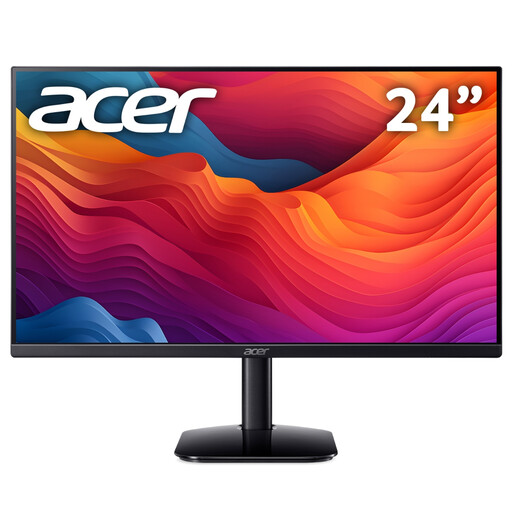
Acer KB2 KB242YP0 23.8-inch Full HD monitor
Consider this compact Full HD model if a 144Hz mode meets your needs; it has a lower advertised refresh ceiling than the higher-refresh routes discussed above.
The product title specifies 1920 × 1080, 144Hz and FreeSync. Confirm the connection you plan to use and check the exact response-time specification if that figure matters to you.
View on Joybuy
Common questions
Do I need DisplayPort to get a monitor’s headline refresh rate?
Check the exact model’s input specifications rather than assuming one connection is required or that every port supports the same rate. Dell lists the Alienware AW2524HF at 1920 × 1080 and 480Hz, but at 255Hz through HDMI; match your graphics output and cable to the mode you want.
Should I choose 24.5-inch Full HD or 27-inch QHD for tactical games?
Choose compact Full HD if obtaining the highest practical refresh rate is your priority; choose 27-inch QHD if you also value a sharper image and your PC can sustain suitable frame rates at that resolution. ASUS ROG lists the PG27AQN as a 27-inch QHD monitor with a 360Hz refresh ceiling.
Do OLED gaming monitors need extra care?
Follow the care instructions for the exact OLED model you choose. ASUS ROG says the PG27AQDP’s OLED Care+ functions and cooling measures are intended to reduce burn-in risk, not guarantee that burn-in cannot occur; check its warranty terms too.


