
24/7 Customer Support

Free returns

Same-day & Next-day Delivery

Quality Guaranteed

Unlock Your Welcome Offers: FREE Delivery | Up to 80% OFF | Free 30-day JoyPlus trial
Download the APP
Buying a gaming monitor in the UK can be surprisingly complicated. Refresh-rate figures, HDR labels and response-time claims often dominate product pages, but these numbers only matter when they match your graphics card, games and connection type.
A monitor that looks impressive on paper may still disappoint if it uses the wrong input, lacks ergonomic adjustment or cannot deliver its advertised refresh rate through your chosen cable. This guide explains the specifications worth checking and highlights suitable options for different gaming and working setups.
A 240Hz gaming monitor, 320Hz gaming monitor or 500Hz gaming monitor can display more frames per second than a 60Hz screen, but your PC must produce enough frames to benefit. In demanding WQHD games, a mid-range graphics card may not reach 240fps consistently, particularly with high graphical settings.
For console players, the practical ceiling is usually much lower. The MSI MAG 272QP QD-OLED X50 supports 1440p at up to 120Hz on compatible PS5 and Xbox setups, despite offering up to 500Hz for PC use.
A quoted 0.03ms response time and a 0.5ms response time may be measured under different conditions. Look for the measurement method, such as GtG, and check whether the figure is stated as a minimum. A low response-time number does not automatically guarantee perfect motion clarity, as overdrive settings, refresh rate and panel behaviour also affect the result.
HDR10 or VESA DisplayHDR certification can indicate compatibility with HDR content, but brightness and contrast remain important. A monitor with a 1,000-nit peak brightness specification may only sustain lower brightness across a larger area. OLED screens offer very deep blacks, while IPS and VA monitors can provide different brightness and contrast characteristics.
A 27-inch gaming monitor with WQHD resolution of 2560 × 1440 offers a useful balance between sharpness and graphics performance. It provides more workspace and image detail than Full HD without placing the same demand on a graphics card as 4K.
A 31.5-inch WQHD monitor, such as the ASUS VP32AQ, gives a larger viewing area but has a lower pixel density than a 27-inch WQHD screen. This can suit immersive games, films and productivity, especially when sitting slightly further away.
OLED ownership requires additional care. Use the supplied panel-protection features, avoid leaving static images on screen for long periods and check the exact warranty terms, including whether panel burn-in is covered.
Refresh rate determines how many times the monitor can update the image each second. A 180Hz gaming monitor can feel noticeably smoother than 75Hz when your PC supplies sufficiently high frame rates. Higher refresh rates are more relevant to competitive players who use powerful systems and prioritise rapid visual feedback.
An Adaptive-Sync monitor, AMD FreeSync monitor or G-SYNC Compatible monitor can match the display’s refresh rate to the GPU’s output within a supported range. This helps reduce tearing and uneven motion. Confirm the supported range and whether the feature works through DisplayPort, HDMI or both.
Check the maximum resolution and refresh rate for every input. For example, the MSI MAG 274QF reaches 180Hz through DisplayPort and up to 144Hz through HDMI. The MSI MAG 27CQ6F supports WQHD at 180Hz via DisplayPort and 144Hz via HDMI.
For a console gaming monitor, look for HDMI 2.1 where appropriate, VRR support, HDMI CEC and explicit PS5 or Xbox compatibility. Also consider whether the screen has built-in speakers, a headphone output or USB-C connectivity for laptops and streaming equipment.
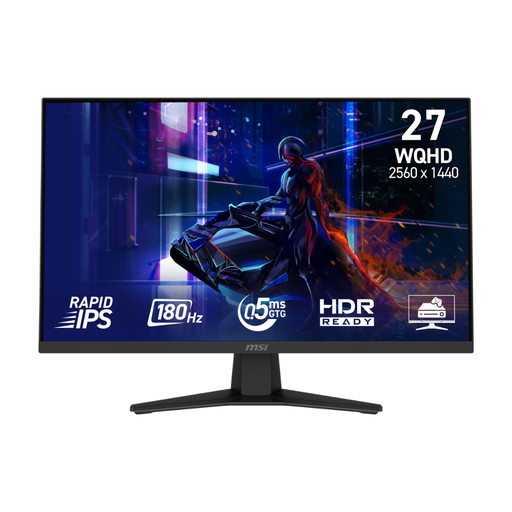
Why This Fits Their Persona: A practical WQHD starting point for UK PC gamers who want smoother play without moving straight to an expensive OLED display.
Its specifications state the connection limits clearly: 180Hz through DisplayPort and 144Hz through HDMI, helping buyers choose the correct cable.
27-inch WQHD Fast IPS panel, 180Hz refresh rate, 0.5ms GtG minimum response time and VRR console support.
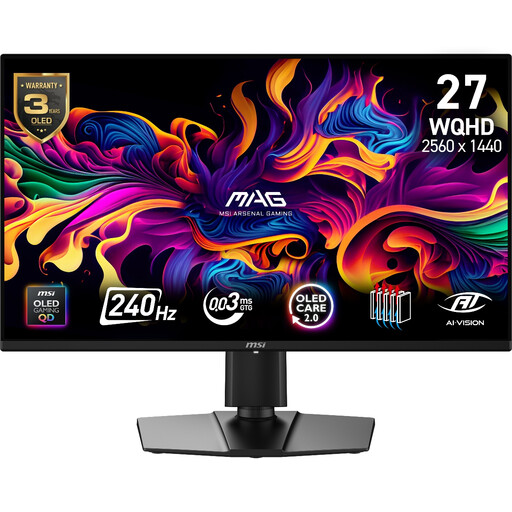
Why This Fits Their Persona: Suits players who want WQHD detail, OLED contrast and fast motion for both competitive games and cinematic single-player titles.
It includes OLED Care 2.0 and a stated three-year warranty including panel burn-in; buyers should still read the full warranty conditions before purchase.
QD-OLED panel, 240Hz refresh rate, 0.03ms GtG specification, 99% DCI-P3 coverage and Adaptive-Sync.
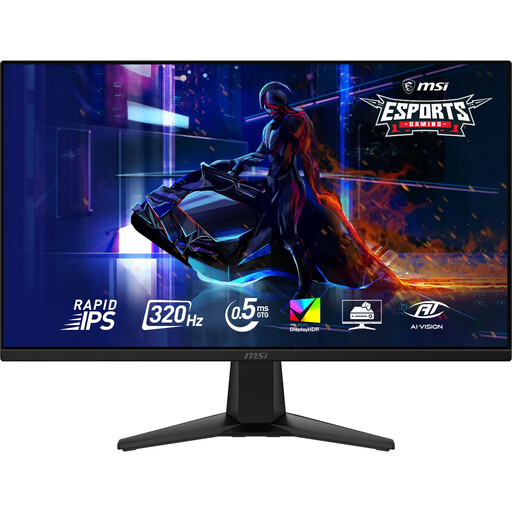
Why This Fits Their Persona: Designed around high-frame-rate PC gaming, particularly competitive FPS, racing and other motion-heavy genres.
The Rapid IPS panel combines the advertised 320Hz rate with a stated 0.5ms GtG figure, while Adaptive-Sync helps manage variable frame output.
WQHD at 320Hz, VESA DisplayHDR 400, 95% DCI-P3 coverage and HDMI CEC with VRR for PS5 and Xbox.
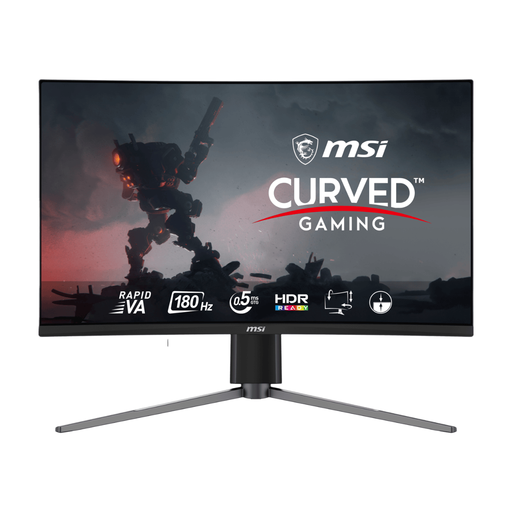
Why This Fits Their Persona: A suitable direction for gamers who prefer a curved screen, strong VA contrast and flexible PC or console connectivity.
The product specifies separate HDMI and DisplayPort limits, so buyers can avoid expecting 180Hz from a console connection that supports less.
27-inch WQHD Rapid VA panel, 1500R curve, 180Hz refresh rate, 0.5ms GtG minimum and 5,000:1 native contrast.
We have compiled a complete, real-time list of products that fully satisfy these strict selection criteria and UK safety regulations.
It can be worthwhile for PC gaming when the system regularly produces frame rates above 100fps. The improvement over 60Hz is easier to notice in quick camera movement and competitive games. For slower-paced titles or office work, resolution, colour and ergonomics may matter more.
Yes, provided the monitor supports the console’s output modes. Many compatible models support 1440p at 120Hz with VRR, but this is not universal. Check the product specification and use a suitable HDMI cable before buying.
Lifespan depends on usage, heat, power conditions and panel type. Keep ventilation clear, avoid impact and follow the manufacturer’s cleaning instructions. OLED owners should use pixel-shift and panel-care functions, while all users should check warranty coverage for faults and, where relevant, burn-in.