For building custom maps and play-testing them on one student-room monitor, a 27-inch QHD IPS model with a high refresh rate is a sensible starting point if your PC supports its intended display mode. Consider 4K when fine detail takes priority and your PC can handle the games you test at that resolution. Whichever route you choose, check the assembled stand, available desk space and connections on the exact model.
Who this setup suits
Map builders who also play-test
If you keep an editor, asset panels and a game viewport in use, QHD gives you more pixels than Full HD. A high refresh rate matters most when you switch from building the map to moving through it in-game; check what your PC can output.
Detail-first creators with capable PCs
If inspecting fine assets and dense interfaces matters more than reducing graphics demand, consider 4K. RTINGS.com notes that 4K requires more processing power than 1440p, so judge the choice against the games and tools you use.
Students with limited desk space
Measure the available width and depth before settling on a screen size. Stand depth, height adjustment and mounting options vary between models, even when their screen sizes are the same.
What matters when choosing
27-inch QHD IPS
Choose it when: You want room for map-editor panels and a high-refresh option for play-testing on the same monitor. MSI UK, AOC UK and BenQ UK list QHD IPS-type models at 165–180Hz.
Bear in mind: Refresh modes, stand adjustment and connections still depend on the exact model and your PC.
27-inch 4K IPS
Choose it when: Fine map detail takes priority and your PC can support the resolution in the games you test. Dell UK lists the AW2725QF with a 4K 180Hz mode and a separate Full HD 360Hz mode.
Bear in mind: RTINGS.com notes that 4K requires more processing power than 1440p; the monitor cannot make a game render frames your PC cannot produce.
| Concern |
What to check |
Who this matters to |
| Editor workspace and text |
Compare native resolution and screen dimensions; assess text at your usual viewing distance. |
If I spend hours arranging assets and reading editor panels, usable space and legible text come before chasing refresh rate. Around 40% of consumers put this need first. |
| Smooth play-testing |
Check refresh rate at your chosen resolution and input, plus adaptive-sync compatibility with your PC. |
Moving through a map to test how it plays makes motion a priority for me, provided my PC can deliver the frames. Roughly 30% of consumers prioritise smooth play-testing. |
| Desk fit and positioning |
Measure the assembled footprint and check height adjustment or the required VESA mount. |
A screen has to leave room on my student-room desk and sit at a workable height during editing. Around 20% of consumers make desk fit and positioning their main concern. |
| Connections and ownership |
Match your PC output and cable to the intended display mode; check the exact listing's warranty and delivery terms. |
If my laptop cannot use the mode I want, extra monitor features will not help my setup. Approximately 10% of consumers put connection and ownership checks first. |
Buying pitfalls
-
Treating every response-time figure as equivalent
AOC UK lists both GtG and MPRT figures for the Q27G4XF. They describe different measurements, so the numbers are not automatically comparable across monitors.
Check which measurement accompanies a claim, and look for comparable independent motion testing if response behaviour will affect your play-tests.
-
Choosing 4K before checking game performance
RTINGS.com notes that 4K asks more of a PC than 1440p. A high-refresh 4K display does not increase the frame rate your computer can render.
Check your graphics output and expected performance in the games or engine you actually use.
You may need to lower game settings to reach a usable frame rate at 4K.
-
Assuming a 27-inch stand adjusts to your desk
BenQ UK specifies 100mm of height adjustment for the EX2710Q, while ASUS UK lists no height adjustment for the VG27AQ3A. Screen size alone does not tell you how a monitor can be positioned.
Measure your desk and check the exact stand dimensions, adjustment range and VESA pattern before ordering.
A separate arm or stand may be needed if the supplied stand cannot place the screen where you need it; check mount and desk compatibility first.
-
Assuming listing terms stay the same
Delivery and warranty wording on a product page can change, and terms for one model need not apply to another.
Confirm the model number, current delivery options, warranty coverage and return terms on the product-detail page before purchasing.
Brands to consider
AOC / AGON
A reference point for 27-inch QHD high-refresh IPS monitors.
- AOC UK specifies 2560×1440, Fast IPS, 180Hz, Adaptive Sync and a height-adjustable base for the Q27G4XF.
- Check the stand and ports on the model you choose; those Q27G4XF specifications do not apply to every AOC / AGON monitor.
MSI
Offers models relevant to both QHD IPS gaming and higher-refresh QD-OLED shopping.
- MSI UK specifies a 2560×1440 Rapid IPS panel, 180Hz refresh rate and Adaptive Sync for the G274QPF E2.
- Panel type and connection details vary by model. Check the exact variant rather than applying the G274QPF E2 specification across the range.
BenQ MOBIUZ
Worth examining if integrated audio and screen positioning matter in a compact setup.
- BenQ UK lists the EX2710Q with a 27-inch QHD IPS screen, 165Hz refresh rate, 100mm height adjustment, USB ports and built-in audio.
- Those connections and adjustments are specific to the EX2710Q; compare them on any other MOBIUZ model.
ASUS TUF Gaming
A reference for QHD Fast IPS gaming monitors where mounting options need a close look.
- ASUS UK specifies 2560×1440, 180Hz, Adaptive-Sync and a 100×100mm VESA pattern for the VG27AQ3A.
- The VG27AQ3A specification says its supplied stand has no height adjustment; check positioning before choosing it for a small desk.
Alienware
A reference for shoppers considering a 27-inch 4K monitor with a separate high-refresh Full HD mode.
- Dell UK lists the IPS AW2725QF with 4K at 180Hz and Full HD at 360Hz.
- Check whether your PC can make use of the mode you want; RTINGS.com notes the greater processing demand of 4K compared with 1440p.
Joybuy monitors for map-making
These Joybuy choices cover QHD screens for editing and play-testing, a 4K option for detail-focused work, and larger curved QHD formats. Compare each screen's dimensions and supported connections with your student-room setup.
 No image available
MSI MAG 274QF 27-inch WQHD gaming monitor
Consider this for a single screen used for map editing and game play-testing.
The product name identifies a Rapid IPS display with Adaptive Sync. Check the supported refresh mode for your PC's chosen connection, and measure the assembled stand against your desk.
View on Joybuy
 No image available
LG UltraGear 27G810A-B 27-inch 4K IPS gaming monitor
Consider this when fine map detail is a priority and your PC can handle the games you test at 4K.
The product name specifies dual modes and a maximum of 360Hz; confirm which resolution and connection support the mode you intend to use. Measure the stand's assembled footprint before ordering.
View on Joybuy
 No image available
HKC G27H2DPro 27-inch QHD Fast IPS gaming monitor
Consider this if play-test refresh rate is a priority alongside QHD editor space.
The product name specifies 2560×1440 and 220Hz. Confirm the refresh mode available through your intended connection, along with stand adjustment and assembled dimensions.
View on Joybuy
 No image available
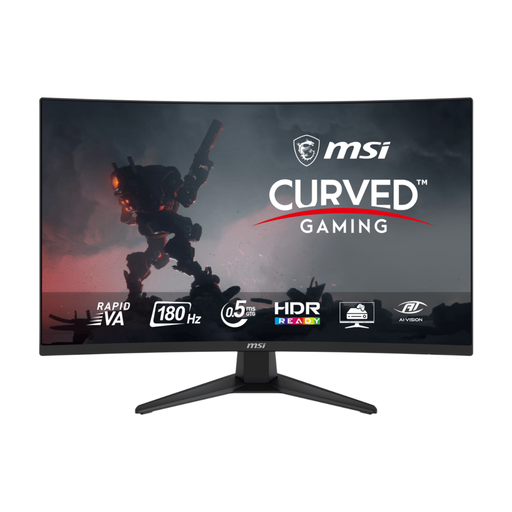
MSI MAG 321CQF E18 32-inch curved WQHD gaming monitor
Consider the larger curved format if you want it for map work and have room to position it comfortably.
The product name specifies 180Hz. Check the assembled dimensions and viewing distance against your desk before choosing it over a 27-inch screen.
View on Joybuy
No image available
Dahua 32-inch curved QHD 180Hz gaming monitor
Consider this larger curved QHD screen only after checking that its assembled footprint works on your desk.
The product name specifies a 2560×1440 VA panel, two HDMI inputs and two DisplayPort 1.4 inputs. Its stated 1ms response figure is MPRT, so do not compare that number directly with GtG claims.
View on Joybuy
Common questions
Should I choose 1440p or 4K for making custom maps?
Choose 1440p for a QHD editor workspace and gaming without taking on the greater processing demand of 4K; choose 4K if fine detail matters more and your PC can handle the games you test at that resolution. RTINGS.com describes 1440p as a middle ground between 1080p and 4K, though text clarity also depends on the monitor and how you use it.
Does a high refresh rate help while I build a map?
A high refresh rate is chiefly useful when you play-test the map, rather than a substitute for editor space or readable text. AOC UK and MSI UK specify 180Hz on cited QHD models; check that your PC and chosen connection can use the mode you want.
How can I arrange a monitor on a small student-room desk?
Measure the assembled stand as well as the screen, then check adjustment options, cable space and reflections from nearby lighting. The Health and Safety Executive advises arranging desk space and adjusting screens and lighting to manage glare; its workplace legal duties do not automatically apply to a private student setup.
Which after-sales details should I check before buying?
Check the exact product listing for current delivery options, warranty coverage and return terms before you order. Do not assume that terms shown for one monitor, seller or optional protection plan apply to another.


