PC competitive reaction trainers
Players practising aim, tracking or quick shots in reaction-heavy PC games, who need to assess refresh rate, input lag and pixel response together.


For reaction-timing practice, choose a monitor with low measured input lag at a refresh rate your gaming setup can actually use, then check how clearly it displays moving targets. A high-refresh Full HD esports model suits PC-focused training; a high-refresh 1440p OLED offers more image detail for other uses but calls for attention to OLED care. If you mainly play on a console, check its supported output modes before prioritising a 400Hz or 500Hz specification.
Players practising aim, tracking or quick shots in reaction-heavy PC games, who need to assess refresh rate, input lag and pixel response together.
Players distracted by blur or trails while tracking fast targets, who want to compare response behaviour and blur-reduction features rather than rely on a headline refresh rate.
Players who practise reaction-focused games but also want sharper imagery or features for other games and media. Their choice depends on how much image detail matters alongside speed.
Start with the resolution and refresh rate your PC or console can output, then compare measured input lag and motion behaviour at that mode. Consider image detail and panel care alongside speed if the monitor will serve other purposes.
| Concern | Buying checks | Who this matters to |
|---|---|---|
| Attainable refresh and input lag | Check measured input lag at your intended mode and whether your game, graphics output and connection can deliver its refresh rate. | If competitive PC practice is my main use, I want responsive play at a frame rate my setup can sustain. Around 36% of consumers put attainable refresh and low input lag first. |
| Clarity while tracking | Compare response-time and overshoot tests at the refresh rate you will use; check any blur-reduction mode under the same conditions. | When moving targets leave distracting trails, I care about seeing their position clearly, not just a larger Hz figure. Around 29% of consumers make motion clarity their primary concern. |
| Detail beyond competitive play | Compare native resolution and refresh rate together. For OLED, read the exact care guidance and warranty; assess HDR by the exact model’s capabilities. | I also use the screen for detailed games or media, so image quality matters alongside reaction practice. Around 21% of consumers prioritise that mixed-use need. |
| Device and port compatibility | Check the monitor’s modes by video port against your PC or console output, including variable refresh rate if you plan to use it. | If my console or existing computer sets the output limit, I need a mode I can actually activate. Around 14% of consumers put source-device compatibility first. |
The maximum may depend on the port and settings. Dell UK specifies 500Hz through overclocked DisplayPort for the Alienware AW2524HF, compared with 480Hz through standard DisplayPort and 255Hz through HDMI.
Match the exact monitor mode to your graphics output, connection and intended game settings before ordering.
A grey-to-grey (GTG) figure describes a pixel transition, not the full delay from input to the displayed result. RTINGS treats input lag as a separate measurement for reaction-based games.
Look for measured input lag and response behaviour at the resolution and refresh rate you intend to use.
RTINGS identifies 120Hz as the maximum output supported by current major consoles; a monitor’s 400Hz or 500Hz PC mode does not raise that console limit.
For console-led use, check the exact HDMI resolution, 120Hz mode and variable-refresh-rate compatibility first.
An imported or marketplace offer may differ from a UK-market model in the supplied plug, warranty territory or seller arrangements.
Check the supplied power lead, intended market, warranty provider and returns process for the particular offer.
The AW2524HF is a 24.5-inch Full HD option for PC players considering very high refresh rates.
The XL series is positioned by ZOWIE for FPS esports, including players interested in motion-clarity features.
The PG27AQDP combines a high refresh-rate specification with 1440p OLED for buyers who also value image detail.
These models cover high-refresh PC practice and options that also offer higher-resolution or wider displays. Compare each model’s usable mode and measured gaming behaviour before choosing it for reaction-timing practice.
 No image available
Consider this for PC reaction practice when you also want a 2560 × 1440 QD-OLED display. The listed 500Hz and 0.03ms figures are specifications, not measured input lag; check the mode your source can output, plus OLED-care and warranty terms.
 No image available
The listed dual-mode design offers a choice between 4K use and a Full HD mode with a maximum stated refresh rate of 330Hz. Check input lag in the mode you intend to use, and read the OLED-care and warranty terms.
 No image available
This 2560 × 1440 Fast IPS model is an option when QHD detail matters alongside a stated 220Hz refresh rate. Confirm the refresh mode available through your chosen port and seek input-lag and response measurements for that mode.
 No image available
Consider the 32:9 VA display if a wide gaming view and workspace matter alongside its stated 165Hz refresh rate. Check gaming measurements at your intended mode and make sure your desk or mount can support the 49-inch monitor.
 No image available
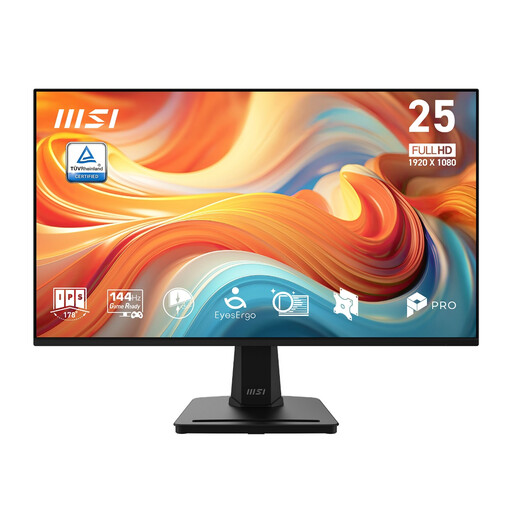
This compact Full HD monitor is an option for gaming alongside other desktop use, with 144Hz and Adaptive-Sync stated in its listing. Its quoted 1ms MPRT figure is not an input-lag measurement; check independent gaming measurements if responsiveness will decide your purchase.
No. A higher refresh rate can make motion smoother, but it does not guarantee low input lag or a change in your own reaction time. RTINGS advises checking input lag for reaction-based games; your PC, game and connection must also be able to use the intended refresh mode.
Check both at the mode you plan to use, alongside measured input lag where available. Refresh rate governs how often the screen can present a new frame, while pixel-response behaviour affects blur and trails; a manufacturer’s GTG figure does not measure the full input-to-image delay.
That depends on the monitor and mode. Dell UK specifies 500Hz through overclocked DisplayPort for the Alienware AW2524HF, 480Hz through standard DisplayPort and 255Hz through HDMI. Check the per-port specification of the exact model you are considering.
Not for that refresh-rate specification alone. RTINGS identifies 120Hz as the maximum output supported by current major consoles, so check the monitor’s HDMI resolution, 120Hz mode and variable-refresh-rate support for your console before weighing its faster PC modes.