Footage-detail reviewers
If you pause and scrub through tournament footage to inspect fine details, consider resolution alongside the SDR and HDR settings you will actually use. A high refresh rate need not decide the purchase on its own.


A height-adjustable 1440p IPS monitor is a sensible starting point when hours of footage review involve persistent timelines and browser controls, especially if the room has mixed lighting. Choose a 4K QD-OLED if fine footage detail is the priority, or a 1440p OLED if high-refresh play matters more; either OLED route calls for a closer look at static-content habits and panel-care terms. Whichever route you take, check the resolution and refresh rate your source can deliver through the intended connection.
If you pause and scrub through tournament footage to inspect fine details, consider resolution alongside the SDR and HDR settings you will actually use. A high refresh rate need not decide the purchase on its own.
If replay timelines, notes and browser windows stay visible for hours, assess stand adjustment, reflections and how the panel fits a static-heavy workflow. Screen positioning and breaks remain relevant whichever monitor you choose.
If the same display handles live matches and replay analysis, balance footage detail against the refresh mode your gaming system can sustain. Check the intended resolution, input and variable-refresh support together.
Decide how much of the session is spent inspecting footage, viewing persistent controls or playing live matches. That distinction helps separate the three panel routes before you check individual ports, stands and picture modes.
Consider it when: Replay timelines and other fixed controls stay on-screen through long review sessions, particularly when glare control matters.
Trade-off: QHD offers less pixel density than 4K at the same screen size, while the BenQ EX271Q example has a specified 1000:1 native contrast ratio rather than OLED black levels.
Consider it when: Close inspection of fine footage detail and 4K gaming are priorities, and your source can deliver the intended display mode.
Trade-off: Persistent replay controls warrant an OLED panel-care check. RTINGS.com observed permanent image retention in long-duration static-content tests on televisions, which does not predict the durability of a particular monitor.
Consider it when: High-refresh competitive play and OLED viewing are priorities without choosing 4K for footage inspection.
Trade-off: QHD shows less fine detail than 4K at the same size, and long-lived interface elements call for the same model-specific panel-care and warranty checks.
| Concern | What to check | Who this matters to |
|---|---|---|
| Footage detail and picture workflow | Compare native resolution at the intended viewing distance. Check the available SDR mode and whether your source and software support the HDR workflow you plan to use. | If I pause footage to inspect small visual details, I need a resolution and picture mode that suit that work. Roughly 40% of consumers put footage detail and its viewing workflow first. |
| Long-session comfort and static controls | Check stand or mount adjustment and room reflections. For OLED, read the model’s panel-care and warranty terms. | Hours spent beside a fixed replay timeline make screen position and persistent interface elements central to my choice. Around 30% of consumers give those long-session needs priority. |
| Motion in live matches | Confirm the refresh rate at your chosen resolution on the intended port, plus source output and variable-refresh compatibility. | When I return to competitive play after reviewing a match, I want the display mode my system can actually run. About 30% of consumers prioritise live-play motion. |
BenQ UK specifies up to 180Hz through DisplayPort but 144Hz through HDMI for the EX271Q. Microsoft Support also notes that selecting some Windows refresh modes can change the resolution.
Before buying, match the source, cable and selected port to the resolution and refresh rate you intend to use.
Timelines, browser controls and score overlays can remain in one position for long periods. RTINGS.com found permanent image retention in long-duration static-content tests on televisions; that result cannot predict what will happen to a specific monitor.
If fixed controls dominate your sessions, consider IPS LCD or check the OLED model’s panel-protection settings and burn-in warranty terms.
Glare, screen position and time away from the display also matter. The Health and Safety Executive’s workplace display-screen guidance favours short, frequent breaks over longer, less frequent ones.
Make sure the stand or a compatible mount fits your desk, position the screen to limit reflections and plan breaks into extended review sessions.
HDR viewing depends on the display, source and material. Microsoft Support provides a Windows HDR calibration workflow to improve colour accuracy and consistency on compatible systems.
Check the format of your footage and your software workflow, then calibrate a compatible HDR setup and retain an appropriate SDR mode for SDR material.
These product-line examples illustrate different choices for review and play; their specifications are manufacturer-stated, not independent performance findings.
The BenQ UK EX271Q is a 27-inch QHD IPS example for buyers considering long review sessions alongside high-refresh gaming and device switching.
Dell UK’s AW2725Q represents the 27-inch 4K QD-OLED route for buyers prioritising fine footage detail and high-refresh gaming.
LG UK’s 27GS95QE-B illustrates a 27-inch QHD OLED route when live play carries substantial weight in the decision.
These choices cover QHD IPS and OLED monitors for review and play, a wider DQHD OLED workspace, and a QHD IPS display with a more review-oriented specification. Check each model’s desk fit and connection modes against your own setup.
 No image available
Consider this format if you want a wide workspace for review alongside gaming, and can accommodate a 49-inch curved display on your desk.
The product title specifies a 32:9 aspect ratio, 1800R curve, DQHD resolution and 240Hz refresh. Check the refresh mode available through the connection you will use; for persistent replay controls, also review the model’s OLED panel-care and warranty terms.
 No image available
This QHD IPS option is worth considering if footage review and high-refresh play share the same screen.
Its product title specifies 2560 × 1440 resolution and 220Hz refresh. Check the refresh mode on your intended input, stand adjustment and how the screen finish will work with reflections in your room.
 No image available
Consider this QHD OLED model when competitive play is important alongside replay review, provided its panel-care terms suit your use of fixed controls.
The product title specifies 240Hz refresh and 0.03 ms response time. Confirm the refresh mode on your chosen input and check the specific model’s OLED protection settings and warranty terms.
 No image available
Consider this IPS display if review work takes priority over chasing a higher gaming refresh rate.
The product title specifies QHD resolution and 100Hz refresh. Compare that refresh rate with your live-play needs, and check the input modes and picture features required by your footage workflow.
 No image available
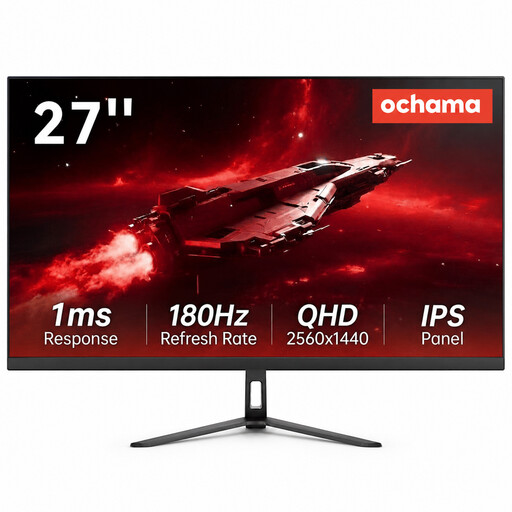
This QHD IPS option may suit a review-and-play setup if its stand and screen finish fit your long-session workspace.
The product title specifies a 27-inch display and 180Hz refresh. Confirm the available refresh mode on your intended input, stand adjustment and glare characteristics before choosing it.
No: choose 4K when close inspection of fine detail is a priority and your source can drive the display mode you want. QHD remains an option when you also value high-refresh play; for HDR footage, check your compatible calibration and viewing workflow rather than relying on the HDR label alone.
Not necessarily, but fixed timelines and overlays make panel care an important part of the choice. RTINGS.com observed permanent image retention in long-duration static-content testing on televisions, not a prediction for any current monitor; check the monitor’s protection settings and warranty, or consider IPS LCD if fixed controls dominate your sessions.
Start by positioning the screen so its top is at or slightly below eye level, controlling reflections and taking regular breaks. Ergotron gives a viewing distance of at least 51 cm as a starting point; adjust the setup for your eyesight, desk and screen size. The Health and Safety Executive recommends short, frequent breaks in its workplace display-screen guidance.
The available rate can depend on the input, cable, selected resolution and connected system. BenQ UK, for example, specifies different HDMI and DisplayPort maximum rates for the EX271Q; check the exact port specification, then confirm the active resolution and refresh rate in your system settings.