Competitive FPS practice player
You mainly practise in fast games such as Counter-Strike 2 or VALORANT and want a monitor choice that makes sense for the frame rates your PC can sustain.


Choose around the frame rate your PC can sustain in the games you use for practice, then decide how much desk space and image detail you need. A compact 24.5-inch Full HD 360Hz monitor suits a frame-rate-first setup; a 27-inch QHD or dual-resolution model offers more flexibility for other uses, provided your PC, connection and desk can accommodate it.
You mainly practise in fast games such as Counter-Strike 2 or VALORANT and want a monitor choice that makes sense for the frame rates your PC can sustain.
You need room for the screen, its stand or a compatible mount, and a usable keyboard and mouse area on the same desk.
You want to practise reactions but also use the screen for higher-detail games and general desktop tasks.
Consider it when: Fast PC games are the main use, a 24.5-inch screen fits the desk and your system sustains high frame rates.
Trade-off: Full HD provides less image detail than QHD, and the monitor cannot display frames the PC does not produce.
Consider it when: You want competitive play and a sharper workspace on the same screen.
Trade-off: Reaching comparable frame rates at QHD places greater demands on the PC; measure the space needed for the larger screen and stand.
Consider it when: You are willing to switch between a higher-refresh practice mode and a higher-detail mode for other uses.
Trade-off: Each mode has its own resolution and refresh-rate target; switching modes does not guarantee lower overall system latency.
| Concern | What to check | Who this matters to |
|---|---|---|
| Sustained high-refresh play | Check frame rates in your practice games at the settings you intend to use, rather than relying on a brief peak. | If I practise reactions in fast games, I want the PC to keep supplying frames throughout play. Around 36% of consumers put sustained frame rate first. |
| Desk fit | Measure desk width and depth, stand footprint, cable clearance and usable mouse area. | With a shared desk, I need enough room to move my mouse after positioning the screen. Desk fit comes first for around 29% of consumers. |
| Input and feature compatibility | Check the exact model's refresh-rate limits by input and whether the motion settings you want can operate together. | I do not want to choose a mode my current connection cannot access or assume two settings work simultaneously. Around 21% of consumers prioritise compatibility. |
| Mixed-use image and controls | Compare native resolution and the exact model's positioning and display controls for your other tasks. | One bedroom screen also has to serve my desktop work or higher-detail games. Mixed-use display needs lead for around 14% of consumers. |
ZOWIE says its XL2566K needs game support for 360fps and stable output to make full use of its 360Hz mode. A brief peak does not establish what your practice sessions can sustain.
Check performance in the games and settings you actually use before choosing a refresh-rate tier.
Dell specifies 360Hz over DisplayPort but 255Hz over HDMI for the AW2523HF. The available mode depends on the exact model and connection.
Read the monitor's input specifications alongside your PC's outputs and the cable you plan to use.
Changing the cable or GPU output may be necessary to use the intended mode.
ZOWIE says DyAc, DyAc+ and DyAc 2 cannot operate alongside variable refresh rate (VRR) on the applicable models.
Decide which setting matters more for your games and frame-rate consistency, and check the exact model's controls.
A screen that fits across the desk can still leave too little depth, cable clearance or mouse area. A clamp mount also requires a compatible desk edge.
Measure the complete setup, including the stand or intended mount, before settling on a screen size.
Rearranging the desk or obtaining a compatible mount may be necessary.
Its esports range includes the 24.5-inch TN XL2566K, specified at 360Hz with DyAc+.
Its cited esports models include the 24.5-inch Full HD PG259QNR and 27-inch QHD PG27AQN, both specified at 360Hz by ASUS ROG.
Dell specifies different routes in this range, including the 27-inch AW2725QF with 4K 180Hz and Full HD 360Hz modes, and the 27-inch QHD 360Hz AW2725DF.
These options span dual-mode 27-inch displays, QHD high-refresh monitors and a compact Full HD model. Choose by the practice mode your PC can sustain, then check the connection and desk fit for the exact monitor.
 No image available
Consider this for a shared screen used for both reaction practice and higher-detail tasks, if a 27-inch display fits your desk.
The product name specifies 4K UHD, a Nano IPS panel and dual 240Hz/480Hz modes. Check which input and cable support the mode you intend to use, and whether your PC can sustain its frame-rate target.
 No image available
This is another option if reaction practice and higher-resolution use must share one monitor, subject to a desk-fit check.
The product name specifies a 4K UHD IPS display and dual-mode operation up to 360Hz. Confirm the resolution, input and cable required for your chosen mode, as well as frame rates in your practice games.
 No image available
Consider its QHD format if image detail matters alongside fast gaming and your PC can sustain the frame rates you want at that resolution.
The product name specifies 240Hz. This is a different refresh-rate tier from 360Hz models; check the exact input requirements and the space needed for the screen and stand.
 No image available
This QHD option suits a setup where detail matters as well as reaction practice, provided your games run at the frame rates you need.
The product name specifies 2560 × 1440 resolution and 240Hz. Check the input requirements for that mode and how the screen will fit and be positioned on your desk.
 No image available
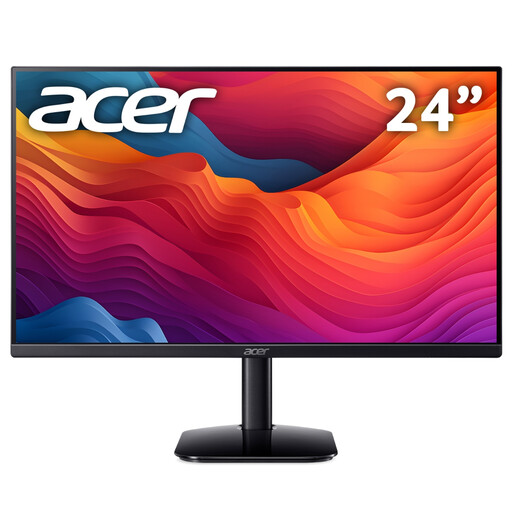
Consider this smaller screen when desk fit is a priority and a 144Hz refresh-rate tier suits your practice games.
The product name specifies Full HD and 144Hz. Check your usual in-game frame rates and the available space before choosing it over a larger or higher-refresh model.
No. It can display more updates when the game and PC supply them, but it cannot create frames or remove every source of system latency. ZOWIE says stable 360fps is important for making full use of the XL2566K.
Choose the compact Full HD format if desk fit and a familiar esports screen size take priority. A 27-inch QHD monitor offers more image detail for other uses, but check its physical fit and whether your PC sustains your intended frame rate at QHD.
Not on the applicable ZOWIE models: ZOWIE says its DyAc, DyAc+ and DyAc 2 settings are incompatible with variable refresh rate. Check the controls of the exact model before deciding which feature to use.
No. Dell specifies 360Hz through DisplayPort but 255Hz through HDMI for the AW2523HF. Check the input limits of the monitor you intend to buy and the output and cable you will use.
Confirm the screen and stand fit your desk, the intended display mode works with your PC connection, and the listing identifies the accessories you need. Check the exact seller's return terms and the manufacturer's warranty and dead-pixel policy for your delivery location.