What matters when choosing?
Set aside space for the rest of your desk equipment first; then check the voice connections and gaming mode you intend to use.
| Concern | Buying check | Who it matters to |
|---|
| Desk footprint |
Measure usable width and depth, then compare the exact model’s complete dimensions with its stand. BenQ UK lists the 23.8-inch EX240 at 252 mm deep with stand and the EX240N at 182.6 mm. |
If I need room to move my mouse and place voice equipment, the stand’s footprint matters more to me than the screen diagonal alone; around 38% of consumers put desk footprint first. |
| Voice setup and adjustment |
Check audio outputs, video and USB connections, stand adjustment, and how a separate headset or microphone will connect. |
When I practise voice communication at my desk, I want sound, voice input and screen positioning to work together without crowding my workspace; around 31% of consumers prioritise that setup. |
| Fast-play compatibility |
Confirm the intended resolution and refresh mode against the monitor input, cable and PC or console output. Check adaptive-sync compatibility separately. |
If fast team-based play is my main concern, I want the connected system to support the mode I choose; roughly 31% of consumers put motion-related requirements first. |
Joybuy monitors for this setup
These options cover a compact Full HD gaming display and a larger Full HD display with built-in speakers. For either one, check the complete stand footprint and plan voice input separately before deciding whether it suits your desk.
 No image available
KOORUI MG24A12FV2 24-inch curved gaming monitor
Consider this Full HD option when a 24-inch-class gaming screen suits your desk. Its listed features include a 180Hz refresh rate, VA panel, 1500R curve, Adaptive Sync, two HDMI inputs, DisplayPort, tilt adjustment and VESA compatibility.
Check the complete footprint with stand and whether your source and cable support your intended refresh mode. Plan sound output and microphone connections for voice practice.
View on Joybuy
 No image available
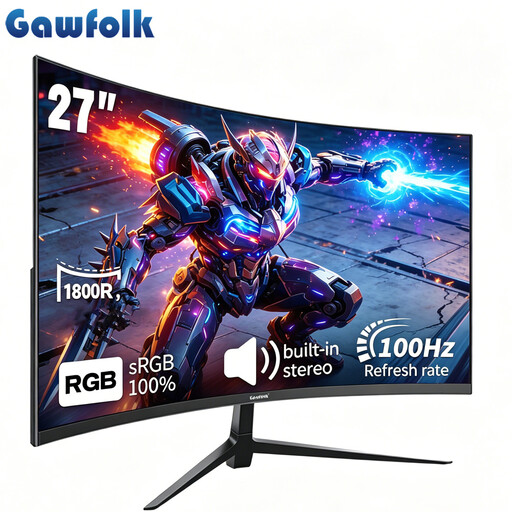
Gawfolk 27-inch curved Full HD monitor with built-in speakers
Consider this larger Full HD option if built-in audio output is useful and you have measured space for a 27-inch display. The listed features include a 100Hz refresh rate, 1800R VA screen, Adaptive Sync, HDMI and VGA inputs, and VESA mounting compatibility.
Check its complete dimensions with stand and the modes supported by your source device. Built-in speakers do not replace a microphone for team communication.
View on Joybuy
Questions about small-desk monitors
Should I choose a 24-inch-class or 27-inch monitor for a small desk?
Choose by measured width and complete depth with stand, not diagonal size alone. BenQ UK lists two 23.8-inch models that are both 540 mm wide but differ in depth with stand; a 27-inch option needs its own footprint check. Also check resolution: the 27-inch MSI G274QPF E2 is QHD, while the 27-inch Gawfolk option shown here is Full HD.
Can monitor speakers replace a headset or microphone for team voice practice?
No: speakers provide audio output, not voice capture. Check how a headset, separate microphone or webcam microphone will connect to your PC or console, and confirm the monitor’s audio connections if you intend to use them.
Will a 165Hz or 180Hz monitor run at that rate with my device?
Only if the device, connection, cable and settings support the intended resolution-and-refresh mode. Adaptive sync needs a separate compatibility check; MSI states that FreeSync requires compatible display and AMD Radeon graphics support.
What should I check for longer desk sessions?
Check whether you can position the screen comfortably and manage reflections without sacrificing room for your other equipment. For workplace display-screen use, the UK Health and Safety Executive advises attention to workstation arrangement, posture and breaks or changes of activity.
What should I do with an old monitor in the UK?
Use an appropriate electrical-equipment collection or recycling route rather than treating the monitor as ordinary waste. UK government guidance describes the WEEE framework as encouraging recovery, reuse and recycling; check the collection options available from your retailer or local authority.


