Cockpit-detail learners
You need to follow small HUD labels and control mappings while keeping reference material close at hand. QHD resolution and usable screen space may matter more to you than the highest advertised refresh rate.


Start with a 27-inch QHD monitor around 165–180Hz if you need to read cockpit controls while following movement smoothly. A higher refresh rate is worth considering only if your PC can produce enough frames in the simulator; in a shared bedroom, desk fit, screen adjustment and a headphone connection may matter just as much.
You need to follow small HUD labels and control mappings while keeping reference material close at hand. QHD resolution and usable screen space may matter more to you than the highest advertised refresh rate.
You want to track movement while panning around a cockpit or following targets. Your PC’s frame rate at the resolution you intend to use will help determine how much benefit you get from a high-refresh screen.
You need the monitor to fit a shared-bedroom desk and be comfortable to position. Stand dimensions, adjustment, mount compatibility and a connection for private audio can influence your choice.
For learning spacecraft controls on one screen, check readability and your PC’s frame rate first, then make sure the monitor will fit the shared space.
| Concern | What to check | Who this matters to |
|---|---|---|
| Readable controls | Check native resolution, screen size and whether cockpit text is comfortable at your preferred scaling. | If I need to read small panels while consulting control references, I want enough usable space without making text awkward to follow. Around 45% of consumers put readable controls and workspace first. |
| Smooth tracking | Check simulator frame rates at your intended resolution and settings, plus PC support for the monitor’s adaptive-sync feature. | When I pan across a cockpit or track a moving target, I want the screen’s refresh rate to match what my PC can use. For around 33% of consumers, smooth motion is the primary concern. |
| Shared-bedroom fit | Measure desk space; if using an arm, match the monitor’s mounting pattern and weight to its limits. Check for a headphone connection if needed. | I need room to position the screen without taking over the desk or disturbing someone nearby. Practical fit and private audio come first for around 22% of consumers. |
Grey-to-grey (GtG) pixel-transition timing and moving picture response time (MPRT) measure different things. Joybuy Insights notes that MPRT can involve backlight strobing, so two monitors labelled 1ms are not necessarily directly comparable.
Read the measurement type and its conditions in each specification. Compare GtG with GtG, and consider MPRT separately.
A 240Hz monitor cannot display 240 distinct game frames each second if the PC renders substantially fewer. The product information notes a PC producing 100 frames per second will not make full use of a 240Hz display.
Check representative frame rates in your simulator at the resolution and settings you plan to use before making refresh rate the deciding factor.
A screen’s diagonal size does not establish mount compatibility. Ergotron identifies the mounting-hole pattern and monitor weight as primary checks.
Compare the exact monitor with the arm’s stated limits, and check that the desk has a suitable place for the clamp or mount.
Generic HDR wording does not identify a VESA DisplayHDR certification. VESA says displays must meet its specifications to carry a DisplayHDR logo.
If HDR matters for space scenes, check the exact model and certified tier rather than relying on an unspecified HDR label.
MSI offers different panel approaches within its cited QHD gaming-monitor models.
The cited Odyssey G65B is relevant if your PC can make use of a high-refresh QHD display.
The EX2710Q is a reference point for learners who need QHD alongside flexible positioning and a headphone connection.
These monitors offer QHD options for reading cockpit controls, with different screen sizes and refresh rates to weigh against your PC’s performance and the space on your desk. The Samsung Odyssey G6 S27DG612 below is a different model from the Odyssey G65B discussed above.
 No image available
Consider this if you want QHD cockpit detail and your PC can produce high frame rates for its 240Hz refresh rate.
Check the exact model’s HDR tier and headphone connection if either matters to your shared-room setup.
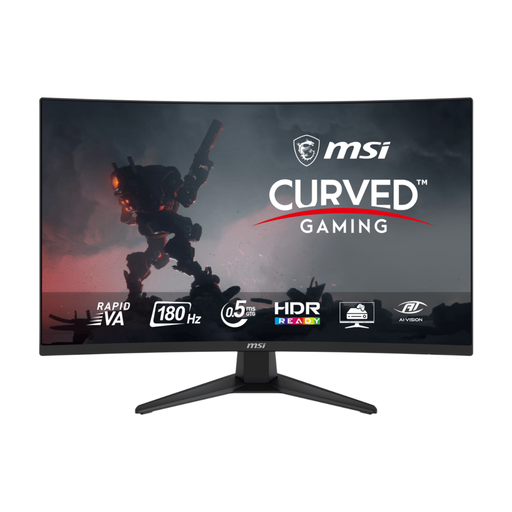 No image available
Consider this curved QHD screen if you want a larger single-display cockpit view and have room for it on the desk.
Check its dimensions, mounting details and headphone connection against your intended shared-bedroom arrangement.
 No image available
Consider this larger curved screen if you have space for a 2560×1440 display while practising cockpit controls.
Its title gives a 1ms MPRT figure, which should not be compared directly with GtG timings. Check desk fit and the type of audio connection you need.
 No image available
Consider this 2560×1440 screen if you want a 27-inch format and can check whether your PC will use its 220Hz refresh rate.
Before comparing response-time figures or planning an arm-mounted setup, confirm the measurement type, mounting pattern and connections for the exact unit.
 No image available
Consider this QHD option if positioning the screen for a shared workspace matters more to you than the higher refresh rates of the gaming models above.
Its stated refresh rate is 100Hz. Confirm the exact unit’s audio and USB-C functions if either is needed for your setup.
Choose 240Hz if your PC can produce suitably high frame rates in the simulator at your intended resolution and settings. The product information notes a display cannot make full use of a 240Hz refresh rate when the PC produces only 100 frames per second; check your own simulator performance before deciding.
Match the exact monitor’s mounting-hole pattern and weight to the arm’s stated limits, then check that the desk can accept its clamp or mount. Ergotron identifies hole pattern and monitor weight as primary compatibility criteria; screen size alone is not enough.
An unspecified HDR label does not establish a defined DisplayHDR tier. If HDR performance matters to you, check whether the exact model carries a VESA DisplayHDR certification; VESA says only displays meeting its specifications may carry that logo.
Check local electrical-waste recycling or your retailer’s collection arrangements for the old monitor. GOV.UK identifies the Waste Electrical and Electronic Equipment Regulations 2013, as amended, as UK legislation underpinning electrical-waste measures; that guidance does not establish that every retailer offers the same collection service.