
24/7 Customer Support

Free returns

Same-day & Next-day Delivery

Quality Guaranteed

Unlock Your Welcome Offers: FREE Delivery | Up to 80% OFF | Free 30-day JoyPlus trial
Download the APP
Choosing a new gaming monitor can feel like navigating a minefield of technical jargon and inflated marketing claims. With so many numbers and acronyms, it’s easy to end up with a screen that either underwhelms or is complete overkill for your setup, leaving you with a sense of buyer's remorse. As the Joybuy Product Recommendation Officer, my role is to help you sidestep these issues by focusing on what truly matters for your gaming experience.
Before you add anything to your basket, let’s look at a few common pitfalls that UK shoppers encounter.
To make an informed choice, let's break down the three most critical factors that will define your viewing experience.
The clarity of your games is determined by the relationship between screen size and resolution. Pushing for a 4K gaming monitor might seem like the ultimate goal, but it demands a very powerful and expensive PC to run smoothly.
Refresh rate, measured in Hertz (Hz), is the number of times your monitor updates the image per second. A high refresh rate monitor results in smoother, more fluid motion.
Equally important is Adaptive Sync (AMD FreeSync or NVIDIA G-Sync). This technology synchronises your monitor's refresh rate with your graphics card's output, eliminating ugly screen tearing and stuttering for a clean, uninterrupted picture.
The shape of your screen can dramatically alter your experience.
Based on these practical considerations, we've matched a few standout options to different types of users.
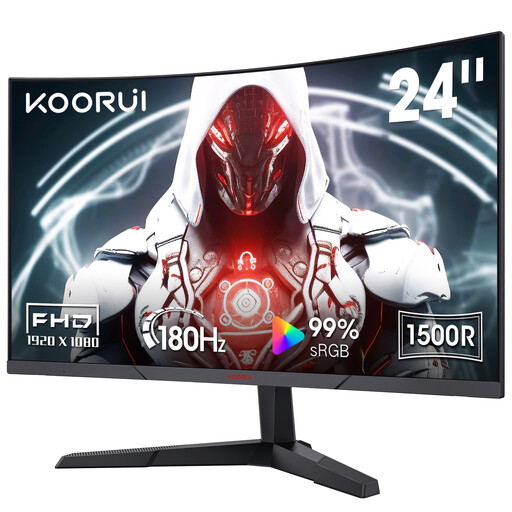
Why This Fits Their Persona: This monitor is ideal for someone building their first gaming setup in the UK. The 24-inch FHD screen is easy for any entry-level or mid-range PC to run at high frame rates, delivering a smooth experience without a huge investment.
It avoids the trap of overpaying for a refresh rate your system can't handle. The 180Hz is a significant upgrade from 60Hz but remains achievable for most modern gaming PCs, giving you a tangible benefit for your money.
The 1500R curvature at this compact size provides a surprisingly immersive feel. Its VA panel delivers a high 3000:1 contrast ratio for deep blacks, making it great for story-driven games and movies.
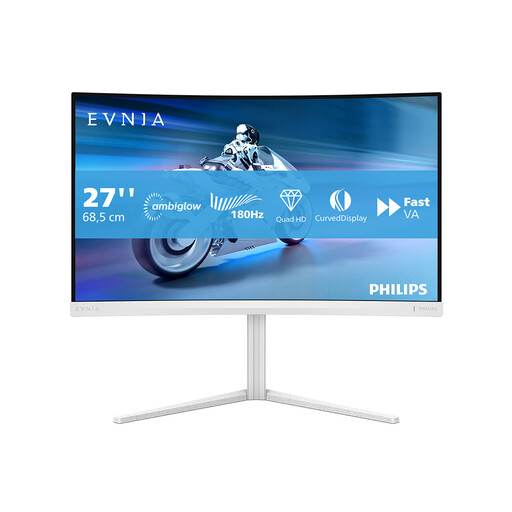
Why This Fits Their Persona: For the UK gamer who enjoys visually rich AAA titles and also uses their desk for work or media. The 27-inch QHD resolution is the perfect balance of sharpness and performance for modern graphics cards.
It avoids the pitfall of poor pixel density. By pairing a 27-inch screen with QHD resolution, it delivers a crisp, detailed image where a 1080p monitor of the same size would look noticeably blurry and pixelated.
The aggressive 1000R curve matches the human eye's field of view for maximum immersion. It also features a height-adjustable stand, an often-overlooked feature that is crucial for ergonomic comfort during long sessions.
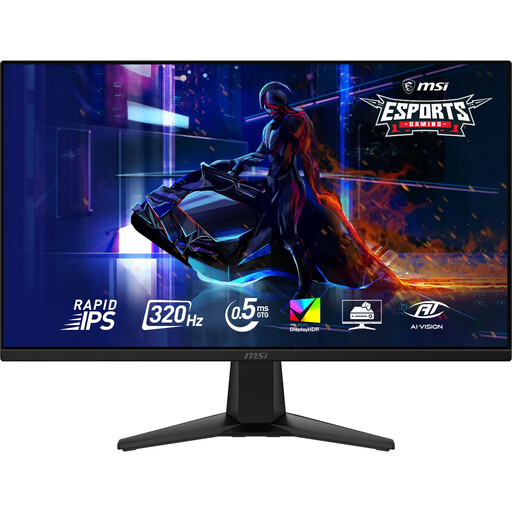
Why This Fits Their Persona: This monitor is built for one thing: speed. For the competitive player in the UK who needs every possible advantage, the combination of a 320Hz refresh rate and a 0.5ms GtG response time provides elite-tier motion clarity.
It avoids the "1ms MPRT" trap by offering a true 0.5ms GtG (Grey-to-Grey) response time. This is achieved on a Rapid IPS panel, ensuring minimal ghosting or smearing without the brightness penalty of backlight strobing.
The Rapid IPS panel technology delivers the speed of older TN panels but with the vastly superior colour accuracy and viewing angles of IPS. The WQHD resolution provides a sharp image while being less demanding than 4K, allowing high-end PCs to hit the 300+ fps needed to take full advantage of the screen.
We have compiled a complete, real-time list of products that fully satisfy these strict selection criteria and UK safety regulations.
For many UK gamers, a curved gaming monitor is a worthwhile investment, particularly for screens that are 27 inches or larger. The curve helps to make the experience more immersive by wrapping the image around your peripheral vision, which can make you feel more involved in the game world. It also helps to keep the corners of the screen at a more consistent distance from your eyes, which can reduce distortion and eye strain. For smaller screens (under 27 inches), the effect is less pronounced and comes down to personal preference.
A good quality LCD PC monitor for gaming should last between 5 to 8 years with regular use. The primary component that ages is the backlight, which will gradually dim over many thousands of hours. OLED monitors may have a shorter lifespan due to the risk of burn-in, though modern models include many features to mitigate this. Lifespan depends heavily on usage hours, brightness settings and the quality of the components.
While both the PlayStation 5 and Xbox Series X support 4K output, you don't necessarily need a 4K gaming monitor to get a great experience. Many of the most popular games on these consoles prioritise performance, running at a lower resolution (like 1440p) to achieve a smoother 120fps. For this reason, a QHD monitor with a 120Hz or 144Hz refresh rate is often a more practical and cost-effective choice for a console gaming monitor, delivering fluid gameplay that many players prefer over higher resolution.