
24/7 Customer Support

Free returns

Same-day & Next-day Delivery

Quality Guaranteed

Unlock Your Welcome Offers: FREE Delivery | Up to 80% OFF | Free 30-day JoyPlus trial
Download the APP
Navigating the world of PC monitors can feel like a minefield of technical jargon and ambitious marketing claims. Whether you're a competitive gamer, a console enthusiast or a professional working from home, choosing the right display is crucial. A poor choice can lead to eye strain, buyer's remorse and a competitive disadvantage. As a Joybuy Product Recommendation Officer, my role is to help you sidestep the common pitfalls and identify the features that truly matter for your needs.
Before you invest, be aware of these frequent traps that cause UK buyers to waste their money:
To make an informed decision, you need to understand how the key specifications translate to real-world performance. Here are the non-negotiable factors to check.
The right resolution depends entirely on the screen size and your viewing distance. Paring the wrong resolution with a screen size can result in a blurry image or wasted performance.
Refresh rate, measured in Hertz (Hz), is the number of times your screen updates per second. A higher number means smoother motion.
Equally important is Adaptive Sync (AMD FreeSync or NVIDIA G-Sync compatibility). This technology synchronises the monitor's refresh rate with your graphics card's output, eliminating screen tearing and stuttering for a perfectly smooth picture.
The ports on a monitor determine its versatility. For high refresh rates at resolutions above 1080p, you'll need DisplayPort 1.4 or HDMI 2.1. For modern professionals, a USB-C monitor is a game-changer, allowing you to transmit video, data and power to charge your laptop with a single cable, creating a much cleaner workspace.
Instead of a generic list, we've matched specific monitors to the people they're built for.
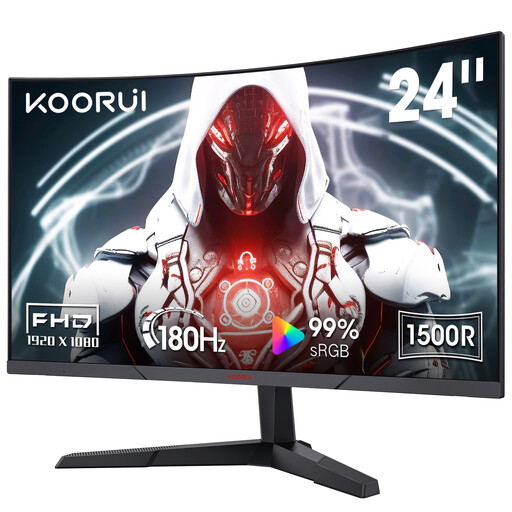
Why This Fits Their Persona: This user prioritises speed over all else for games like Valorant or Apex Legends. The 24-inch size is preferred by many competitive players for keeping the entire screen in their field of view and the 1080p resolution makes it easy to achieve high frame rates.
It sidesteps the "overkill" trap by focusing on what matters for competitive play: a very high 180Hz refresh rate. It doesn't waste budget on a 4K panel that would be impossible to run at this speed without a top-tier PC.
The combination of a 180Hz refresh rate, 1ms MPRT and Adaptive Sync compatibility provides an exceptionally smooth and responsive gaming experience at an accessible price point.
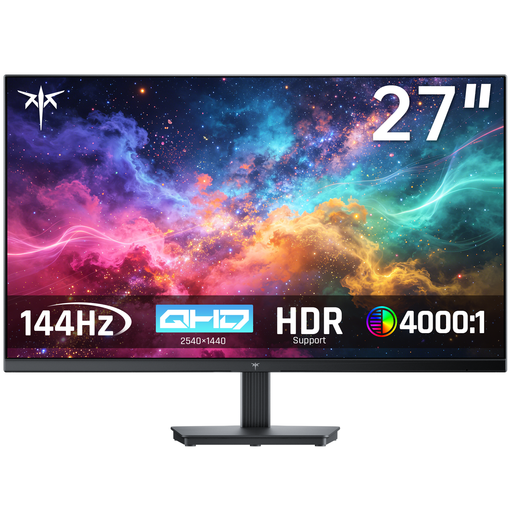
Why This Fits Their Persona: This user needs a single monitor for a hybrid life of work and play. The 27-inch QHD (1440p) screen offers excellent sharpness and screen real estate for productivity, while the 100Hz refresh rate is a clear step up from a standard office monitor for smooth casual gaming.
It avoids the trap of focusing only on gaming specs. By balancing a crisp 1440p resolution with a capable 100Hz refresh rate, it delivers value for both work and entertainment without compromising too much on either side.
The QHD resolution on a 27-inch panel is the main draw, providing superior clarity for text and detail. The inclusion of FreeSync, G-Sync compatibility and HDR10 support makes it a highly versatile display.
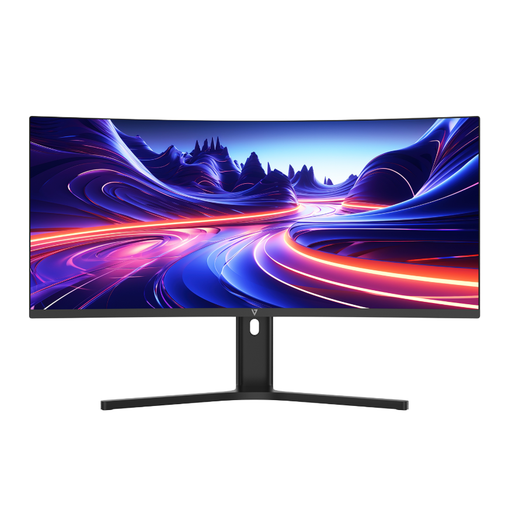
Why This Fits Their Persona: This user wants to replace a clunky dual-monitor setup with a single, seamless screen for multitasking, or desires a cinematic view for films and games. The 34-inch, 21:9 aspect ratio is perfect for viewing spreadsheets, editing timelines or immersive gaming.
It focuses on a specific, high-value feature: the ultrawide format and single-cable USB-C connectivity. It solves the real-world problem of desk clutter and inefficient multitasking, rather than just chasing higher numbers on a spec sheet.
The USB-C port with 65W Power Delivery is a standout feature, allowing laptop users to connect and charge with one cable. The 1500R curve and WQHD resolution create a comfortable and highly productive workspace.
We have compiled a complete, real-time list of products that fully satisfy these strict selection criteria and UK safety regulations.
This largely comes down to personal preference, but it offers distinct advantages in certain situations. For an ultrawide monitor (21:9 or 32:9 aspect ratio), a curve is almost essential. It helps keep the edges of the large screen within your peripheral vision, enhancing immersion and reducing the need to turn your head. For a standard 16:9 27 inch monitor, the effect is more subtle. Some users find it more comfortable and immersive, while others prefer a flat screen.
For console gamers with a PS5 or Xbox Series X, HDMI 2.1 is necessary to unlock the full potential of 4K resolution at a 120Hz refresh rate. For PC gamers, DisplayPort 1.4 has long been the standard for achieving high refresh rates at 1440p and 4K. While HDMI 2.1 is becoming more common on PC monitors and offers similar performance, DisplayPort remains a reliable and widely supported option.
A quality monitor from a reputable manufacturer should provide reliable service for at least 5 to 8 years. The component most likely to degrade over time is the backlight, which may lead to a gradual decrease in maximum brightness after many thousands of hours of use. Factors like build quality and warranty are good indicators of a product's expected lifespan.