Choose a gaming-capable TV when the screen must also work for sofa-based household viewing, provided its size fits the measured seating distance and it has enough usable connections. A monitor is worth considering for a closer, more individual setup, but check its HDMI input and supported console modes before treating it as a TV replacement. With either display, confirm the intended signal through the selected port, cable and any soundbar or AV receiver.
Who is this choice for?
Households sharing one living-room screen
If the console shares a screen with TV, films and other devices, consider the sofa-to-screen distance, available HDMI inputs and soundbar connection as well as gaming features. Which? advises measuring from the sofa to the proposed TV position when choosing a size.
Players planning for 4K at 120Hz
The whole connection matters, not just a gaming label. Xbox Support specifies an Xbox Series X, an Ultra High Speed HDMI cable and an HDMI 2.1 TV for 4K gaming at 120 frames per second. Check what your own console and selected display input support.
Players considering a monitor
A close, individual viewing position may make a monitor practical if it accepts the console signal you want. Xbox Support says 1440p requires both a compatible Xbox and a monitor or TV that supports 1440p; shared sofa viewing and audio connections need separate consideration.
What should you check first?
Gaming-capable TV
Consider it when: One screen must serve console play and shared sofa viewing.
Plan for: Its size and connections must work for the room and the other equipment that stays attached.
Console-compatible monitor
Consider it when: Play happens mainly from a dedicated, close viewing position.
Plan for: A suitable console signal does not, by itself, make the monitor practical for shared sofa viewing or the household audio setup.
| Priority | What to check | Your needs |
|---|
| Console signal |
Match the console and game to the display's supported resolution, refresh rate and features at the intended HDMI input. For Xbox Series X 4K at 120 frames per second, Xbox Support specifies an Ultra High Speed HDMI cable and an HDMI 2.1 TV as well as the console. |
I want to use a particular console mode, rather than choose by a headline refresh-rate figure alone. |
| Room fit |
Measure from the main seat to the proposed screen position, then compare sizes in the planned layout. Which? recommends starting with that sofa-to-screen measurement. |
The screen needs to work from our usual seats without taking over the shared room. |
| Connections and audio |
Count devices that will remain connected; identify the gaming-capable port and any ARC/eARC connection used by a soundbar. Check whether an AV receiver passes through the intended console signal. |
I would rather keep the console and household devices connected than swap cables whenever we change what we watch or play. |
| TV or monitor use |
For a monitor, check its HDMI-supported console modes, viewing position and audio arrangement. Xbox Support says 1440p needs a compatible Xbox and a display that accepts it. |
A close-up screen could work for my own play; if others regularly watch from the sofa, I also need to assess shared viewing. |
Buying pitfalls
-
Choosing by 144Hz, 165Hz or 240Hz alone
Samsung says its advertised 4K modes at those refresh rates apply to PC-connected games that support them and suitable PC hardware. They are not, on their own, evidence of a benefit for a console-only setup.
Check the modes supported by your console, game and intended HDMI input before making the higher figure a deciding factor.
-
Counting HDMI sockets without assigning them
Other devices can occupy inputs that appeared available for the console. A soundbar or receiver may also affect which connection path you can use.
List the devices that stay attached, locate the gaming-capable input and plan the audio connection before choosing a TV.
If usable inputs run short, the setup may require cable swapping or another connection arrangement.
-
Choosing a size before measuring the room
A screen-size preference alone does not establish how the display will work from the household's seats.
Measure the main seating distance and check the proposed screen position and furniture layout. Treat published viewing-distance examples as starting points, not fixed requirements.
-
Assuming every HDMI 2.1 port supports the same mode
TCL says HDMI-version support varies by model, while Xbox Support specifies a compatible console, cable and TV together for Series X 4K at 120 frames per second. A general HDMI label is not enough to identify the usable port.
Check the full model number and port specifications, then inspect the available output in the console settings with the intended cable and connection path.
Brand and model references
LG
LG's UK OLED C6 range is a reference for shoppers considering one screen for television viewing and console play.
- LG lists up to 165Hz in 4K, G-SYNC compatibility and FreeSync Premium for its OLED77C64LA.
- The 165Hz claim does not establish a PS5 or Xbox output mode. Check the exact size, its ports and the console modes you intend to use.
Samsung
Samsung's UK gaming-TV information covers selected televisions rather than every model in its range.
- Selected models list gaming-oriented HDMI and adaptive-sync features; confirm them against the exact model.
- Samsung states that its advertised 4K 144Hz, 165Hz and 240Hz modes require supported PC-connected games and suitable PC hardware.
TCL
TCL's UK P8K-UK product information provides a model-specific example of console-relevant TV features.
- TCL lists HDMI 2.1, ALLM and 144Hz VRR for the P8K-UK range.
- TCL says HDMI-version support varies by model. Confirm the full UK model number and the required port mode.
Hisense
The Hisense 55A85NTUK is a retailer-listed 55-inch OLED television example, not a specification for the wider Hisense range.
- The Joybuy listing identifies the 55A85NTUK as a 4K OLED TV.
- Confirm the exact model's gaming inputs and current listing details when considering a Hisense alternative.
TV options on Joybuy
These televisions represent the shared-room TV route. Compare their stated screen sizes with your seating distance, then check the console mode supported by the exact model and input you plan to use.
 No image available
TCL 55P8K-UK 55-inch QLED 4K HDR TV
Consider this 55-inch TV if that size fits the shared seating area. TCL lists HDMI 2.1, ALLM and VRR for the P8K-UK range; confirm the intended console mode at the input you will use. The advertised 288Hz Game Accelerator is not a promise of 288Hz console output.
View on Joybuy
 No image available
Hisense 55U7QTUK Pro 55-inch Mini LED 4K TV
This is another 55-inch screen to assess against the room measurement. Its name advertises a 165Hz Game Mode Ultra; check the exact HDMI input and supported console signal rather than treating that figure as a console output specification.
View on Joybuy
 No image available
TCL 50Q6C-UK 50-inch QD-Mini LED 4K TV
The 50-inch size gives you a different room-fit option from the 55-inch models. The title states a 144Hz native refresh rate; check which console signals its intended HDMI input accepts and how your audio device will connect.
View on Joybuy
 No image available
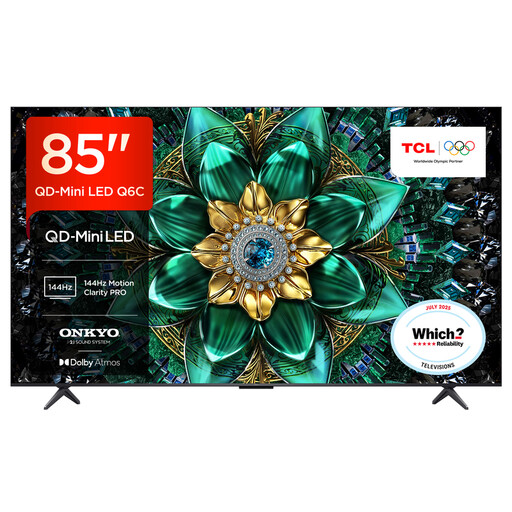
TCL 85Q6C-UK 85-inch QD-Mini LED 4K TV
Measure the seating distance and proposed placement carefully before considering this 85-inch screen for a shared room. Its title states a 144Hz native refresh rate; verify the intended console mode through the selected port and any receiver.
View on Joybuy
 No image available
TCL 65Q7C 65-inch QD-Mini LED 4K TV
Consider the 65-inch size only after checking it against the household's viewing distance. The title lists a 144Hz native refresh rate, but the gaming decision still calls for a check of the exact model's HDMI ports and supported console modes.
View on Joybuy
Common questions
Will any TV labelled for gaming run a PS5 or Xbox Series X at 4K and 120Hz?
No; the label does not establish that mode. Xbox Support specifies an Xbox Series X, an Ultra High Speed HDMI cable and an HDMI 2.1 TV for 4K gaming at 120 frames per second. For your setup, check the active display input and the console's available video-output settings; game support also matters.
Can a monitor replace the living-room TV?
A monitor can work for a close, individual console setup if its HDMI input accepts the required signal. Xbox Support says 1440p needs a compatible Xbox and display. Before using a monitor as the household screen, assess viewing distance, other viewers and audio connections too.
Should I buy a new HDMI cable or adapter?
Check the planned connection before buying either. Xbox Support specifies an Ultra High Speed HDMI cable for Series X 4K gaming at 120 frames per second; confirm the cable, display port and any AV receiver in the path against the mode you want.
Does playing console games on a TV require a UK TV Licence?
Owning the display or playing games does not itself create that requirement. GOV.UK says a TV Licence is required to watch or record programmes as they are broadcast, or to watch on-demand BBC programmes on iPlayer.


