What to check before choosing
Confirm the output path first, then decide which aspect of play matters most to you. The concerns below separate connection compatibility, motion, image presentation and physical setup so that each can be assessed on its own terms.
| Concern |
What to check |
Who this matters to |
| Output compatibility |
Check the PC or console output, cable and monitor input for your intended resolution, refresh rate and VRR mode. For Xbox Series X 4K at 120 Hz, Xbox Support specifies an HDMI 2.1-capable display and Ultra High Speed HDMI cable. |
I want the display mode I choose to work with the device I already own, rather than relying on a monitor specification alone. About 36% of consumers put connection and source compatibility first. |
| Motion in fast games |
Check refresh rate at the resolution you intend to use and VRR support over the chosen port. Compare response-time figures only when their measurement methods are clear. |
For fast-paced games, I care most about motion and whether my system can supply a suitable frame rate. Roughly 29% of consumers make motion performance their primary concern. |
| Image and format |
Check native resolution and aspect ratio against your games and source. If HDR is important, look for the exact VESA DisplayHDR or DisplayHDR True Black certification tier rather than a generic HDR label. |
I would give more weight to detail, HDR or a wider view for home play, while checking what my graphics hardware can drive. For about 21% of consumers, image presentation is the leading need. |
| Desk and setup |
Measure the space for the screen and stand; check mounting options, adjustments and the connections you need. A larger diagonal size alone will not tell you whether a wide monitor fits. |
My screen has to sit comfortably on my desk and leave room for the way I use it. Desk fit and setup come first for around 14% of consumers. |
Gaming monitors on Joybuy
These models cover PC-focused high-refresh play and curved or wider-screen home setups. Compare each monitor's stated modes with your own source device, connection and available desk space; a gaming-monitor label does not establish support for a particular console output mode.
 Image unavailable
Samsung Odyssey G6 S27DG612 27-inch QHD OLED
Consider this model if you want a 27-inch OLED display for PC gaming and can check that your system supports the mode you intend to use. Its title specifies QHD resolution and a 240 Hz refresh rate; confirm the available resolution, refresh and adaptive-sync combination through your chosen input and cable.
View on Joybuy
 Image unavailable
LG UltraGear 34GX900A-B 34-inch OLED
This is a wider-screen option to examine for home PC play if you have room for a 34-inch monitor. Its title specifies WQHD and 240 Hz; check the exact resolution and refresh-rate modes available through your source and input. The listing also cautions that its OLED screen can be susceptible to burn-in, so consider how long static images will remain on screen.
View on Joybuy
 Image unavailable
LG UltraGear G8 27G850A 27-inch dual-mode monitor
This model gives PC players a choice between the stated 4K 240 Hz and Full HD 480 Hz modes, rather than offering 480 Hz at 4K. Its title also specifies a Nano IPS panel, DisplayHDR 600, DisplayPort 2.1 and HDMI 2.1. Check which mode your source, cable and selected input can actually deliver.
View on Joybuy
 Image unavailable
Acer X Predator X49X 49-inch curved QD-OLED
Consider the X49X only if a very wide screen suits both your games and your desk. Its title specifies a 32:9 format, 1800R curve and 240 Hz refresh rate. Measure the space and support available for a 49-inch screen, and verify the resolution and refresh-rate modes for the input you plan to use.
View on Joybuy
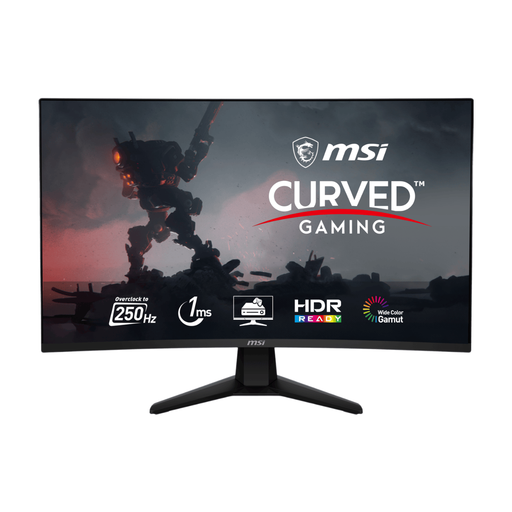 Image unavailable
MSI MAG 32C6X 32-inch FHD curved monitor
This is a Full HD option for players considering a large curved screen with an emphasis on refresh rate. Its title specifies 250 Hz as an overclocked mode. Confirm that your source and chosen input support the mode you want, and check whether a 32-inch Full HD screen suits your viewing position.
View on Joybuy
Common questions
How can I check whether my PS5 setup supports 120 Hz or VRR?
Open Settings, then Screen and Video, then Video Output to inspect the current signal and connected-display information. PlayStation also provides a 1440p output test for supported display modes; 120 Hz output still requires a compatible game and display.
What does Xbox Series X need for 4K gaming at 120 Hz?
Xbox Support specifies an Xbox Series X, an Ultra High Speed HDMI cable supporting HDMI 2.1 and an HDMI 2.1-capable display. A 120 Hz mode may still be available at a lower resolution with other supported setups, so check the output mode rather than assuming every 120 Hz display provides 4K at that rate.
Does a high monitor refresh rate guarantee smooth PC play?
No: your PC and game must supply suitable frame rates through a connection that supports the intended display mode. When frame rate changes, a compatible VRR connection can synchronise display refresh with it; VESA describes this for Adaptive-Sync, and AMD describes FreeSync with compatible graphics hardware and displays.
How should I assess HDR on a gaming monitor?
If HDR is important to your choice, check the exact model for an applicable VESA DisplayHDR or DisplayHDR True Black certification tier. VESA states that products must meet its specifications to carry the DisplayHDR logo; generic HDR wording does not identify the same certified tier.


