
24/7 Customer Support

Free returns

Same-day & Next-day Delivery

Quality Guaranteed

Unlock Your Welcome Offers: FREE Delivery | Up to 80% OFF | Free 30-day JoyPlus trial
Download the APP
Choosing among gaming monitors can be difficult when product pages focus on headline figures such as 240Hz, 0.03ms response time or “HDR-ready” visuals. These specifications matter, but only when they match your computer, console, desk and type of use.
A competitive PC player has different priorities from a designer editing photographs, while a UK home-office user may value USB-C charging and ergonomic adjustment more than an extreme refresh rate. This guide explains which specifications deserve attention and highlights suitable options for different user profiles.
A 240Hz gaming monitor can display up to 240 frames per second, but your computer must produce a comparable frame rate at the selected resolution. A mid-range graphics card may not consistently reach 240fps at 4K or QHD in demanding games.
For console users, check the practical limits of the device. PlayStation 5 and Xbox Series X|S can support high refresh rates in compatible games, but a monitor’s maximum figure does not guarantee that every title will run at that rate.
Manufacturers may quote different measurements, including GtG and MPRT. A 0.03ms GtG figure on an OLED panel is not directly comparable with a 1ms MPRT figure on a VA display. Treat response time as one part of motion performance rather than the sole buying decision.
Also check whether the quoted figure depends on a particular overdrive mode. Excessive overdrive can create visible trailing or bright outlines around moving objects.
HDR support alone does not indicate how bright, contrast-rich or accurate a display will look. Panel technology, peak brightness, local dimming and black levels all influence the result.
OLED screens can produce very deep blacks because individual pixels can switch off. However, OLED buyers should still use built-in pixel-care functions and avoid leaving static bright images on screen for long periods. IPS and VA monitors generally suit buyers who prefer a traditional LCD panel and may display static desktop content for many hours.
Pixel density also matters. Samsung’s 32-inch 4K QD-OLED model lists 166 PPI, which can produce crisp text and detailed game scenery.
A 165Hz gaming monitor can make cursor movement, scrolling and supported games feel smoother than a 60Hz display. A 240Hz model is more relevant to competitive players who have a system capable of producing high frame rates.
Look for adaptive synchronisation, such as AMD FreeSync or a compatible variable refresh-rate feature. This helps the monitor adjust its refresh rate to the graphics output, reducing tearing and uneven motion. Confirm the supported range and whether the feature works through HDMI, DisplayPort or USB-C.
For design and video work, look for measurable colour information such as sRGB or Rec.709 coverage, factory calibration and a stated Delta E value. A professional colour-accurate monitor should also offer suitable presets and enough ergonomic adjustment for your workspace.
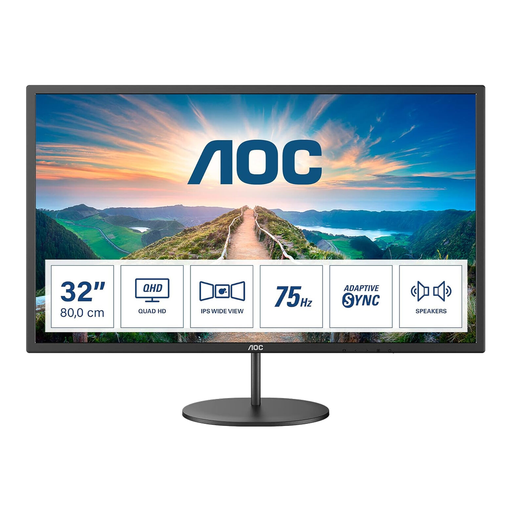
Why This Fits Their Persona: Its 31.5-inch QHD screen suits a first gaming or home-office setup where size and everyday versatility matter more than an extreme refresh rate.
The 75Hz refresh rate is clearly specified, helping buyers avoid paying for an unused 165Hz or 240Hz capability.
2560 × 1440 IPS panel, AdaptiveSync, built-in speakers and VESA 100 × 100mm mounting.
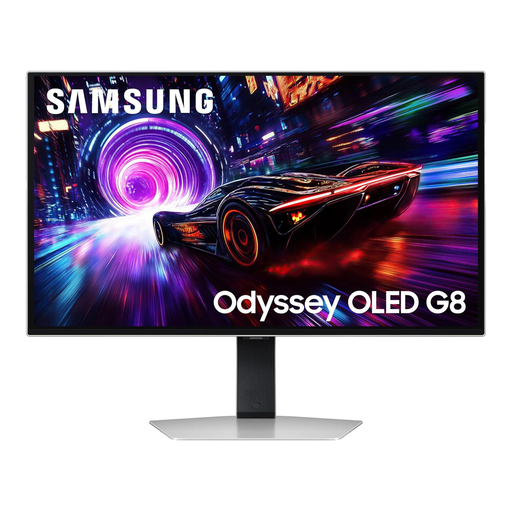
Why This Fits Their Persona: A suitable match for high-end PC gaming and 4K entertainment where pixel density, OLED contrast and fast motion are priorities.
The listing identifies the 4K resolution, 240Hz refresh rate and OLED Safeguard+ features separately, rather than treating HDR or response time as the whole specification.
3840 × 2160 QD-OLED panel, HDMI 2.1, DisplayHDR TrueBlack 400 and AMD FreeSync Premium Pro.
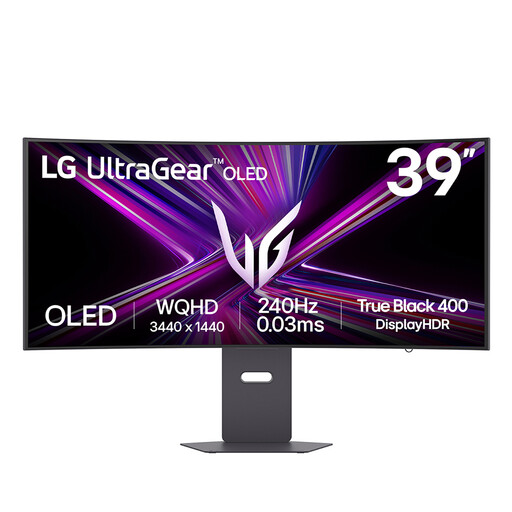
Why This Fits Their Persona: The 21:9 curved format is designed for players who want a wide field of view for racing, simulation, cinematic and multitasking use.
Its 3440 × 1440 resolution and 800R curvature are stated clearly, so buyers can assess desk depth and graphics requirements before ordering.
240Hz refresh rate, OLED panel, HDMI 2.1, USB-C with up to 65W Power Delivery and adaptive-sync support.
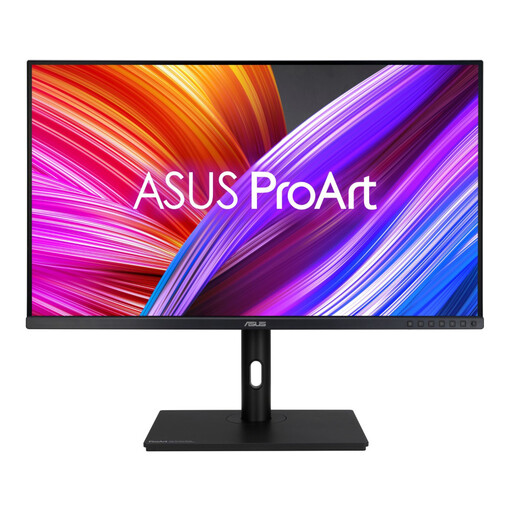
Why This Fits Their Persona: Its large IPS workspace and stated colour specifications suit photo editing, video timelines, design applications and extended office sessions.
The listing provides colour-gamut and calibration information instead of relying on a generic “professional” label.
31.5-inch 2560 × 1440 IPS panel, 100% sRGB and Rec.709 coverage, ΔE < 2 and height, swivel, tilt and pivot adjustment.
We have compiled a complete, real-time list of products that fully satisfy these strict selection criteria and UK safety regulations.
Before ordering, confirm the following:
For mobile work, a portable monitor such as the UPERFECT 16-inch 2K 144Hz model can connect to compatible laptops, phones and consoles through USB-C or Mini HDMI. Check power requirements before using it away from a mains socket.
It can be worthwhile for PC gaming, particularly when your system regularly produces more than 75 frames per second. It also makes general scrolling and pointer movement feel smoother. The benefit is less noticeable if your games are capped at lower frame rates or your work is mainly static documents.
OLED panels can experience permanent image retention after prolonged exposure to static content. This is different from temporary image retention. Use the display’s pixel-shift, logo-dimming and panel-refresh functions where available, vary static desktop layouts and follow the manufacturer’s care guidance.
Power use depends on brightness, screen size, panel type, refresh rate and operating hours. Use the product’s stated wattage as a comparison guide, enable automatic sleep settings and reduce brightness where comfortable. A larger OLED or high-refresh display may use more electricity than a smaller office monitor, although actual household cost depends on your tariff and usage pattern.