For competitive aim practice, consider a compact 24.5-inch Full HD monitor with a high refresh rate if your PC can deliver consistently high frame rates in the shooters you play. A larger QHD high-refresh monitor makes more sense when image detail and everyday PC use matter too, though QHD demands more from the graphics card. For long sessions, check that you can position the screen comfortably; monitor features do not replace sensible positioning and breaks.
Who each setup suits
Competitive aim-practice players
If tracking targets, flicking and controlling recoil are your main uses, start with the frame rates your PC achieves and the refresh rate available through your intended connection. A compact Full HD format may suit you better than extra desktop detail.
Players training for long sessions
If you spend extended periods at your desk, stand adjustment and screen placement deserve attention alongside refresh rate. The Health and Safety Executive advises positioning a screen around arm's length away, with its top level with your eyes, and taking short, frequent breaks in its display-screen guidance.
Shooter players who also use their PC more broadly
If the same display is for aim practice, other games and everyday PC use, a larger QHD screen may make image detail more important to your decision. Check the frame rates your graphics card can sustain at QHD before choosing its refresh rate.
What to check before buying
Choose between compact Full HD and larger QHD according to your main use, then check actual game frame rates, connection limits and whether the screen will fit your desk setup. A monitor's high refresh rate is not fully used when the PC produces substantially fewer frames.
| Concern |
What to check |
Who this matters to |
| Motion and refresh |
Measure frame rates in your usual shooter settings; confirm the refresh rate available through the input you will use. |
If I mainly practise fast target movements, I want the display choice to reflect the frames my PC actually delivers. Around 46% of consumers would make motion and refresh their primary concern. |
| Long-session positioning |
Check the stand adjustments you need and whether the screen can sit at a suitable height and distance on your desk. |
When practice runs long, I need to place the screen sensibly rather than work around a fixed position. For roughly 27% of consumers, adjustability would come first. |
| QHD and broader use |
Compare frame rates at QHD with those at Full HD; for an OLED model, check its panel-care guidance. |
If this is also my everyday display, I may value QHD detail enough to accept the extra graphics workload. About 27% of consumers would put broader-use image detail first. |
Buying pitfalls
-
Choosing by the headline refresh rate alone
A high monitor refresh rate does not mean your PC will produce the same number of unique game frames. The available rate can also differ by connection; Dell UK lists different HDMI and displayed resolution-and-refresh details for the AW2524HF.
Check frame rates in the shooters and settings you use, then confirm the maximum rate for your chosen monitor input and connection.
-
Assuming blur reduction and variable refresh work together
ZOWIE's support guidance says DyAc modes must be switched off to enable variable refresh rate on the models covered by its advice. That interaction may matter if your game frame rate fluctuates.
Check the exact monitor's manual and your graphics-card compatibility before deciding which feature you intend to use.
-
Relying on eye-comfort labels instead of the desk setup
A display feature cannot position the screen for you or replace breaks. The Health and Safety Executive's display-screen guidance addresses screen placement, posture and work routines together.
Check the stand's adjustment range, or confirm mounting compatibility if you plan to use an arm. Set up the screen and take breaks during extended sessions.
-
Choosing QHD OLED for speed alone
QHD puts more demand on the graphics card than Full HD. ASUS describes the OLED-care features on its PG27AQDP as reducing burn-in risk, not removing the need for panel care.
Check your shooter frame rates at QHD and follow the care instructions for the exact OLED model you choose.
Relevant brands to consider
These model examples illustrate different display priorities; a brand name alone does not establish the specifications or suitability of another model in its range.
ZOWIE by BenQ
ZOWIE UK positions the XL2566X+ as a 400Hz Fast TN monitor for FPS play.
- ZOWIE lists DyAc 2, a shielding hood and height adjustment for the XL2566X+.
- Full HD offers less image detail than QHD. ZOWIE's support guidance also says DyAc modes and variable refresh cannot run together on the models it covers; check the exact model.
Alienware
Dell UK lists the AW2524HF as a 24.5-inch Full HD Fast IPS monitor with a headline 500Hz refresh rate.
- Dell lists height, pivot, swivel and tilt adjustment for the AW2524HF.
- Do not assume every connection reaches the headline rate: Dell's listing shows 255Hz at Full HD over HDMI and 480Hz in its displayed resolution-and-refresh detail.
ASUS ROG
ASUS ROG lists the PG27AQDP as a 26.5-inch QHD WOLED monitor with a 480Hz refresh rate.
- Its QHD specification makes it an option to examine when both shooter play and image detail matter.
- Check whether your PC can deliver the frame rates you want at QHD. ASUS describes OLED Care+ as reducing burn-in risk, so its care guidance still matters.
Joybuy monitor choices
These monitors offer different combinations of Full HD gaming refresh capability, larger-screen use and higher-resolution modes. Check each model's mode and connection limits against your PC; a 27-inch Full HD or 4K dual-mode display is not the same choice as a compact 24.5-inch esports monitor or a 27-inch QHD model.
 No image available
LG UltraGear G8 27G850A 27-inch 4K Dual-Mode monitor
A dual-mode option to consider if you want one screen for shooter practice and higher-resolution use.
The product name lists a 4K UHD Nano IPS panel and 240Hz/480Hz dual-mode capability. Check which resolution and connection deliver the mode you intend to use.
View on Joybuy
 No image available
LG UltraGear 27G810A-B 27-inch 4K Dual-Mode monitor
Consider this model if your setup calls for a larger dual-mode display rather than a compact Full HD screen.
The product name identifies an IPS 4K UHD monitor with a stated maximum of 360Hz. Confirm the resolution and connection required for the refresh mode you want.
View on Joybuy
 No image available
Samsung Odyssey G6 S27DG612 27-inch QHD OLED monitor
This is a QHD option for players who want their shooter-practice screen to serve broader PC use too.
The product name lists a 240Hz refresh rate and 0.03ms response-time specification. Check the rate available through your chosen connection and follow the manufacturer's OLED-care guidance.
View on Joybuy
 No image available
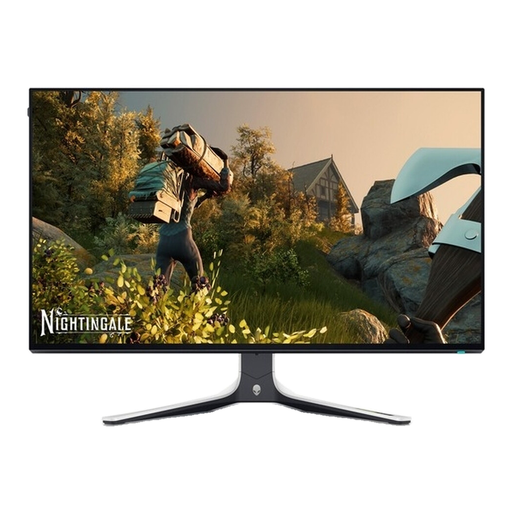
Alienware AW2724HF 27-inch Full HD Fast IPS monitor
A larger Full HD option to examine if shooter practice matters more to you than QHD detail.
The product name states 360Hz and 0.5ms. Confirm the exact model's connection-specific refresh limit and stand adjustments before choosing it for long sessions.
View on Joybuy
Questions about shooter monitors
Do I need a 360Hz, 400Hz or 500Hz monitor for aim practice?
Not necessarily: choose a refresh rate in light of the frames your PC delivers in your usual shooter settings. A 240Hz monitor is not fully used when the PC produces only 100 frames per second; also check the rate supported by the connection you will use.
Can I use DyAc blur reduction and variable refresh together?
Not on the ZOWIE models covered by the company's support guidance: ZOWIE says DyAc, DyAc+ or DyAc 2 must be turned off to enable variable refresh. Check your exact monitor's guidance and graphics-card compatibility before relying on either mode.
How should I position a monitor for a long practice session?
Arrange the screen directly in front of you at a distance and height you can use comfortably. As a practical reference, the Health and Safety Executive's workplace display-screen guidance describes a screen about arm's length away with its top level with your eyes, and favours short, frequent breaks.
Does a three-year warranty apply to every OLED gaming monitor?
No: warranty terms need checking for the particular model and seller. ASUS lists a three-year warranty for its PG27AQDP; confirm the coverage and care conditions that apply to the monitor you intend to buy.


