Who these choices suit

Competitive PC arena players

If you want a high-refresh display for rapid movement, check the frame rate your PC can sustain in your game, the available display mode and VRR compatibility. The largest advertised refresh-rate number alone does not tell you which mode you can use.

Compact-screen esports players

If you prefer a 24.5-inch 1080p layout, a model such as ZOWIE's XL2566K offers a 360Hz Fast TN panel and DyAc+ motion-clarity controls. Consider that format alongside your preferences for resolution and screen size.

Console players using a headset

Check the monitor's HDMI resolution, 120Hz and VRR modes against your PS5 or Xbox setup. Work out whether your headset will connect to the console, controller or another device, or whether you need audio routed through the monitor.

What to prioritise

24.5-inch 1080p esports screen

Choose when: You prefer a compact competitive layout and want to assess controls such as the DyAc+ feature on ZOWIE's XL2566K.

Trade-off: Full HD offers less image detail and desktop workspace than QHD; the usefulness of motion-clarity settings depends on the game, settings and your preferences.

27-inch QHD high-refresh screen

Choose when: You want 2560 × 1440 detail alongside high-refresh play and your PC can sustain a suitable frame rate at that resolution.

Trade-off: QHD places greater demand on the GPU than 1080p at otherwise comparable settings.

Console-compatible 120Hz screen

Choose when: PS5 or Xbox Series X|S is your main device and the monitor supports the resolution, 120Hz and VRR modes you intend to use.

Trade-off: A higher advertised PC refresh rate does not mean a console will output at that rate; PlayStation Support and Xbox Support describe console output in terms of supported modes.

ConcernBuying checksWho this matters to
Motion clarity Check the native refresh rate at your chosen resolution and input, then consider whether your PC can deliver a suitable frame rate. When targets move quickly, I want a refresh mode my PC can actually use rather than just a high number on the box. Around 33% of consumers put practical motion clarity first.
Resolution and frame rate Compare 1920 × 1080 and 2560 × 1440 in the game you play, including the frame rate your PC can sustain. If I also use the screen for a detailed desktop view, I need to decide whether QHD is worth its greater GPU demand. For around 27% of consumers, balancing detail with frame rate is the main concern.
Device compatibility Confirm the resolution, refresh rate and VRR supported over your intended input; match the cable and source device to that mode. I do not want to choose a display mode that my graphics card or console cannot output. Getting the connection and VRR mode right comes first for around 27% of consumers.
Headset connection Decide whether audio will come from the PC, console, controller or monitor, and check for a headphone output if you need one on the display. If the screen will be my headset connection point, its audio output matters more to me than built-in speakers. Around 13% of consumers make headset routing their first priority.

Buying pitfalls

  • Choosing by headline refresh rate alone

    The top rate may depend on the resolution and connection. Microsoft Support notes that the refresh-rate options shown in Windows depend on the current display configuration.

    Check the monitor's resolution-and-refresh table for the input you will use, then compare it with your PC or console output.

  • Assuming VRR branding covers every setup

    VRR needs a compatible display, source device, connection and operating mode. A FreeSync or G-SYNC Compatible label does not establish that every combination will work identically.

    Match the stated VRR support to your graphics hardware and check the monitor's supported connection and VRR range.

  • Ignoring audio because you wear headphones

    Monitor speakers may be unnecessary for your setup, but a headphone output matters if you plan to pass audio through the display. Dell lists no audio for the AW2725DF, while LG lists a headphone output but no speakers for the 27GN750.

    Choose your headset connection path, then check the exact monitor model's audio specification.

  • Treating response-time figures as directly comparable

    Manufacturers list figures for different models and panel technologies under their own stated conditions. A single grey-to-grey figure does not establish how two monitors will look in your game.

    Consider response time alongside the resolution, refresh mode, VRR support and inputs you intend to use.

Brands to consider for these monitor formats

Alienware

Its gaming-monitor range includes the 26.7-inch QHD AW2725DF, a QD-OLED option for a high-refresh PC setup.

  • Dell lists a 360Hz refresh rate and FreeSync Premium Pro and G-SYNC Compatible support for the AW2725DF.
  • Dell lists its audio provision as 'No'; check another headset connection path if considering this model.

ASUS ROG

The range includes QHD IPS and OLED gaming monitors. The PG27AQN is a 27-inch QHD IPS model specified at 360Hz.

  • The PG27AQN provides a specific high-refresh QHD IPS format to compare with other screen types.
  • Panel type, ports and supported modes vary by model; check the specification of the particular ROG display you are considering.

ZOWIE

Its esports-focused line includes compact Fast TN monitors such as the 24.5-inch XL2566K.

  • ZOWIE specifies the XL2566K at 360Hz with DyAc+ and model-specific settings controls.
  • Weigh its 1080p compact format and your viewing preferences against a larger QHD screen; do not treat the brand's motion-clarity claims as a direct comparison for every game.

LG UltraGear

The range spans Full HD high-refresh displays and other gaming-monitor formats, including OLED models.

  • LG's 27GN750 specification shows that a 240Hz Full HD IPS monitor can have a headphone output without built-in speakers.
  • Do not assume the same audio provision or display modes apply to another UltraGear model; check the exact unit.

Joybuy gaming monitors

These monitors offer different layouts for arena play: QHD high-refresh screens, a Full HD model, a 4K dual-mode model and an ultrawide. Compare each one with the display mode your device can output and the way you plan to connect your headphones.

LG UltraGear 27G810A-B monitor

LG UltraGear 27G810A-B 27-inch IPS 4K Dual Mode monitor

Consider this model if you want to choose between display modes for detail and faster play. Its product name specifies 4K UHD and a maximum of 360Hz; check which resolution and input support the mode you intend to use.

If you want to connect your headset through the monitor, confirm the audio output for your setup.

View on Joybuy

Acer X Predator X27U W3 monitor

Acer X Predator X27U W3 26.5-inch QHD QD-OLED 240Hz monitor

This is a QHD high-refresh option for a PC that can sustain the frame rate you want at 2560 × 1440. The product name also lists FreeSync Premium Pro and G-SYNC Compatible support; check the mode and connection required for your hardware.

Confirm the headset connection separately if you intend to route audio through the display.

View on Joybuy

Samsung Odyssey G6 S27DG612 monitor

Samsung Odyssey G6 S27DG612 27-inch QHD OLED 240Hz monitor

Consider this 27-inch QHD model if you want a larger high-refresh format than a compact 1080p esports screen. Check whether your device and chosen input support the 240Hz mode at the resolution you will use.

If the monitor needs to serve as your headset connection, check its audio-output specification before choosing it.

View on Joybuy

LG UltraGear 34GX900A-B monitor

LG UltraGear 34GX900A-B 34-inch OLED WQHD 240Hz monitor

This is an ultrawide alternative if you prefer a broad desk display to the compact esports layout. Its product name specifies a 34-inch WQHD OLED screen and 240Hz; check the refresh mode available through your intended input.

Consider the screen's fit on your desk and confirm the headset connection you plan to use.

View on Joybuy
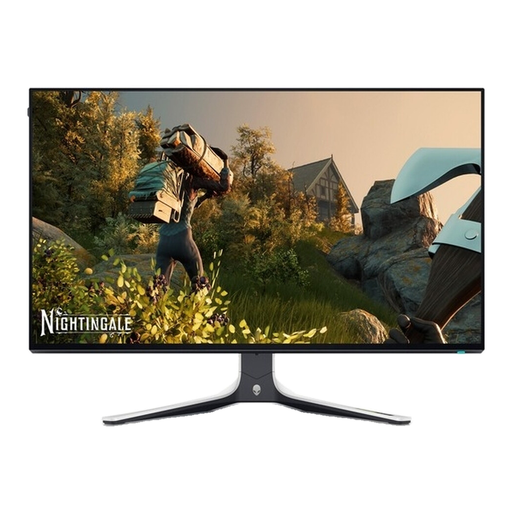
Alienware AW2724HF monitor

Alienware AW2724HF 27-inch Full HD Fast IPS monitor

Consider this model if you prefer a 27-inch Full HD screen rather than a QHD format. Confirm the AW2724HF's exact refresh rate and supported input mode before relying on a headline rate for competitive play.

Check the exact unit's audio output if your headphones will connect through the monitor.

View on Joybuy

Common questions

Do I need monitor speakers if I always play with headphones?

Usually not, if your headset already connects to your PC, console, controller or audio interface. Prioritise a monitor headphone output only if you intend to route sound through the display; check the exact model, as Dell lists no audio for the AW2725DF while LG lists a headphone output but no speakers for the 27GN750.

Will a 360Hz monitor make my arena game run at 360 frames per second?

No. The game and PC determine the frames produced, while the monitor's supported mode and connection determine the refresh rate you can select. Microsoft Support notes that available Windows refresh-rate settings can change with the display configuration.

Is a 360Hz monitor worth choosing for PS5?

Do not choose it solely for the 360Hz figure: first check the monitor's PS5-compatible 120Hz, resolution and VRR modes. PlayStation Support describes tests for supported 1440p output, including 60Hz, 120Hz and VRR conditions; the game and display must support the mode you want.

What does an Xbox Series X setup need for 4K at 120Hz?

Check that the monitor's intended HDMI input supports 4K at 120Hz and the necessary HDMI 2.1 features. Xbox Support identifies its supplied Ultra High Speed HDMI cable for those features and advises a certified Ultra High Speed cable if you need a longer lead.